Particle effects in Aseprite
Bring ready-made pixel art particle effects into Aseprite to edit frames by hand, or export Aseprite JSON for engines that read it, from ParticleFX Studio.
Hand-animating particles frame by frame is slow. A common workflow is to generate the motion in ParticleFX Studio, with pixel mode on and the palette locked to your game's palette, then retouch a few frames in Aseprite.
Get the frames into Aseprite
- In the studio, open Effect settings > Pixel art and palette, turn pixel mode on and pick your palette (Endesga 32, PICO-8 or your own) so every frame uses only those colours.
- Press Export, choose Spritesheet with Transparent on, and note the frame size.
- In Aseprite use File > Import Sprite Sheet, choose By Rows and enter the frame width and height. Each cell becomes a frame.
- Set the frame duration under Frame Properties to match the export frame rate (33 ms for 30 fps).
Aseprite JSON for engines
With a plan, set Engine data to Aseprite JSON. The file has the frame list, durations and a frame tag named after the effect, in the format Aseprite writes itself, so tools and engine plugins that read Aseprite exports load it directly, including Phaser's load.aseprite and anims.createFromAseprite.
Pixel art effects to start from




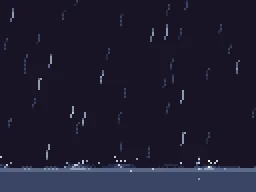

A free account exports 3 effects a day as GIF, APNG, WebP, PNG frames or a plain PNG spritesheet (a grid of frames, no data file). The data file your engine reads, packed sheets, 2x to 4x scale, normal maps and video come with any plan, from $7.99 a month.
Questions
Are the exports real pixel art?
Yes, in pixel mode the effect renders at your game resolution with hard edges, and with a palette locked every colour is from that palette. Exports are not a filter over an HD render.