Particle effects in Godot 4 with SpriteFrames
Use ready-made 2D particle effects in Godot 4: export a SpriteFrames .tres or a spritesheet from ParticleFX Studio and play it on an AnimatedSprite2D, with pixel art and additive settings.
Godot's GPUParticles2D and CPUParticles2D are great for effects that react to the game world. For a hit, a pickup or a spell that should look exactly as designed, a baked sprite animation is simpler and cheaper. ParticleFX Studio exports Godot 4 SpriteFrames directly, so the animation arrives ready to play.
With a plan: the SpriteFrames resource
- Open the effect in the studio, press Export and choose Spritesheet.
- Set Engine data to Godot 4 SpriteFrames. You can also pick Packed layout: each frame is trimmed and the resource keeps it in place.
- Export. You get
name.pngandname.tres. The resource points atres://name.png, so put both files in the root of your project, or open the.tresin a text editor and change that one path. - Add an AnimatedSprite2D, and drag
name.tresinto its Sprite Frames property. - The animation is named after the effect, loops, and plays at the exported frame rate. Tick Autoplay or call
play().
Free: a plain spritesheet
- Export Spritesheet with Engine data set to Image only. Note the frame count and the columns the dialog shows.
- Add an AnimatedSprite2D, create a new SpriteFrames and open it in the SpriteFrames panel.
- Press Add frames from sprite sheet, pick the PNG, set the horizontal and vertical counts to the sheet's columns and rows, select all frames and add them.
- Set the animation speed (FPS) to the export frame rate, 30 by default.
Pixel art and glow settings
- Pixel art: set Project Settings > Rendering > Textures > Default Texture Filter to Nearest, or set Texture Filter to Nearest on the node.
- Additive glow: give the node a CanvasItemMaterial with Blend Mode set to Add, and export with Transparent off and Black background on. Black adds nothing, so only the glow shows.
- 2D lights: with a plan, export a Normal map and use a CanvasTexture with the PNG as diffuse and
_n.pngas normal.
Effects that work well in Godot
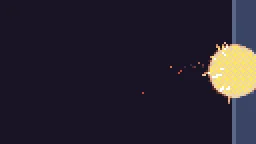
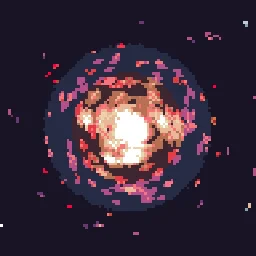
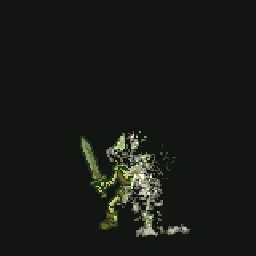
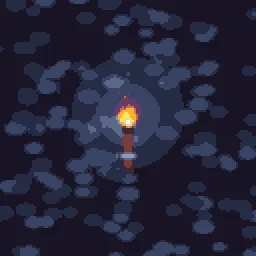

A free account exports 3 effects a day as GIF, APNG, WebP, PNG frames or a plain PNG spritesheet (a grid of frames, no data file). The data file your engine reads, packed sheets, 2x to 4x scale, normal maps and video come with any plan, from $7.99 a month.
Questions
Does ParticleFX export Godot 4 SpriteFrames?
Yes. With any plan, the spritesheet export can write a Godot 4 SpriteFrames .tres next to the PNG. It loops and plays at the exported frame rate on an AnimatedSprite2D.
The .tres shows a missing texture. Why?
The resource points at res://name.png. Put the PNG in the root of the project, or edit that path in the .tres to where the PNG lives.
Can I use it with Godot 3?
The .tres is written for Godot 4. In Godot 3, use the plain spritesheet and add frames from the sprite sheet in the SpriteFrames editor.