Game particle effects in Cursor
Add the ParticleFX MCP server to Cursor with a few lines of mcp.json, then let the agent build a coin pickup effect and export a TexturePacker atlas for Phaser 3.
Cursor's agent can call MCP tools while it works on your code. With the ParticleFX server connected, the same chat that wires up your pickup logic can make the pickup effect, check how it renders, and drop the atlas into your assets folder.
Connect Cursor
- Sign in at particlefx.studio and make an API key on your billing page. Any account can, the free one included. The key starts with
pfx_live_, is shown once, and can be revoked there at any time. - Put the key in an environment variable Cursor can see (start Cursor from that shell, or set it in your profile), so it stays out of the project.
- Add the server to
.cursor/mcp.jsonin the project, or to~/.cursor/mcp.jsonfor every project. - Open the MCP list in Cursor (Customize, MCPs) and check that particlefx is on and lists its tools. In the Cursor CLI,
agent mcp listshows the same.
{
  "mcpServers": {
    "particlefx": {
      "url": "https://mcp.particlefx.studio/mcp",
      "headers": { "Authorization": "Bearer ${env:PFX_API_KEY}" }
    }
  }
}
Cursor also supports OAuth, so you can connect with your account instead of a key: leave out headers, and Cursor sends you to particlefx.studio to sign in and allow the connection (in the CLI, agent mcp login particlefx).
Example: a coin pickup for Phaser 3
Use the particlefx tools. Start from the Coin Pickup library effect, name it coin-pickup,
make it a third smaller, check the render, and export it as a packed spritesheet with
TexturePacker JSON, transparent, 30 fps, into public/assets/fx/. Then play it in
GameScene where the player collects a coin.
What happens, tool by tool:
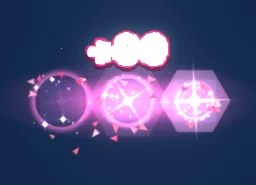
list_presetsfinds Coin Pickup (pixel-arcade/coinPickup) in the library.create_effectcopies it into your account ascoin-pickup. From here on it is your effect: it shows up on My effects andopen_in_studiogives a link to it.edit_effectapplies the change you asked for as edit ops, the same edit language the studio and its own agent use.render_previewreturns a labelled contact sheet of moments across the loop. Cursor's agent looks at it, and edits again if something reads badly.analyze_effectchecks that the loop closes and counts particles over it.export_effectwithformat: "sheet",sheet_meta: "texturepacker",sheet_layout: "packed",transparent: trueandfps: 30renders the real thing at full size and returns a download link that works for 1 hour.- Cursor's agent downloads the zip and unpacks it into
public/assets/fx/:coin-pickup.pngandcoin-pickup.json.
The JSON is a TexturePacker hash: frames named coin-pickup_0000.png, coin-pickup_0001.png and so on, each trimmed, with its offset so the frames still line up. Phaser reads that directly. Sorting the frame names gives the play order:
// preload()
this.load.atlas('coin-pickup', 'assets/fx/coin-pickup.png', 'assets/fx/coin-pickup.json');

// create()
const names = this.textures.get('coin-pickup').getFrameNames().sort();
this.anims.create({
  key: 'coin-pickup',
  frames: names.map((frame) => ({ key: 'coin-pickup', frame })),
  frameRate: 30,
  repeat: 0,
});

// when the player collects a coin
const fx = this.add.sprite(coin.x, coin.y, 'coin-pickup').play('coin-pickup');
fx.once('animationcomplete', () => fx.destroy());- Glow: for light effects, ask for
transparent: falsewithblack_background: trueand draw the sprite withsetBlendMode(Phaser.BlendModes.ADD). See glow without a black box. - Pixel art: set
pixelArt: truein the game config. - The free route with a plain spritesheet, and PixiJS: Phaser and PixiJS guide.



What it costs
Connecting costs nothing, and neither do searching the library, reading the reference, analysing an effect, or any edit after the first. Paid steps use builds, the same builds as on the website:
- Create the effect from a library preset (
create_effect): 1 build. - Edits and the loop check (
edit_effect,analyze_effect): free. - Previews (
render_preview): the first 20 of each UTC day free, then 1 build per 4, at most 200 a day. - Export (
export_effect, packed TexturePacker atlas): 1 build, and the TexturePacker JSON needs a paid plan.
So this example takes 2 builds of work if the previews stay inside the free ones: 1 for the new effect and 1 for the export. The free sign-up and daily builds are for the website and never pay for MCP calls. On a free account and on Starter, MCP calls are paid from pack builds, from $4.99 for 150 that never expire. Creator at +50%, Studio at +25%, Studio Max one for one can spend plan builds instead, and fall back to pack builds when those run out. Work that fails on our side is refunded.
The TexturePacker JSON is a plan feature, as in the studio: any plan, from $7.99 a month (Starter), unlocks it. Without a plan the same build exports a GIF, WebP, APNG, PNG frames, or the sheet as an image only (sheet_meta: "none").
If you would rather our own effects agent did the creative work, build_effect takes a description and costs 1 build (Basic) or 10 (Pro). Full price list: MCP tools and keys, limits and billing.
Next
Every tool and its parameters are in the tools reference. Setup for the other clients is on Coding agents, and any of the free effects can be the starting point for Cursor's agent.
Questions
Where does the Cursor MCP config go?
In .cursor/mcp.json in the project for that project only, or ~/.cursor/mcp.json for every project. Both use the same mcpServers format with a url and headers, and when both name the same server the project entry wins.
Do I have to put my API key in mcp.json?
No. Use ${env:PFX_API_KEY} in the header so Cursor reads the key from your environment, or leave out the header and log in with your ParticleFX account when Cursor connects.
Does the TexturePacker export work with Phaser 3 trimmed frames?
Yes. Packed sheets trim each frame and write spriteSourceSize and sourceSize, which Phaser uses to put each frame back in place, so the animation does not jitter.
Can I use the effects in a commercial game?
Yes. Exported effects, including ones started from the library or changed by your agent, may be used in any project, commercial games included, with no credit required. Reselling the library itself as an effect pack is not allowed.