Game particle effects in ChatGPT
Add ParticleFX to ChatGPT as a custom MCP server, sign in with your ParticleFX account, and make, preview and export a pixel fire blast that Phaser plays.
ChatGPT adds MCP servers as plugins. Connected to ParticleFX, it can make and change effects, show the preview renders in the chat, and hand you download links for the exports. ChatGPT signs in with OAuth and cannot send API keys, so it always connects with your ParticleFX account.
Connect ChatGPT
- Open chatgpt.com/plugins, press + and choose Add custom MCP server.
- Name it ParticleFX, enter the URL
https://mcp.particlefx.studio/mcp, choose OAuth for authentication, accept the warning and press Create as a plugin. - Install it. ChatGPT opens particlefx.studio: sign in with your ParticleFX account and allow the connection.
- In a new chat, mention @ParticleFX and ask for an effect.
OpenAI decides which ChatGPT plans can add custom MCP servers, and whether a plan may use actions that change things, such as creating and exporting effects. On Business, Enterprise and Edu workspaces an admin may have to create or allow it. Check OpenAI's help article for your plan.
Example: a pixel fire blast for Phaser, no plan needed
Use ParticleFX. Start from the Pixel Fire Blast effect, name it fire-blast, make it
a little smaller and show me the render. Then export it as a spritesheet image with no
engine data, transparent, 30 fps, and tell me the frame size.
What happens:
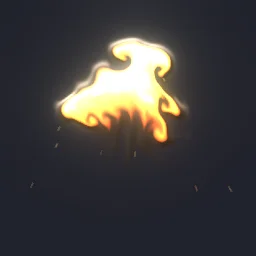
list_presetsfinds Pixel Fire Blast (smoke-fire/pixelFireBlast), a fluid-simulated blast in pixel art, andcreate_effectcopies it into your account asfire-blast.edit_effectmakes the change andrender_previewshows the loop in the chat.export_effectwithformat: "sheet"andsheet_meta: "none"writes one PNG of frames in a grid. Its reply ends with the frame count and size, for the library version of this effect48 frames at 328x256(your edit can change the size); the download link works for 1 hour.
Phaser slices a plain sheet by frame size, so use the size from the export reply. Identical frames are stored once and a grid can end in a blank cell, which only matters at the very end of a one-shot like this one:
// preload()
this.load.spritesheet('fire-blast', 'assets/fx/fire-blast.png', { frameWidth: 328, frameHeight: 256 });

// create()
this.anims.create({
  key: 'fire-blast',
  frames: this.anims.generateFrameNumbers('fire-blast'),
  frameRate: 30,
  repeat: 0,
});

// on impact
const fx = this.add.sprite(x, y, 'fire-blast').play('fire-blast');
fx.once('animationcomplete', () => fx.destroy());- Pixel art: set
pixelArt: truein the game config so the blast stays crisp. - With a plan, ask for
sheet_meta: "texturepacker"instead and load it as an atlas; see Cursor or the Phaser guide.



What it costs
Connecting costs nothing, and neither do searching the library, reading the reference, analysing an effect, or any edit after the first. Paid steps use builds, the same builds as on the website:
- Create the effect from a library preset (
create_effect): 1 build. - Edits and the loop check (
edit_effect,analyze_effect): free. - Previews (
render_preview): the first 20 of each UTC day free, then 1 build per 4, at most 200 a day. - Export (
export_effect, spritesheet image only): 1 build, no plan needed.
So this example takes 2 builds of work if the previews stay inside the free ones: 1 for the new effect and 1 for the export. The free sign-up and daily builds are for the website and never pay for MCP calls. On a free account and on Starter, MCP calls are paid from pack builds, from $4.99 for 150 that never expire. Creator at +50%, Studio at +25%, Studio Max one for one can spend plan builds instead, and fall back to pack builds when those run out. Work that fails on our side is refunded.
If you would rather our own effects agent did the creative work, build_effect takes a description and costs 1 build (Basic) or 10 (Pro). Full price list: MCP tools and keys, limits and billing.
Next
Every tool and its parameters are in the tools reference. Setup for the other clients is on Coding agents, and any of the free effects can be the starting point for ChatGPT.
Questions
Which ChatGPT plans can add ParticleFX?
That is up to OpenAI and changes over time: see its help article on custom MCP servers for your plan. On business workspaces an admin may have to create or allow it. On the ParticleFX side any account works.
Do I need an API key for ChatGPT?
No, and it could not use one: ChatGPT connects to MCP servers with OAuth only. It signs in with your ParticleFX account, and calls are billed to that account.
Can I use the export without a paid ParticleFX plan?
Yes. A GIF, WebP, APNG, PNG frames or a spritesheet image with no engine data needs only the build for the export. Engine data files, hi-res, video and the live runtime need a plan.
Can I use the effects in a commercial game?
Yes. Exported effects, including ones started from the library or changed by your agent, may be used in any project, commercial games included, with no credit required. Reselling the library itself as an effect pack is not allowed.