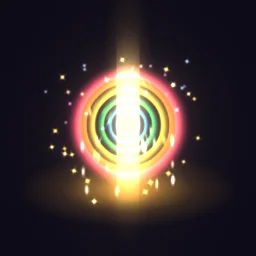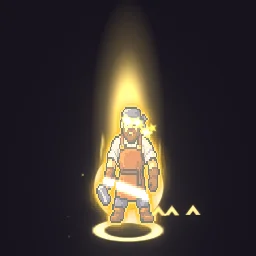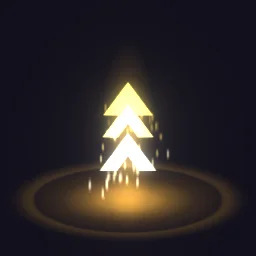
Tower Upgrade: A tower upgrade for Roblox tower defense games: a gold ring flashes on the ground, three bold chevrons climb a column of light one after another, and a star flare pops at the top.

Tower Upgrade

A tower upgrade for Roblox tower defense games: a gold ring flashes on the ground, three bold chevrons climb a column of light one after another, and a star flare pops at the top.

Tower Upgrade is an HD effect that loops seamlessly every 1.6 seconds, drawn on a 512 by 512 canvas. It is built from 10 particle emitters. Most layers blend additively, so it glows on dark backgrounds.

Free download with a transparent background, cropped to the effect, 48 frames at 30 fps. Use it in commercial games, no credit needed.

Roblox: the download is a flipbook for a ParticleEmitter. Set FlipbookLayout to Grid8x8, FlipbookMode to OneShot and Lifetime to 1.6, then emit one particle per cycle. Roblox setup.

REMIX WITH AI

Try:

Left empty, it just opens in the agent, free. Each change is one AI build, and you start with free builds.

Engine data for Unity, Godot, GameMaker and Aseprite comes with a plan: open it in the studio.

OPEN IN THE STUDIO

Change the colours, timing or size, or export for Unity, Godot 4, GameMaker, Phaser, PixiJS and Aseprite.
DETAILS

Length
1.6 seconds, seamless loop
Canvas
512 x 512, HD
Layers
10 emitters
Blend
Mostly additive (glows)
Colours
goldwhiteorangepale gold
Sprites
Kenney Particle Pack by Kenney (CC0), ParticleFX Status by ParticleFX Studio (CC0)
Tags
upgrade, level up, tower, tower defense, arrows, power up, roblox

USING IT IN YOUR GAME

Phaser, PixiJS
The PNG sheet is a plain grid of frames that both can slice. A TexturePacker JSON atlas comes with a plan, from the studio.
Unity
Import the PNG sheet as a Sprite with Mode set to Multiple and slice it, or open the effect in the studio for a ready-made grid.
Godot 4, GameMaker, Aseprite
Open it in the studio and pick your engine in Export: with a plan, it writes the files that engine imports.
Web and chat
The GIF plays anywhere; the APNG keeps soft edges on any background.
Blend mode
This effect is made of light. For the same glow in your game, draw the sprite with additive blending, or export it on black from the studio for additive shaders.

Step by step: Unity, Godot 4, Roblox, GameMaker, Phaser and PixiJS, Aseprite, Web games (live runtime). Drawn with additive blending: see glow effects without a black box.

MORE Battlegrounds & Simulators

YOU MIGHT ALSO LIKE

All Battlegrounds & Simulators effects or the full library.