How to make a pixel art explosion
Make a pixel art explosion for your game: a hard flash, a fireball on a real palette, chunky debris that bounces and smoke that clears, exported as a spritesheet or GIF.
A good game explosion reads in four beats: a one or two frame flash, a fireball that grows fast and cools from white through yellow and orange to red, debris thrown out on arcs, and smoke that lingers and clears. In pixel art every beat also has to sit on the game's pixel grid and palette, or the effect looks pasted on. You can start from a finished one, describe one to the agent, or build it yourself.
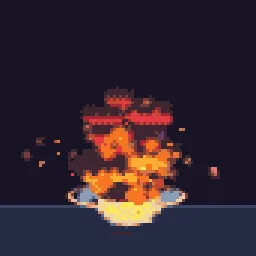


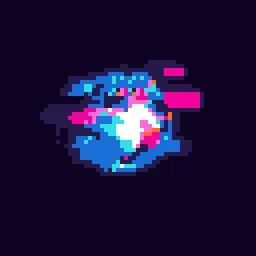
The quick way: start from the library
Open Big Explosion in the studio. It is already pixel art, loops, and can be recoloured or retimed in a minute. Or describe it: build "a crunchy pixel-art explosion that throws debris onto the floor" with the agent (uses 1 build; your first one needs no account).
Build it step by step
- Open the studio and select Effect settings. Under Pixel art and palette, turn pixel mode on, set the pixel size to match your game (2 or 3 for a 320 x 180 game scaled up), and pick a palette such as Endesga 32 or PICO-8. Every frame now renders on that grid in those colours.
- Add an emitter for the flash: a burst of a few large glow particles at frame 0 with a life of about 0.08 s. Short and bright is what sells the hit.
- Add the fireball: a burst of 30 to 60 particles with a short life (0.3 to 0.6 s), high start speed and Drag so they slow quickly. Give it Colour over Life from white to yellow, orange, red and dark red, and Size over Life that grows then shrinks.
- Add debris: a burst of 10 to 20 small square or shard particles with Gravity and Collision with Floor line on, a little Bounciness, and a longer life so they settle.
- Add smoke: soft grey particles that start a few frames late, rise slowly with Turbulence, and fade out over a second.
- Under Timeline and loop, choose One-shot for an explosion that plays once, or keep Perfect loop for a looping preview.
- Press Export and choose Spritesheet (for engines) or GIF (for sharing). Keep Transparent on.
What makes it look pixel-perfect
- Fewer, bigger particles. At 2x or 3x pixel size, 40 chunky particles read better than 400 tiny ones.
- Hard colour steps. Turn on Stepped in Colour over Life for clean palette ramps instead of blends.
- Hold the flash. One frame of white on the whole explosion is the classic hit-stop look.
- Clean smoke. Use a few large, solid smoke particles in two or three palette shades and fade them with Opacity over Life, so the smoke stays readable on the grid.
Try it now
Every effect in the library is free to open, change and export.
Questions
What frame rate should a pixel art explosion use?
Most pixel art games animate effects at 12 to 30 fps. Export at the rate your other animations use; the studio exports at 30 fps by default and you can change it in the Export dialog.
How many frames should an explosion have?
About 0.5 to 1 second is typical: 8 to 15 frames at 15 fps, or 15 to 30 at 30 fps. The flash should last one or two frames.