FiveM explosion effects
Explosion effects for FiveM: fuel drums, transformer blowouts, grenades, dynamite, mid-air blasts and mushroom clouds, exported as ready GTA V .ypt files from your browser.
GTA V’s own explosions do the damage, the sound and the camera shake, but they look the same on every server. A custom explosion effect gives a heist, a weapon or a scripted event its own blast. Each effect below plays once with the _once effect of its .ypt.
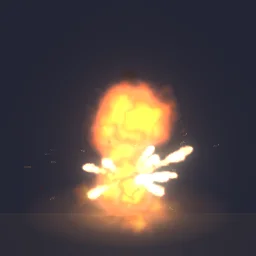 Fuel Drum Blast
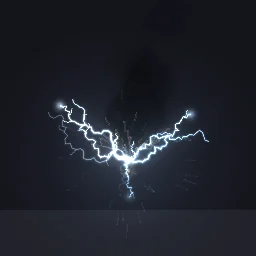 Transformer Blowout
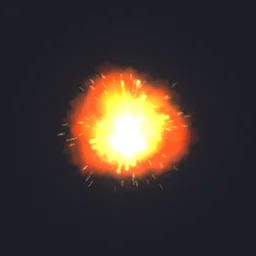 Midair Fireball Explosion
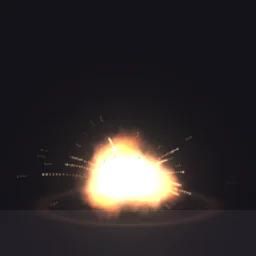 Frag Grenade
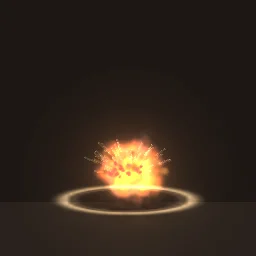 Dynamite Bundle
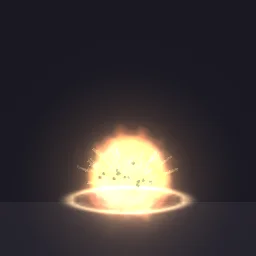 Sticky Bomb
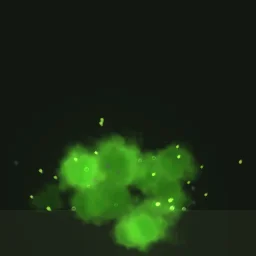 Toxic Gas Explosion
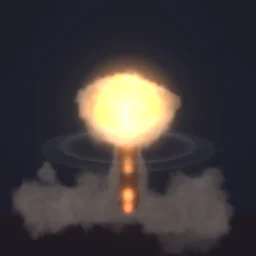 Mushroom Cloud
Pair it with a game explosion
For damage and sound, call AddExplosion at the same coordinate with isInvisible set to true, so the game’s own fireball does not draw, then play your effect there. Use StartNetworkedParticleFxNonLoopedAtCoord so every player nearby sees it.
local asset = "pfx_fuel_drum_blast"
RequestNamedPtfxAsset(asset)
while not HasNamedPtfxAssetLoaded(asset) do Wait(0) end

-- Damage, sound and shake from the game (isInvisible true hides its fireball); the look from the effect.
AddExplosion(x, y, z, 2, 1.0, true, true, 1.0)
UseParticleFxAsset(asset)
StartNetworkedParticleFxNonLoopedAtCoord("pfx_fuel_drum_blast_once", x, y, z, 0.0, 0.0, 0.0, 1.0, false, false, false)
The asset and effect names come from the effect’s name: the README in the export lists the exact ones.
Settings that hold up in GTA V
- Size. About 3 m for a grenade, 5 to 8 m for a fuel drum or car, 20 m and more for a mushroom cloud seen from a distance.
- Origin: Ground for blasts that sit on the floor, Centre for mid-air ones.
- Glow on Auto. The fireball keeps its light at night; the smoke after it takes the scene’s light.
- Keep the cycle short. About 1 to 1.5 s gives all 36 frames to the blast itself. A long tail of smoke reads better as a separate smoke effect.
Export one
- Open Fuel Drum Blast in the studio, or any effect from the library. Change colours, size or timing first if you like.
- Press Export, choose FiveM under Export for and turn on GTA file (.ypt).
- Set Size, the effect's widest side in metres (from the sizes above), and Origin to Ground, so it stands on the floor at the coordinate you pass. Glow, lighting and frame blending pick sensible values from the effect.
- Set Package to .ypt file for your own resource, or Resource for a ready one with a test command.
- Press Export, put the .ypt in your resource's
streamfolder and play it with the natives on the FiveM setup page.
A free account gets 3 exports a day, and the ready .ypt counts as one, alone or in a resource with fxmanifest.lua and a test command. The frames as one 6 x 6 or 7 x 7 sheet PNG are free the same way. Any plan, from $7.99 a month, has no daily limit, for a whole server's set of effects at once.
More explosions for your server
Open any library effect and export it for FiveM, or describe the one you need and the agent builds it for you to export.
Grand Theft Auto and GTA V are trademarks of Take-Two Interactive Software. FiveM is a Cfx.re project. ParticleFX Studio is not affiliated with either.
Questions
Is it free?
Yes, with a free account: a GTA file counts as one of your free exports, and you get 3 a day. Any plan has no daily limit, for a whole server’s set of effects at once. Every library effect is free to open and change.
Can the effect damage players or vehicles?
No, the .ypt is the look only. Call AddExplosion for damage, with isInvisible true to hide the game’s own fireball, and play the effect at the same coordinate.
Will other players see the effect?
Effects started with StartParticleFxNonLoopedAtCoord show only for the player whose script started them. Use StartNetworkedParticleFxNonLoopedAtCoord for one-off effects, or trigger a client event for every player and play the effect on each client.
Why play it once instead of looping?
An explosion happens once: play `_once` with StartNetworkedParticleFxNonLoopedAtCoord and it removes itself when its cycle ends. The loop effect, pfx_nitro_boost in the example, is for fires and smoke that stay.