Custom FiveM particle effects (PTFX) from any effect
Export any ParticleFX effect as a custom GTA V particle effect for FiveM: a ready .ypt in a resource you drop into your server, with a test command and the Lua to play it.
GTA V plays particle effects (PTFX) from particle dictionaries, .ypt files, and FiveM loads custom ones from a resource's stream folder. The usual way to get custom PTFX is to edit the game's own effects: new colours, timing, or a texture saved under the old texture's name. The FiveM export makes a new dictionary from your effect's own frames instead, so the game shows the frames you made in the studio. Pick one of the 1200+ free effects or make your own in the studio.
What the export makes
pfx_nitro_boost/stream/pfx_nitro_boost.ypt: the particle dictionary GTA V loads, with two effects,pfx_nitro_boost(loops until stopped) andpfx_nitro_boost_once(plays one cycle), and all 36 frames in one texture (DXT5, or uncompressed for pixel art).pfx_nitro_boost/fxmanifest.luaandpfx_nitro_boost/client.lua: the resource, with a test command named after it (/pfx_nitro_boost) and exports for your scripts.README.txt: the steps below and the exact settings the export wrote.- Or, with Package set to .ypt file, just the .ypt, for the stream folder of a resource you already have.
How it plays in GTA V
GTA V reads a flipbook texture's frame grid from the texture's name, from its own list of built-in names. The export puts all 36 frames in one texture under a built-in name whose grid is 6 x 6, inside your own dictionary, so the game's own effects are not touched. One camera-facing sprite plays the frames in order at the effect's own speed. Smoke and fire blend each frame into the next; fast hard-edged effects such as glass, sparks and arcs show each frame as drawn, which keeps their edges sharp. The sprite is lit by the scene, so it holds up in daylight, and glowing effects keep some of their own light at night.
Export it
- Open the effect in the studio and press Export.
- Under Export for, choose FiveM and turn on GTA file (.ypt). The preview shows the frames the export will write.
- Set Size, the effect's widest side in metres (2 m to start; a ped is about 1.8 m tall), and Origin: Centre plays it centred on the coordinate, Ground stands it on the floor. The other settings pick sensible values from the effect.
- Press Export. You get
<effect>-fivem.zipwith the resource folder inside, or the .ypt alone with Package set to .ypt file.
Install it and test it
- Copy the
pfx_nitro_boostfolder from the zip into your server'sresourcesfolder and addensure pfx_nitro_boosttoserver.cfg. FiveM sends the .ypt in its stream folder to every player. - Join the server and type
/pfx_nitro_boostin chat: the loop starts at your position, and the same command again stops it. The command is the resource's name, so effects you run side by side each have their own. /pfx_nitro_boost onceplays one cycle,/pfx_nitro_boost netplays it for every player nearby, and a number after it sets the scale, as in/pfx_nitro_boost once 2.
The .ypt is made for the GTA V that FiveM runs. GTA V Enhanced uses a newer file version and is not supported yet.
Play it from your scripts
Request the asset, wait for it to load, and call UseParticleFxAsset before every Start call: it names the dictionary the next call reads. Use the loop effect with StartParticleFxLoopedAtCoord and stop it with StopParticleFxLooped; use the _once effect with StartParticleFxNonLoopedAtCoord, or StartNetworkedParticleFxNonLoopedAtCoord so other players see it too.
local asset = "pfx_nitro_boost"

RequestNamedPtfxAsset(asset)
while not HasNamedPtfxAssetLoaded(asset) do
  Wait(0)
end

local coords = GetEntityCoords(PlayerPedId())

-- One cycle (the _once effect). UseParticleFxAsset goes before every Start call.
UseParticleFxAsset(asset)
StartParticleFxNonLoopedAtCoord("pfx_nitro_boost_once", coords.x, coords.y, coords.z, 0.0, 0.0, 0.0, 1.0, false, false, false)

-- The loop, until you stop it.
UseParticleFxAsset(asset)
local handle = StartParticleFxLoopedAtCoord("pfx_nitro_boost", coords.x, coords.y, coords.z, 0.0, 0.0, 0.0, 1.0, false, false, false, false)
Wait(5000)
StopParticleFxLooped(handle, false)
The exported client.lua does the loading for you and exports playOnce, startLoop and stopLoop, so other resources can play the effect in one line.
-- From any client script on the server:
exports.pfx_nitro_boost:playOnce(vector3(x, y, z), 1.0)

local handle = exports.pfx_nitro_boost:startLoop(vector3(x, y, z), 1.5)
exports.pfx_nitro_boost:stopLoop(handle)
Settings
| Setting | What it does |
|---|---|
| GTA file (.ypt) | The GTA V particle file. Without it you get the frames as one sheet PNG, 6 x 6 or 7 x 7, to build your own. |
| Package | Resource: a zip with the ready FiveM resource and a README. .ypt file: just the .ypt. |
| Resolution | Side of the texture that holds all 36 frames: 2048 px (about 4 MB in DXT5) suits most effects; 4096 px (about 16 MB) is sharper for big effects close to the camera. |
| Size | The effect's widest side in metres. The scale argument of the natives multiplies it. |
| Origin | Centre: the coordinate is the middle of everything the effect draws. Ground: its lowest point, so it stands on the floor. |
| Lighting | Scene: lit like the world, so it holds up in daylight. Self-lit: the same brightness day and night. |
| Glow | How much of its own light it keeps at night: on for fire, magic, sparks and energy, off for smoke, dust and blood. Auto sets it from how many of the effect's layers add light. |
| Frame blending | Smooth blends each frame into the next, for smoke, fire and slow effects. Sharp shows each frame as drawn, for glass, sparks and arcs. Auto picks sharp for fast effects with no fluid layer. |
| Compression | DXT5, or uncompressed (about 16 MB at 2048 px) so every pixel stays exact. Auto uses DXT5, and uncompressed for pixel art. |
Limits
- 36 frames per cycle. A long loop gets fewer frames per second: under about 20 a second, keep Frame blending on Smooth so it does not step. Cycles of 1 to 1.5 s look best.
- Texture memory. One texture per effect: about 4 MB at 2048 px and 16 MB at 4096 px in DXT5. Every player downloads the resource once.
- It is a recording. The frames do not react to wind or collisions, and a camera-facing sprite looks flat from straight above.
- Legacy GTA V. The .ypt is for the game FiveM runs; GTA V Enhanced is not supported yet.
How we check the export: the .ypt writer lays out and writes files the way CodeWalker does, and our tests rebuild a working .ypt made with another tool byte for byte and read each exported .ypt back. The one-texture design was tested in GTA V on a FiveM server, by day and at night. If an effect does not show or looks wrong, tell us on Discord and we will fix the export.
Effects that work well in FiveM
More by type, with sizes and settings for each: fire and smoke, explosions, vehicle effects and electric effects, all on the FiveM effects page.
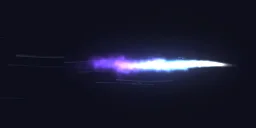 Nitro Boost
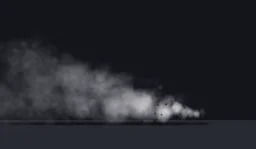 Tyre Drift Smoke
 Exhaust Backfire
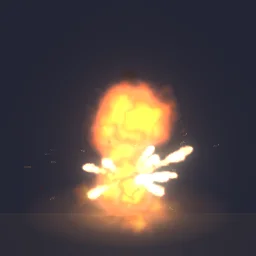 Fuel Drum Blast
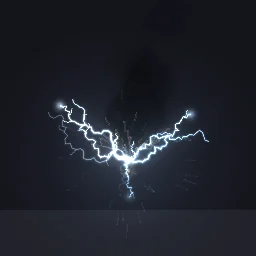 Transformer Blowout
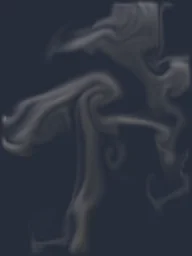 Rising Smoke Plume
 Cozy Campfire
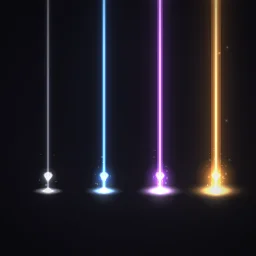 Loot Beams
A free account gets 3 exports a day, and the ready .ypt counts as one, alone or in a resource with fxmanifest.lua and a test command. The frames as one 6 x 6 or 7 x 7 sheet PNG are free the same way. Any plan, from $7.99 a month, has no daily limit, for a whole server's set of effects at once.
Grand Theft Auto and GTA V are trademarks of Take-Two Interactive Software. FiveM is a Cfx.re project. ParticleFX Studio is not affiliated with either.
Questions
Do I need CodeWalker?
No. The export writes the .ypt itself, ready to stream: copy the resource folder into resources and ensure it, or put the .ypt in the stream folder of your own resource.
Why are there two effects in the asset?
GTA V has looped and non-looped particle natives. pfx_nitro_boost repeats until StopParticleFxLooped, for StartParticleFxLoopedAtCoord. pfx_nitro_boost_once plays one cycle, for StartParticleFxNonLoopedAtCoord and the networked version.
Why does my effect not show in game?
Check that the resource is started, that the .ypt sits in its stream folder with the same name as the asset, and that UseParticleFxAsset is called before each Start call. The client.lua prints a line in the F8 console when the asset does not load within 5 seconds.
Do other players see the effect?
Effects started with StartParticleFxNonLoopedAtCoord show only for the player whose script started them. Use StartNetworkedParticleFxNonLoopedAtCoord (the test command's net option does), or trigger a client event for every player and play it on each client.
Can I get the frames as a sprite sheet?
Yes. With GTA file (.ypt) off the export gives you the frames as one PNG, 6 x 6 (36 frames) or 7 x 7 (49 frames), free with an account. The .ypt always uses 6 x 6, the grid of the built-in texture name it plays under.