FiveM vehicle effects: nitro, backfire, drift smoke and sparks
Vehicle effects for FiveM car scripts: nitro flames, exhaust backfires, drift smoke, scrape sparks and crash impacts, exported as ready GTA V .ypt files from your browser.
Car scripts are where custom effects show most: a nitro flame that matches your server’s style, a backfire on downshift, smoke and sparks for drift and street racing servers. Each effect below exports as its own .ypt.
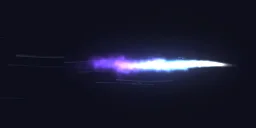 Nitro Boost
 Exhaust Backfire
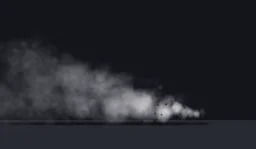 Tyre Drift Smoke
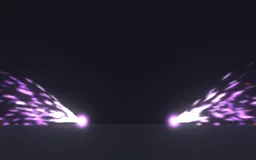 Drift Sparks
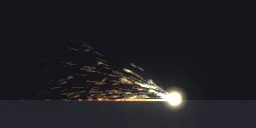 Car Scrape Sparks
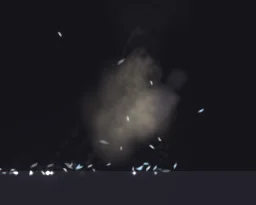 Vehicle Crash
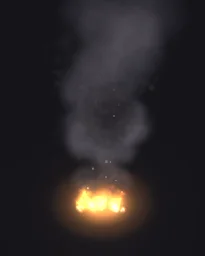 Engine Overheat
Play it on a car
The test command in the export plays at a coordinate. To follow a car, start the loop on the vehicle with StartParticleFxLoopedOnEntity, or on a bone with StartParticleFxLoopedOnEntityBone and GetEntityBoneIndexByName(vehicle, "exhaust"), and stop it with StopParticleFxLooped. We test exports at a coordinate, so check how an effect on a moving car looks at speed before you ship it.
Settings that hold up in GTA V
- Size. About 0.5 to 1 m for a nitro flame or backfire at the exhaust, 2 to 4 m for drift smoke behind the car.
- Origin: Centre for flames and sparks at a bone, Ground for smoke that rolls along the road.
- Frame blending on Auto. Sparks and flames that play fast stay sharp; smoke blends smoothly.
- Short cycles. A backfire or a crash impact is a one-shot of under a second; play the
_onceeffect each time it happens.
Export one
- Open Nitro Boost in the studio, or any effect from the library. Change colours, size or timing first if you like.
- Press Export, choose FiveM under Export for and turn on GTA file (.ypt).
- Set Size, the effect's widest side in metres (from the sizes above), and Origin to Centre, so the coordinate you pass is its middle. Glow, lighting and frame blending pick sensible values from the effect.
- Set Package to .ypt file for your own resource, or Resource for a ready one with a test command.
- Press Export, put the .ypt in your resource's
streamfolder and play it with the natives on the FiveM setup page.
A free account gets 3 exports a day, and the ready .ypt counts as one, alone or in a resource with fxmanifest.lua and a test command. The frames as one 6 x 6 or 7 x 7 sheet PNG are free the same way. Any plan, from $7.99 a month, has no daily limit, for a whole server's set of effects at once.
More vehicle effects for your server
Open any library effect and export it for FiveM, or describe the one you need and the agent builds it for you to export.
Grand Theft Auto and GTA V are trademarks of Take-Two Interactive Software. FiveM is a Cfx.re project. ParticleFX Studio is not affiliated with either.
Questions
Is it free?
Yes, with a free account: a GTA file counts as one of your free exports, and you get 3 a day. Any plan has no daily limit, for a whole server’s set of effects at once. Every library effect is free to open and change.
Can I change the colour of the nitro to match my server?
Yes. Open the effect in the studio and press a Colour swatch under Quick tweaks in Effect settings, or change each layer’s colours, then export it for FiveM again.
Does the effect follow the car?
Only when you start it on the vehicle. StartParticleFxLoopedOnEntity and StartParticleFxLoopedOnEntityBone attach the loop to the car; an effect started at a coordinate stays where it started.
Will other players see the effect?
Effects started with StartParticleFxNonLoopedAtCoord show only for the player whose script started them. Use StartNetworkedParticleFxNonLoopedAtCoord for one-off effects, or trigger a client event for every player and play the effect on each client.