Pixel art lightning and electric effects
Free pixel art lightning for games: a lightning strike, a thunderclap, a plasma orb, an EMP blast, energy bullet impacts and a mana bolt, as sprite sheets and GIFs.
Lightning is the fastest effect in a game: a bolt is on screen for a few frames, so everything around it has to carry the moment. A good pixel lightning strike has a flash, a jagged bolt with branches, a glow where it lands and something left behind, a scorch or sparks, so the player sees where it hit.
Every effect here is free. Its page has DOWNLOAD GIF and PNG SHEET buttons that need no account: the files have a transparent background, are cropped to the effect and run at 30 frames a second. To change an effect first, press OPEN IN THE STUDIO; a free account exports 3 effects a day.
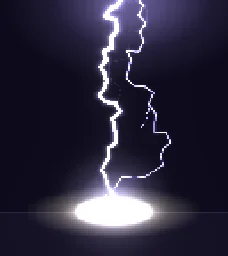 Pixel Art Lightning Strike
 Thunderclap
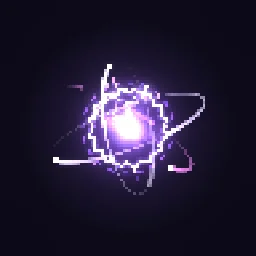 Pixel Art Plasma Orb
 Pixel Art EMP Blast
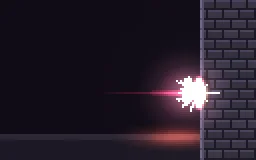 Pixel Art Energy Bullet Impact
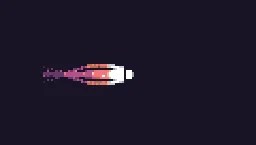 Mana Bolt
What makes a bolt read
- A new shape every strike. Real lightning never takes the same path twice, so redraw the bolt each time rather than replaying one drawing. Lightning layers in the studio draw a fresh jagged path for each strike.
- White core, coloured glow. A one-pixel white line with a blue, violet or yellow glow around it.
- A flash and an afterglow. One or two bright frames when it hits, then a glow at the ground that fades over half a second.
- Something left behind. Sparks that bounce, a scorch mark or a puff of smoke keep the strike readable after the bolt is gone.
Change it in the studio
- Open Pixel Art Lightning Strike in the studio.
- Under Quick tweaks, press a Colour swatch for red, green or purple lightning.
- Select a lightning layer: Strike every sets how often it strikes, Branch chance how many branches it throws, and Glow the colour around the bolt.
- Press Export and choose Spritesheet or GIF.
- Build a pixel art chain lightning (1 build)
More pixel lightning
Browse every pixel art effect in the library, or describe the one you need and the agent builds it as real, editable pixel art.
Questions
How many frames does a pixel lightning strike need?
The bolt itself is only on screen for 2 to 4 frames, but the whole strike, with the flash, the glow and the sparks fading, takes about 10 to 20 frames at 24 fps. Exporting at a higher frame rate keeps the flicker sharp.
Can I use these pixel art effects in a commercial game?
Yes. Exported effects, including ones started from the library, can be used in any project, including paid games sold on Steam or console stores, with no per-project licence and no credit needed. The few effects that contain CC BY sprites by CodeManu say so on their page and ask you to credit CodeManu.
Why does my pixel art effect look blurry in the engine?
The engine is smoothing the texture when it scales it. Set the texture filter to nearest neighbour (Point in Unity, Nearest in Godot, turn off texture interpolation in GameMaker) and scale the sprite by whole numbers, such as 2x or 3x, so every pixel stays square.