Pixel art sparkles
Free pixel art sparkles for games: twinkling stars, item glints, a crafting success burst, fireworks, stun stars and a starfield, as sprite sheets and GIFs.
A sparkle tells the player something is special: an item worth picking up, a secret, a finished craft, a new unlock. In pixel art the classic sparkle is a four-point star that grows from a single pixel, flashes and shrinks away, a few at a time and never all at once.
Every effect here is free. Its page has DOWNLOAD GIF and PNG SHEET buttons that need no account: the files have a transparent background, are cropped to the effect and run at 30 frames a second. To change an effect first, press OPEN IN THE STUDIO; a free account exports 3 effects a day.
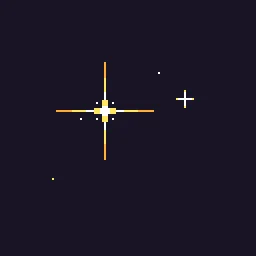 Pixel Art Sparkle
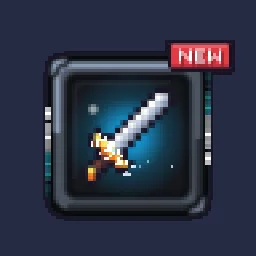 New Item Sparkle
 Pixel Crafting Success
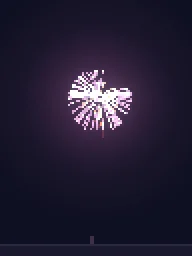 Pixel Art Firework Burst
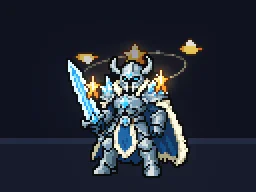 Pixel Art Stun Stars
 Scrolling Starfield
Which sparkle for which moment
- On an item or a secret: Pixel Art Sparkle loops quietly, so it can sit on a pickup or a hidden door until the player finds it.
- When something new appears: New Item Sparkle bursts once over an inventory slot or a reward.
- When a craft or upgrade succeeds: Pixel Crafting Success is a short celebratory burst.
- Over a dazed character: Pixel Art Stun Stars circle the head.
- For a sky or a menu: Scrolling Starfield and Pixel Art Firework Burst.
Twinkles that look hand-drawn
- Stagger them. Sparkles that flash at the same moment look mechanical. Give each its own delay and a slightly different size.
- Grow, flash, shrink. One pixel, a small plus, a four-point star, one bright frame, then back down. The whole twinkle takes about half a second.
- White core, tinted rays. A white centre with gold, cyan or pink points matches the item it sits on.
- Not too many. Three to six sparkles on an object is plenty; more turns into glitter noise.
Change it in the studio
- Open Pixel Art Sparkle in the studio.
- Under Quick tweaks, press a Colour swatch to match your item, and More or Fewer for how many twinkle at once.
- Press Export, choose Spritesheet, GIF or APNG, and export.
More pixel sparkles
Browse every pixel art effect in the library, or describe the one you need and the agent builds it as real, editable pixel art.
Questions
How do I animate a pixel art sparkle?
Grow it from a single pixel to a small plus and then a four-point star, hold one bright frame, and shrink it back, over about half a second. Several sparkles with different delays and sizes look natural. Pixel Art Sparkle is built this way and can be changed in the studio.
Can I use these pixel art effects in a commercial game?
Yes. Exported effects, including ones started from the library, can be used in any project, including paid games sold on Steam or console stores, with no per-project licence and no credit needed. The few effects that contain CC BY sprites by CodeManu say so on their page and ask you to credit CodeManu.
Why does my pixel art effect look blurry in the engine?
The engine is smoothing the texture when it scales it. Set the texture filter to nearest neighbour (Point in Unity, Nearest in Godot, turn off texture interpolation in GameMaker) and scale the sprite by whole numbers, such as 2x or 3x, so every pixel stays square.