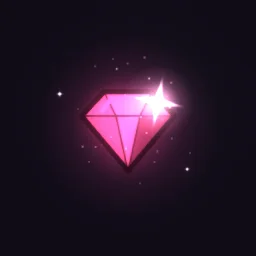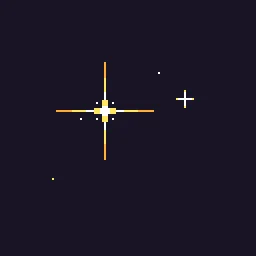
Pixel Art Sparkle: Pixel art sparkle loop for treasure, items and pickups: chunky four-point stars stretch from a dot to a long gold cross with a white core and flash white at the peak, while smaller gold and ice twinkles blink around them.

Pixel Art Sparkle

Pixel art sparkle loop for treasure, items and pickups: chunky four-point stars stretch from a dot to a long gold cross with a white core and flash white at the peak, while smaller gold and ice twinkles blink around them.

Pixel Art Sparkle is a pixel art effect that loops seamlessly every 2 seconds, drawn on a 512 by 512 canvas at 4x pixels with the Endesga 32 palette. It is built from 48 particle emitters.

Colour

Recolours the preview and the free downloads.

Free download with a transparent background, cropped to the effect, 60 frames at 30 fps. Use it in commercial games, no credit needed.

Roblox: the download is a flipbook for a ParticleEmitter. Set FlipbookLayout to Grid8x8, FlipbookMode to OneShot and Lifetime to 2, then emit one particle per cycle. Roblox setup.

REMIX WITH AI

Try:

Left empty, it just opens in the agent, free. Each change is one AI build, and you start with free builds.

Engine data for Unity, Godot, GameMaker and Aseprite comes with a plan: open it in the studio.

OPEN IN THE STUDIO

Change the colours, timing or size, or export for Unity, Godot 4, GameMaker, Phaser, PixiJS and Aseprite.

FRAME BY FRAME

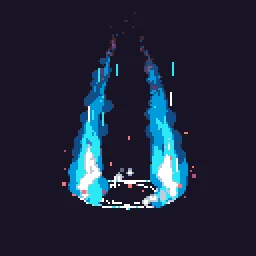
8 evenly spaced moments across the 2 s loop.

Pixel Art Sparkle at 8 moments, from 0 s to 1.75 s

HOW IT'S MADE

Pixel Art Sparkle is pixel art, drawn at 4x pixels and locked to the Endesga 32 palette, and built from 48 particle emitters. Techniques worth a look: sub-emitters set off by other particles and keyframed parameters.

It loops seamlessly every 2 s, and 6 of its layers fire in bursts, so it pulses instead of flowing evenly. Start times are staggered from 0 s to 0.68 s, so the layers arrive one after another. To change its colour, select "Glitter pixels" in the studio and edit the Colour over Life gradient. Size on the same layer sets how big its particles are. Pixel size in the Pixel art panel sets how chunky it looks. The colour swatches by the downloads recolour every layer at once.

Layers, in draw order

  1. Glitter pixelsparticlesA steady stream of image sprites. Extra bursts of 1 every 2 s. Colour runs from white to orange over each life.
  2. small H0, small V0particlesImage sprites set off by "small centre". Colour runs from orange to red over each life.
  3. small H1, small V1particlesImage sprites set off by "small centre". Colour: orange.
  4. small H2, small V2particlesImage sprites set off by "small centre". Colour: white.
  5. small centreparticles8 single particles at set times. They spawn "small H0" as they appear, spawn "small V0" as they appear, spawn "small H1" as they appear and spawn "small V1" as they appear. Colour: white.
  6. smallIce H0, smallIce V0particlesImage sprites set off by "smallIce centre". Colour: blue.
  7. smallIce H1, smallIce V1particlesImage sprites set off by "smallIce centre". Colour: cyan.
  8. smallIce H2, smallIce V2particlesImage sprites set off by "smallIce centre". Colour: white.
  9. smallIce centreparticles3 single particles at set times. They spawn "smallIce H0" as they appear, spawn "smallIce V0" as they appear, spawn "smallIce H1" as they appear and spawn "smallIce V1" as they appear. Colour: white.
  10. mid H0, mid V0particlesImage sprites set off by "mid centre". Colour runs from orange to red over each life.

31 more layers are in the studio.

DETAILS

Length
2 seconds, seamless loop
Canvas
512 x 512, pixel art at 4x, Endesga 32 palette
Layers
48 emitters
Blend
Mostly normal
Colours
whiteorangegoldcyan
Sprites
Built-in shapes only
Tags
sparkle, pixel art, twinkle, shine, glint, star, treasure, loop

USING IT IN YOUR GAME

Phaser, PixiJS
The PNG sheet is a plain grid of frames that both can slice. A TexturePacker JSON atlas comes with a plan, from the studio.
Unity
Import the PNG sheet as a Sprite with Mode set to Multiple and slice it, or open the effect in the studio for a ready-made grid.
Godot 4, GameMaker, Aseprite
Open it in the studio and pick your engine in Export: with a plan, it writes the files that engine imports.
Web and chat
The GIF plays anywhere; the APNG keeps soft edges on any background.

Step by step: Unity, Godot 4, Roblox, GameMaker, Phaser and PixiJS, Aseprite, Web games (live runtime).

MORE Pixel Arcade

YOU MIGHT ALSO LIKE

All Pixel Arcade effects or the full library.