Anime VFX for Roblox battlegrounds games
Free anime-style VFX for Roblox battlegrounds and fighting games: impact frames, crit bursts, lightning strikes and charge auras as flipbooks, with the Luau to play them on every hit.
A battlegrounds game lives on hit feel: every punch and every move needs a burst that reads in a fraction of a second, from any camera angle, in a crowd of other players doing the same. Flipbooks suit this well. A whole impact is one particle with one texture, it always looks exactly as designed, and it faces the camera, so it reads the same from every side.
Effects that fit a fighting game
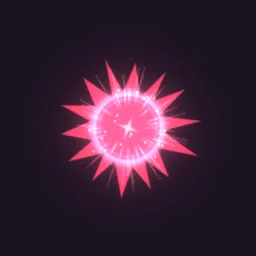 Anime Impact Frame
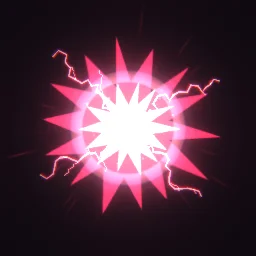 Counter Hit Flash
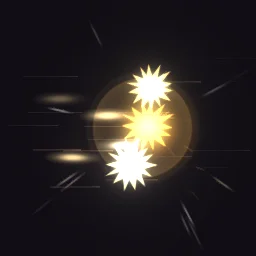 Rapid Punch Barrage
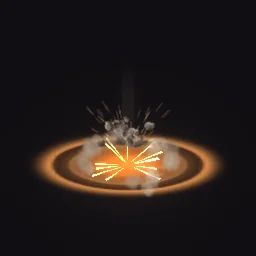 Ground Slam Crater
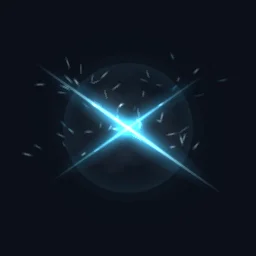 Teleport Strike
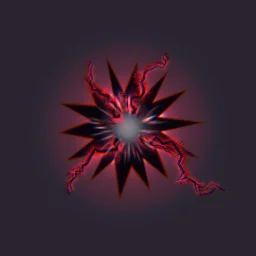 Black Lightning Impact
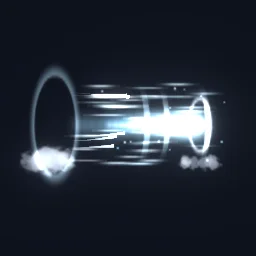 Dash Wind Burst
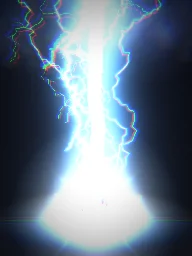 Thunder God Strike
- Light hits: short bursts under a second, such as Anime Impact Frame, Rapid Punch Barrage or Black Lightning Impact. Short effects get a 4x4 or 8x8 grid, so they keep a high frame rate.
- Counters and movement: Counter Hit Flash for a successful counter, Dash Wind Burst for a dash, Teleport Strike for a blink attack.
- Slams and finishers: Ground Slam Crater for a move that ends on the floor, with cracks, rocks and a dust ring.
- Specials and ultimates: lightning strikes and pillars such as Thunder God Strike. Give them a large Size (15 to 25 studs) so they tower over the characters.
- Charge-ups: a looping aura such as Energy Aura, welded to the character while the move charges. See aura VFX for the weld.
Show every hit to every player
The usual pattern in Roblox fighting games: the server decides a hit landed, then tells every client to draw the effect, and each client draws it locally. Effects never wait on the server to replicate a part, and the server does no visual work. Put the effect parts in a folder named Effects in ReplicatedStorage and add a RemoteEvent named HitFx next to it.
-- Server: after a hit is confirmed (targetRoot: the HumanoidRootPart that was hit)
local ReplicatedStorage = game:GetService("ReplicatedStorage")
local hitFx = ReplicatedStorage:WaitForChild("HitFx")

hitFx:FireAllClients("Anime Impact Frame", targetRoot.Position)-- LocalScript in StarterPlayerScripts
local ReplicatedStorage = game:GetService("ReplicatedStorage")
local Debris = game:GetService("Debris")
local effects = ReplicatedStorage:WaitForChild("Effects")
local hitFx = ReplicatedStorage:WaitForChild("HitFx")
hitFx.OnClientEvent:Connect(function(name: string, position: Vector3)
local fx = effects[name]:Clone()
fx:PivotTo(CFrame.new(position))
fx.Parent = workspace
Debris:AddItem(fx, 2) -- Lifetime + 1, rounded up
end)With the ready model, the PlayOnce script inside each clone plays it as soon as it lands in the workspace. Export hit effects with Plays set to Once, so a burst never loops while it waits to be cleaned up. With the free PNG, build the part once by hand (Part, Attachment, a ParticleEmitter named Flipbook) and call Emit(1) on the clone's emitter after parenting it.
Settings that matter for fights
- Glow: energy, lightning and sparks look best with LightEmission 1 (additive), which brightens whatever is behind them. The export turns it on by itself when every layer of the effect adds light.
- In front of the body: a hit flash centred on a character is partly hidden by the body. Set ZOffset to 1 or 2 on the emitter: it draws the particle that many studs closer to the camera without changing its size on screen.
- Many players: each effect is one particle, so a crowded server stays cheap. The texture is the main cost; small hit sparks look the same at 512 px as at 1024.
- Size: a default character is about 5 studs tall. Hits read well at 6 to 8 studs (the export default is 6), ultimates at 15 and up. Size is the side of the whole square frame, and the effect fills at most 7/8 of it.
The flipbook PNG is free: the ROBLOX button on every effect page needs no account, and a free account can also export it from the studio (3 effects a day) with the grid and texture size of your choice. The ready model, a .rbxmx with the emitter set up and a script that plays it, plus UIFlipbook.luau for UI, comes with any plan, from $7.99 a month.
Get it into your game
Every setting and both ways in, free PNG or ready model, are on the Roblox setup page. More picks by genre are on Free Roblox VFX, and any effect can be changed in the studio before you export it: change the colour of a burst to match each fighting style.
Questions
Should hit effects be created on the server or the client?
Usually on the client. The server confirms the hit and fires a RemoteEvent to every client, and each client clones and plays the effect locally. It shows up without waiting for a part to replicate and keeps visual work off the server.
Why does my hit effect look washed out on a bright map?
Additive glow (LightEmission 1) adds light to what is behind it, so on a white or sunny background it fades out. Darker, more saturated effects or LightEmission 0 hold up better there, and a larger Size helps it read.
Can I recolour an effect for each character or style?
Yes. Open the effect in the studio, change its colours and export again. You can also tint it in Roblox with the emitter's Color property, which multiplies the texture, so white and pale effects tint best.
Can I use these effects in a game that earns Robux?
Yes. Exported effects, including ones started from the library, may be used in any project, commercial games included, with no credit required. Reselling the library itself as an effect pack is not allowed.