Tower defense effects for Roblox: placing, upgrading, splash damage and enemy defeats
Free effects for Roblox tower defense games: tower placement, tower upgrades, splash damage, slows, airstrikes and enemy defeats as flipbooks, with Luau that plays one where an enemy dies.
A tower defense game is watched from high above, often with dozens of enemies on the path at once. The effects that work there are the ones that read from far away: a ring that snaps around a new tower, a column of light for an upgrade, a wide ring for splash damage, and a clear pop when an enemy is defeated. Fine detail is lost at that distance, so bold shapes and bright colours matter more than texture size.
Effects for towers and enemies
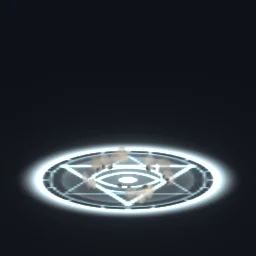 Tower Placement
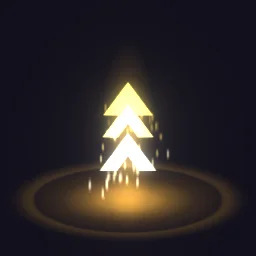 Tower Upgrade
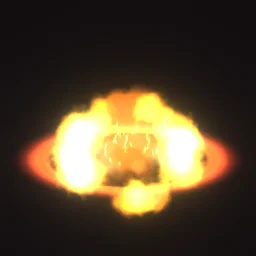 Splash Damage Ring
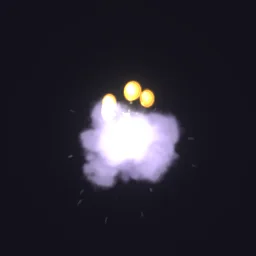 Enemy Defeat Coin Drop
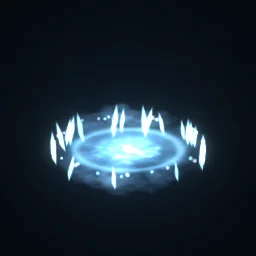 Frost Nova
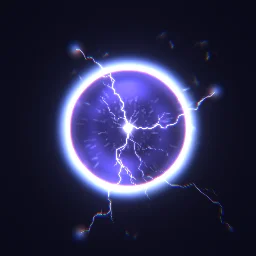 EMP Blast
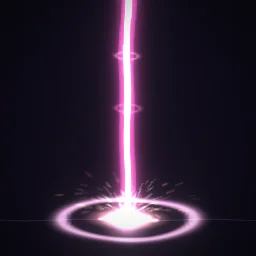 Orbital Strike
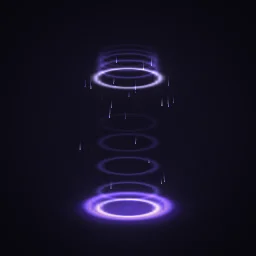 Slowed
- Building: Tower Placement when a tower lands (a ring snaps tight around a turning sigil), Tower Upgrade when it levels up (gold chevrons climb a column of light).
- Area damage: Splash Damage Ring for a bomb or mortar tower, Frost Nova for a freezing tower, EMP Blast for a stun.
- Abilities: Orbital Strike for an airstrike the player calls in.
- On enemies: Slowed loops on an enemy while it is slowed; Enemy Defeat Coin Drop plays once when it is defeated, with the coins it is worth.
Play it where an enemy is defeated
Enemies in a tower defense game are usually run by the server. When one is defeated, the server tells every client where, and each client plays the effect there. That keeps the server free of effect work, which matters when a wave ends with forty defeats in a second.
-- Server: wherever an enemy is defeated (a RemoteEvent named PlayFX in ReplicatedStorage)
local PlayFX = game:GetService("ReplicatedStorage"):WaitForChild("PlayFX")

local function onDefeated(enemy)
	PlayFX:FireAllClients("Enemy Defeat Coin Drop", enemy:GetPivot())
	enemy:Destroy()
end-- LocalScript in StarterPlayerScripts
local ReplicatedStorage = game:GetService("ReplicatedStorage")
local Debris = game:GetService("Debris")
local effects = ReplicatedStorage:WaitForChild("Effects")
ReplicatedStorage:WaitForChild("PlayFX").OnClientEvent:Connect(function(name, at)
local template = effects:FindFirstChild(name)
if not template then return end
local fx = template:Clone()
fx:PivotTo(at)
fx.Parent = workspace
Debris:AddItem(fx, 3) -- Lifetime 1.3 s + 1, rounded up
end)Keep the exported models in a folder named Effects in ReplicatedStorage, each still named after its effect. With the ready model, the clone plays as soon as it appears in the world, so the LocalScript only places it and cleans it up.
Settings for tower defense
- Size: a tower defense camera is far away, so effects need to be larger than in a fighting game. Start Size at about twice the tower's width for placement and upgrade rings, and the splash radius of the tower for Splash Damage Ring.
- Drawn at an angle: the rings in Tower Placement and Splash Damage Ring are drawn as ellipses seen from above at an angle, which suits the usual tower defense camera. A camera looking straight down sees them a little flattened.
- Many at once: each effect is one particle, so a full wave is cheap. Use a 512 px texture for enemy effects: at that distance nobody sees the difference from 1024.
- Projectiles: a bolt that travels from tower to enemy is drawn at one fixed length in a flipbook. Draw the line with a Roblox Beam and play the impact effect at the enemy.
The flipbook PNG is free: the ROBLOX button on every effect page needs no account, and a free account can also export it from the studio (3 effects a day) with the grid and texture size of your choice. The ready model, a .rbxmx with the emitter set up and a script that plays it, plus UIFlipbook.luau for UI, comes with any plan, from $7.99 a month.
Get it into your game
Every setting and both ways in, free PNG or ready model, are on the Roblox setup page. More picks by genre are on Free Roblox VFX, and any effect can be changed in the studio before you export it: change the splash ring to the colour of each tower.
Questions
Will forty enemy defeats at once slow the game down?
Each effect is a single particle playing a flipbook, so even a full wave is light. Play them on the clients rather than the server, clean each one up with Debris, and use a 512 px texture for small effects.
How do I show the splash damage radius?
Start with the emitter's Size at the diameter of the splash in studs, then adjust it once in Studio until the red circle of Splash Damage Ring matches the area that takes damage. Every tower with the same radius can then share that Size.
Can I make a different upgrade effect for each tower level?
Yes. Open Tower Upgrade in the studio, change its colours (for example bronze, silver and gold) and export each version under its own name.
Can I use these effects in a game that earns Robux?
Yes. Exported effects, including ones started from the library, may be used in any project, commercial games included, with no credit required. Reselling the library itself as an effect pack is not allowed.