Explosion VFX for Roblox
Free explosion effects for Roblox: fireballs, energy blasts, pixel and cartoon explosions as flipbooks, with Luau that keeps the physics of a Roblox Explosion and draws your own blast instead.
Roblox's built-in Explosion has one look, the same size whatever its blast radius. Its documentation suggests the fix: keep the Explosion for the physics, set its Visible property to false, and draw your own effect. A flipbook explosion is that effect: fire, smoke and debris in one particle that plays once and is gone.
Explosions to choose from
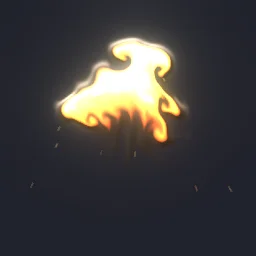 Rolling Fireball Explosion
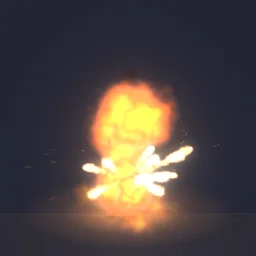 Fuel Drum Blast
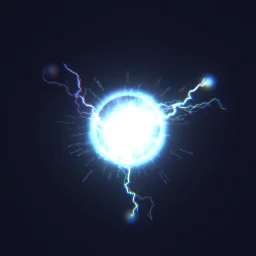 Plasma Detonation
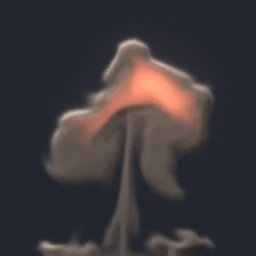 Nuke Mushroom Cloud
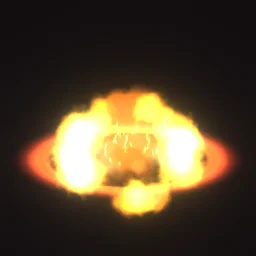 Splash Damage Ring
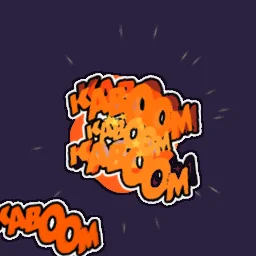 Comic Kaboom
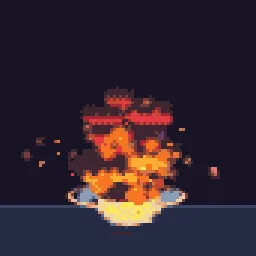 Big Explosion
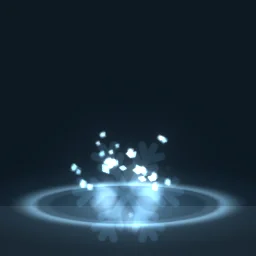 Cryo Grenade
Keep the physics, draw your own blast
local Debris = game:GetService("Debris")
local template = game.ReplicatedStorage.Effects:WaitForChild("Big Explosion")

local function explode(position: Vector3)
	local blast = Instance.new("Explosion")
	blast.Position = position
	blast.BlastRadius = 12
	blast.Visible = false -- the physics stay, Roblox's own visual does not
	blast.Parent = workspace

	local size = template.Attachment.Flipbook.Size.Keypoints[1].Value
	local fx = template:Clone()
	fx:PivotTo(CFrame.new(position + Vector3.new(0, size / 2, 0)))
	fx.Parent = workspace
	Debris:AddItem(fx, 3) -- Lifetime + 1, rounded up
end
The effect part is lifted by half its Size, so the bottom of the frame sits on the ground: explosions with a ground ring or a mushroom stem start near the bottom of the frame. The model does the same when you insert it. Running this on the server shows the blast to everyone; for many explosions at once, fire a RemoteEvent and clone on each client instead, as on anime VFX.
Glow or smoke
Fire and smoke explosions are drawn with normal blending (LightEmission 0), because dark smoke cannot be added as light. Pure energy blasts glow (LightEmission 1). The export decides this for you: Glow is on only when every layer of the effect adds light. For example, Plasma Detonation exports with glow on, while Big Explosion and Nuke Mushroom Cloud export with it off.
Settings for explosions
- Plays once: an explosion that fades out early is detected as a one-shot, and the model gets the PlayOnce script (Big Explosion and Nuke Mushroom Cloud do). Plasma Detonation charges up again at the end, so it loops by default; set Plays to Once in the export for single blasts.
- Size: grenades 8 to 12 studs, vehicles and barrels 15 to 20, set pieces 30 and up.
- Camera from above: with the default FacingCamera orientation an explosion leans back when the camera looks down at it. FacingCameraWorldUp keeps it upright and turns it only around the vertical axis, which suits tall blasts such as mushroom clouds.
- Frames: a 1.6 s explosion gets 64 frames at 40 a second. Near the camera at a large Size, 128 px frames can look soft; a 4x4 grid in the studio export gives 256 px frames at a lower frame rate.
- Night maps: the emitter is unlit (LightInfluence 0), so fire stays bright in the dark. Raise LightInfluence toward 1 for smoke that should darken with the scene.
The flipbook PNG is free: the ROBLOX button on every effect page needs no account, and a free account can also export it from the studio (3 effects a day) with the grid and texture size of your choice. The ready model, a .rbxmx with the emitter set up and a script that plays it, plus UIFlipbook.luau for UI, comes with any plan, from $7.99 a month.
Get it into your game
Every setting and both ways in, free PNG or ready model, are on the Roblox setup page. More picks by genre are on Free Roblox VFX, and any effect can be changed in the studio before you export it: make the smoke darker or the fireball bigger for your art style.
Questions
How do I hide the default Roblox explosion?
Set the Explosion's Visible property to false. It still pushes and breaks parts inside its BlastRadius; only its visual is gone. Then play your own effect at the same position.
Why does my explosion play twice or keep looping?
The model plays a looping effect with PlayLoop and a one-shot with PlayOnce. Some effects build up again at the end of their cycle and count as loops. Export with Plays set to Once, or with the free PNG emit one particle once.
Why does the smoke look bright or see-through?
Smoke needs LightEmission 0 (normal blending). With 1, its dark parts add nothing and only the bright parts show. The export sets 0 for any effect with a normal-blend layer such as smoke or debris.
Can I use these effects in a game that earns Robux?
Yes. Exported effects, including ones started from the library, may be used in any project, commercial games included, with no credit required. Reselling the library itself as an effect pack is not allowed.