Sword slash VFX for Roblox
Free sword slash effects for Roblox: katana arcs, fire combos, X slashes and scythe sweeps as flipbook textures, with Luau to place each swing in front of the attacker at its own angle.
A slash effect sells the swing more than the sword animation does. Combat games usually layer two things: a trail on the blade that follows its real path, and a slash flash in front of the attacker at the moment the hit lands. Flipbooks are the second part: a crisp arc that appears, cuts and fades in under a second.
Slashes that read well
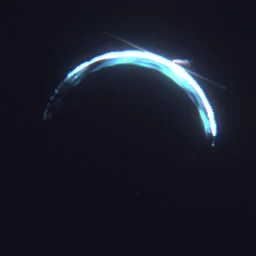
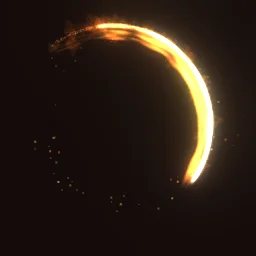
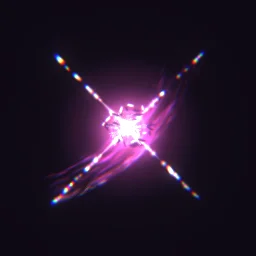
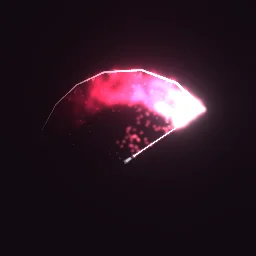
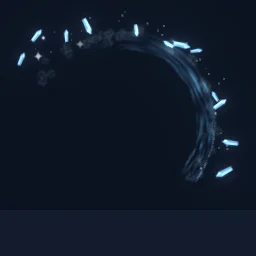
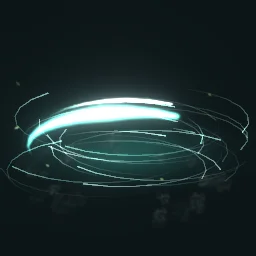
- Fast single swings: Katana Combo and Blazing Combo, about 1 second or less.
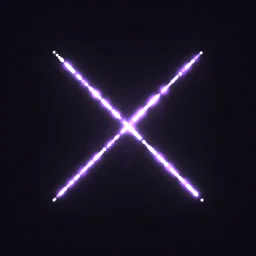
- Crosses and multi-hits: Shadow Flurry and Twin Fang X for a finisher or a dual-wield move.
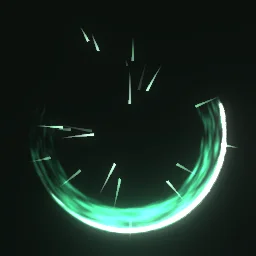
- Heavy weapons: Reaper's Harvest for scythes and greatswords, with a wider, slower arc.
- Spin attacks: Whirlwind is a ring of slashes, made to sit centred on the character.
Place a slash in front of the attacker
Put the slash a few studs in front of the character's HumanoidRootPart. CFrame.new(0, 0, -3) is three studs forward, because a part's front faces its -Z axis. Rotate the particle for each hit of a combo so the swings do not all look the same: the emitter's Rotation is in degrees, clockwise, and applies to particles emitted after you set it.
local Debris = game:GetService("Debris")
local template = game.ReplicatedStorage.Effects:WaitForChild("Katana Combo")

local function slash(root: BasePart, angle: number)
	local fx = template:Clone()
	fx:PivotTo(root.CFrame * CFrame.new(0, 0, -3))
	fx.Attachment.Flipbook.Rotation = NumberRange.new(angle)
	fx.Parent = workspace
	Debris:AddItem(fx, 2)
end

-- A three-hit combo: a new angle for each swing
local root = game.Players.LocalPlayer.Character:WaitForChild("HumanoidRootPart")
slash(root, 0)
task.wait(0.25)
slash(root, 160)
task.wait(0.25)
slash(root, -35)
This plays on the client that runs it. For other players to see it, run the same function from a RemoteEvent on every client, as shown on anime VFX. The ready model's PlayOnce script starts the slash when the clone lands in the workspace; with the free PNG, call Emit(1) on the clone's emitter after parenting it.
What a flipbook slash can and cannot do
- It faces the camera. The slash is a flat picture turned toward the viewer, so it reads the same from every side. It shows the cut, not the blade's path through 3D space. For that, add a Trail to the sword between two attachments on the blade.
- It stays where you put it. The model's part is anchored, so a slash stays in place if the attacker keeps running. For a slash that travels with a dash, weld the part to the HumanoidRootPart instead (see aura VFX); LockedToPart is on, so the particle moves with the part.
- Speed: a slash plays at its true speed because Lifetime equals the effect's length. To make a heavy swing feel slower without exporting again, lower the emitter's TimeScale (1 is normal speed, 0.5 is half).
Settings for slashes
- Size: 6 to 10 studs for one-handed weapons, 12 and up for greatswords and spin attacks.
- Glow: bright slashes (Katana Combo, Energy Blade) use LightEmission 1. Ink and cartoon slashes with dark outlines need LightEmission 0, or the dark lines disappear.
- Grid: effects up to 0.75 s get a 4x4 grid (256 px frames at 1024), which keeps thin arcs sharp. For a longer slash you can still pick 4x4 in the studio export for sharper frames at a lower frame rate.
The flipbook PNG is free: the ROBLOX button on every effect page needs no account, and a free account can also export it from the studio (3 effects a day) with the grid and texture size of your choice. The ready model, a .rbxmx with the emitter set up and a script that plays it, plus UIFlipbook.luau for UI, comes with any plan, from $7.99 a month.
Get it into your game
Every setting and both ways in, free PNG or ready model, are on the Roblox setup page. More picks by genre are on Free Roblox VFX, and any effect can be changed in the studio before you export it: make an arc longer, thinner or a different colour for each weapon.
Questions
How do I make the slash point the way the player swings?
Place it from the HumanoidRootPart's CFrame so it sits in front of the player, and set the emitter's Rotation for each swing. Rotation is in degrees, clockwise, and only affects particles emitted after it changes.
Should I use a Trail or a flipbook for sword effects?
Both, for different jobs. A Trail on the blade follows its real path through the swing. A flipbook slash is the strike flash in front of the attacker when the hit lands. Most combat games layer the two.
Why does my slash look blurry up close?
An 8x8 grid on a 1024 px texture gives each frame 128 px. Pick a 4x4 grid in the studio export for 256 px frames, at a quarter of the frame count.
Can I use these effects in a game that earns Robux?
Yes. Exported effects, including ones started from the library, may be used in any project, commercial games included, with no credit required. Reselling the library itself as an effect pack is not allowed.