Obby effects for Roblox: win pads, checkpoints, kill bricks and jump pads
Free effects for Roblox obbies: a win pad, checkpoints, respawns, jump and speed pads, and a blocky character breaking apart on a kill brick, as flipbooks, with Luau for a kill brick.
An obby is a course, and its effects tell the player where they are on it: this pad bounces you, this is a checkpoint, that brick will end your run, and this is the finish. Most of them sit in the map and loop forever, so they cost nothing to trigger. The rest play once when a player touches a part.
Effects that mark the course
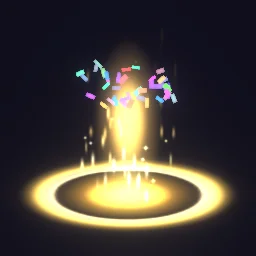 Win Pad
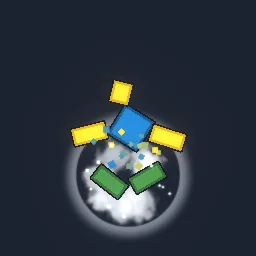 Blocky Character Break Apart
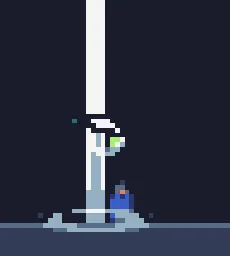 Checkpoint Activated
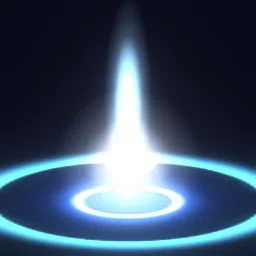 Respawn
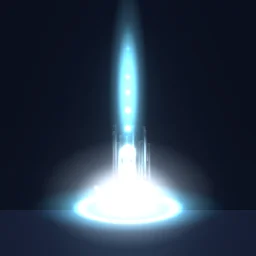 Jump Pad
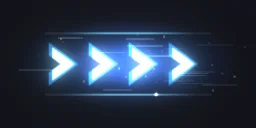 Speed Boost Pad
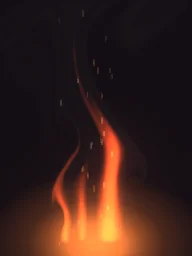 Fire Pillar
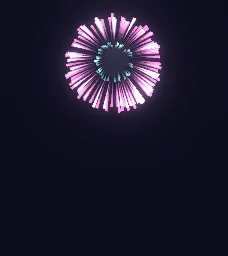 Firework Peony
- The finish: Win Pad loops on the last platform (a gold pad, rising streaks and confetti every second). Add Firework Peony above it for the moment a player arrives.
- Checkpoints and respawns: Checkpoint Activated when a player reaches a stage, Respawn where they come back.
- Pads: Jump Pad and Speed Boost Pad loop on the pads themselves, so players can see what a pad does before they step on it.
- Hazards: Fire Pillar loops over a fire trap; Blocky Character Break Apart plays once when a player touches a kill brick.
A kill brick that breaks the character apart
Put this Script inside the kill brick. When a character touches it, the script places a copy of Blocky Character Break Apart where the character stands and then sets its health to zero. The ready model plays itself on every client as soon as it appears, so the server only has to place it.
-- Script inside the kill brick. The exported model sits in ReplicatedStorage.Effects.
local Debris = game:GetService("Debris")
local template = game:GetService("ReplicatedStorage").Effects:WaitForChild("Blocky Character Break Apart")
local brick = script.Parent

brick.Touched:Connect(function(hit)
	local humanoid = hit.Parent:FindFirstChildOfClass("Humanoid")
	if not humanoid or humanoid.Health <= 0 then return end
	local fx = template:Clone()
	fx:PivotTo(hit.Parent:GetPivot())
	fx.Parent = workspace
	Debris:AddItem(fx, 3) -- Lifetime 1.6 s + 1, rounded up
	humanoid.Health = 0
end)
Loops need no code at all: drop the model on the pad, paste your image id into the Flipbook emitter's Texture, and it plays for every player who can see it.
Settings for obbies
- Size: match the pad. A 4 by 4 stud pad wants a Size of about 5, so the ring sits just outside the edge.
- Height: lift a pad effect so the bottom of the frame sits on the pad surface: place the part about half its Size above the pad.
- Many pads: a long obby can have hundreds of looping effects. Each one is a single particle, but the frames still have to be drawn, so use a 512 px texture for pads and keep 1024 for the win pad.
- Blocky characters: Blocky Character Break Apart is drawn with a classic six-block body. If your game uses other avatars, it still reads as a character falling apart.
The flipbook PNG is free: the ROBLOX button on every effect page needs no account, and a free account can also export it from the studio (3 effects a day) with the grid and texture size of your choice. The ready model, a .rbxmx with the emitter set up and a script that plays it, plus UIFlipbook.luau for UI, comes with any plan, from $7.99 a month.
Get it into your game
Every setting and both ways in, free PNG or ready model, are on the Roblox setup page. More picks by genre are on Free Roblox VFX, and any effect can be changed in the studio before you export it: recolour the win pad to match your stage.
Questions
Do looping obby effects need a script?
With the ready model, no: the script inside it keeps the effect playing on every client. With the free PNG, use the short loop script on the [Roblox setup page](/engines/roblox).
Will hundreds of pad effects lag an obby?
Each effect is one particle. Use 512 or 256 px textures for small pads, and keep effects out of stages players cannot see yet if your obby streams in parts of the map.
Can the kill brick effect play for everyone?
Yes. The script above runs on the server and places the model in the world, so every player sees it play.
Can I use these effects in a game that earns Robux?
Yes. Exported effects, including ones started from the library, may be used in any project, commercial games included, with no credit required. Reselling the library itself as an effect pack is not allowed.