Aura VFX for Roblox characters
Free looping aura effects for Roblox characters: energy, rage, lightning, healing and holy auras as seamless flipbooks, with Luau to weld one to a character and remove it again.
An aura is the opposite of a hit: it plays for as long as a buff, a transformation or a game pass lasts, so the loop must never pop. Every library effect loops seamlessly, and in Roblox the loop is kept by playing one particle per cycle, each starting exactly as the last one ends.
Auras to start from
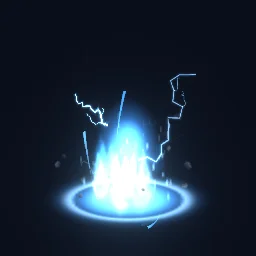 Lightning Charge Aura
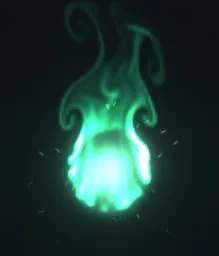 Energy Aura
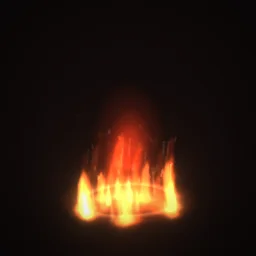 Battle Fury
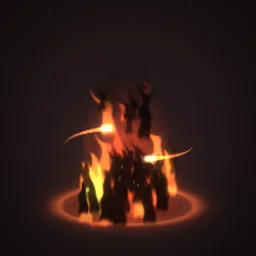 Dark Pact Aura
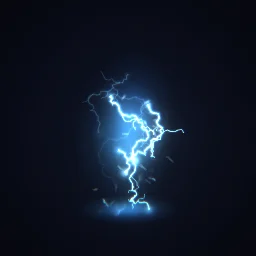 Electrified
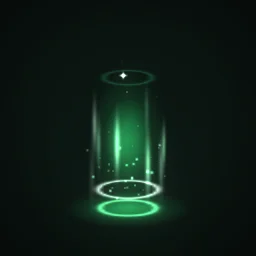 Regeneration
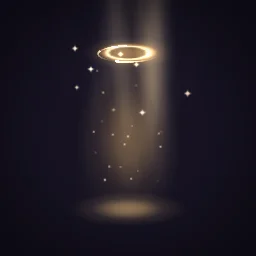 Blessed
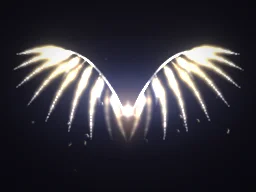 Angelic Wings
- Power and transformation: Lightning Charge Aura for a charge-up, Energy Aura, Battle Fury and Dark Pact Aura rise around the whole body.
- Status: Electrified, Regeneration and Blessed are small enough to sit on a character during a fight without hiding it.
- Wings: Angelic Wings goes behind the character; give it a negative ZOffset (below).
Weld an aura to a character
The model's part is anchored, so it stays where it was placed. To make it follow a character, unanchor it and weld it to the HumanoidRootPart. The part is massless and collides with nothing, so it does not change how the character moves. Do this on the server and the part replicates to everyone; the PlayLoop script inside then runs on each player's machine.
local template = game.ReplicatedStorage.Effects:WaitForChild("Energy Aura")

local function giveAura(character: Model): BasePart
	local root = character:WaitForChild("HumanoidRootPart") :: BasePart
	local fx = template:Clone()
	fx.Anchored = false
	fx.CFrame = root.CFrame

	local weld = Instance.new("WeldConstraint")
	weld.Part0 = root
	weld.Part1 = fx
	weld.Parent = fx

	fx.Parent = character
	return fx
end

-- When the buff ends:
-- aura:Destroy()
With the free PNG, build the same part by hand (Part, Attachment, a ParticleEmitter named Flipbook) with a Script set to RunContext Client that emits one particle per cycle; the loop script is on the Roblox setup page. To stop an aura, destroy the part; disabling the emitter is not enough, because the script calls Emit(), which works even when the emitter is disabled.
Behind or in front of the body
The aura is a flat picture facing the camera through the middle of the character, so the front of the body hides part of it. That is usually what you want for an aura. ZOffset moves the particle toward or away from the camera, in studs, without changing its size on screen:
ZOffset = -2: the whole aura draws behind the character. Use it for wings, halos behind the head and big energy auras.ZOffset = 2: it draws in front. Use it for status effects that must stay visible, such as electricity or poison.
Settings for auras
- Size: a default character is about 5 studs tall, and the effect fills at most 7/8 of the frame. Start at 8 to 10 studs for a full-body aura and 5 to 6 for a status effect.
- Long loops: an 8x8 grid has 64 frames, so a 2 s aura plays at 32 frames a second and a 4 s one at 16. HD effects keep FlipbookBlendFrames on, which crossfades between frames, so slow auras stay smooth.
- Top-down or high cameras: ground rings in an aura are drawn in perspective. Set Orientation to FacingCameraWorldUp so the aura stays upright and only turns around the vertical axis, or pick an aura without a ring.
- Glow: energy and holy auras use LightEmission 1. Smoky or dark auras need 0, or the dark parts vanish.
The flipbook PNG is free: the ROBLOX button on every effect page needs no account, and a free account can also export it from the studio (3 effects a day) with the grid and texture size of your choice. The ready model, a .rbxmx with the emitter set up and a script that plays it, plus UIFlipbook.luau for UI, comes with any plan, from $7.99 a month.
Get it into your game
Every setting and both ways in, free PNG or ready model, are on the Roblox setup page. More picks by genre are on Free Roblox VFX, and any effect can be changed in the studio before you export it: try a different colour for each rank or game pass.
Questions
How do I attach an aura to a player in Roblox?
Clone the effect part, set Anchored to false, place it at the HumanoidRootPart and join the two with a WeldConstraint, then parent it to the character. Destroy the part when the aura should end.
Does the loop have a visible seam?
No. Every library effect is a perfect loop, and the model's PlayLoop script starts each new particle on the frame nearest the end of the last one, on a schedule that does not drift.
Why is my aura hidden behind the character?
The aura is drawn through the middle of the body, so the front of the character covers part of it. A positive ZOffset on the emitter draws it closer to the camera; a negative one pushes it fully behind.
Can I use these effects in a game that earns Robux?
Yes. Exported effects, including ones started from the library, may be used in any project, commercial games included, with no credit required. Reselling the library itself as an effect pack is not allowed.