Roblox UI effects with flipbooks
Play animated effects in Roblox UI: a flipbook PNG on an ImageLabel in a ScreenGui, SurfaceGui or BillboardGui, stepped with ImageRectOffset. Free reward, badge and button effects included.
A ParticleEmitter lives in the 3D world, but rewards, buttons and badges live in the ScreenGui. The same flipbook PNG plays there too: an ImageLabel shows one frame at a time with ImageRectSize (the size of a frame in pixels) and ImageRectOffset (where that frame starts, from the top left), and a LocalScript steps through the frames.
Effects made for interfaces
 Achievement Unlocked
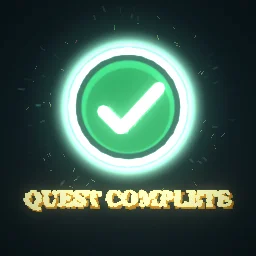 Quest Complete
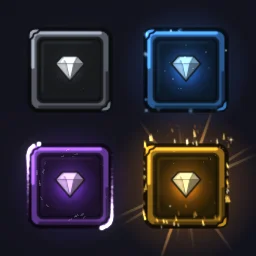 Rarity Frames
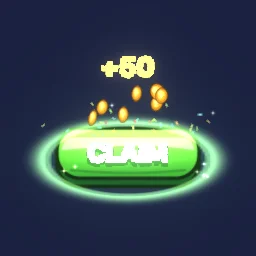 Claim Button
 Notification Badge Pop
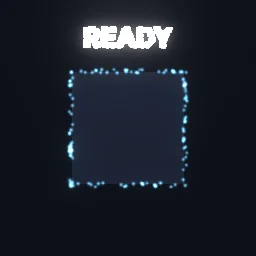 Cooldown Ready
 Tap Glitter Ripple
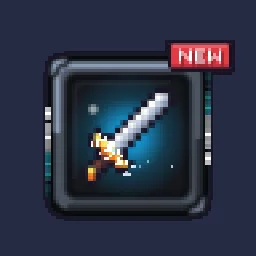 New Item Sparkle
Play a flipbook on an ImageLabel
Frames run row by row from the top left. The grid and texture size are in the file name (-roblox-8x8.png is 8 by 8 frames on a 1024 px texture by default) and the length is the Lifetime on the effect page.
-- LocalScript inside an ImageLabel
local RunService = game:GetService("RunService")

local label = script.Parent
local GRID, SIZE, SECONDS = 8, 1024, 2.8 -- from the file name and the effect page
local cell = SIZE / GRID

label.Image = "rbxassetid://123456789" -- your uploaded flipbook
label.ImageRectSize = Vector2.new(cell, cell)

local start = os.clock()
RunService.RenderStepped:Connect(function()
	local t = (os.clock() - start) / SECONDS
	local i = math.floor((t % 1) * GRID * GRID)
	label.ImageRectOffset = Vector2.new((i % GRID) * cell, (i // GRID) * cell)
end)
This loops forever. The ready model comes with UIFlipbook.luau, a ModuleScript that does the same and more: UIFlipbook.play(label, { image, grid, seconds, loop, size, pixelated }) plays once and hides the label when loop is false, sets the Pixelated resample mode for pixel art, and returns a stop() function.
Getting it to look right
- Keep the label square. Each frame is a square cell. Add a UIAspectRatioConstraint with AspectRatio 1 to the ImageLabel so the frame is never stretched, and set BackgroundTransparency to 1.
- Wide banners: an effect wider than it is tall is fitted inside the square cell, so a wide banner uses only a strip of it. Pick a 4x4 or 2x2 grid in the studio export to give each frame 256 or 512 px.
- Glow: an ImageLabel draws the PNG as a normal image; nothing is added as light the way LightEmission 1 does in the world. Glowing effects look best over a dark panel.
- Pixel art: set the ImageLabel's ResampleMode to Pixelated so pixel effects stay sharp when scaled.
- In the world: the same script works on an ImageLabel in a BillboardGui (an icon above an NPC or a pet) or a SurfaceGui (a sign or a screen on a part).
The flipbook PNG is free: the ROBLOX button on every effect page needs no account, and a free account can also export it from the studio (3 effects a day) with the grid and texture size of your choice. The ready model, a .rbxmx with the emitter set up and a script that plays it, plus UIFlipbook.luau for UI, comes with any plan, from $7.99 a month.
Get it into your game
Every setting and both ways in, free PNG or ready model, are on the Roblox setup page. More picks by genre are on Free Roblox VFX, and any effect can be changed in the studio before you export it: change the colours to your game's UI palette.
Questions
How do I animate a spritesheet on a Roblox ImageLabel?
Set ImageRectSize to the size of one frame in pixels, then change ImageRectOffset every frame from a LocalScript: column times frame width and row times frame height, with frames counted row by row from the top left.
Can I use a ParticleEmitter inside a ScreenGui?
No. ParticleEmitters draw in the 3D world. For UI, play the same flipbook PNG on an ImageLabel, which is what UIFlipbook.luau does.
Why does my UI effect look stretched?
The frames are square. If the ImageLabel is not square, the frame is stretched to fit it. Add a UIAspectRatioConstraint with AspectRatio 1.
Can I use these effects in a game that earns Robux?
Yes. Exported effects, including ones started from the library, may be used in any project, commercial games included, with no credit required. Reselling the library itself as an effect pack is not allowed.