Image to pixel art converter
Turn a picture or an animated GIF into pixel art: pick the pixel size and a palette (PICO-8, Endesga 32, Game Boy, NES or its own colours), add an outline, and download a PNG. Free, no upload.
Drop a picture below and it becomes pixel art: every block of pixels turns into one art pixel, every colour snaps to a palette, and the edges stay hard. It works on animated GIFs too, frame by frame. Everything runs in your browser: your file is never uploaded, there is no sign-up and no watermark.
How to turn an image into pixel art
- Drop a PNG, JPG, WebP or animated GIF on the box above.
- Set the Pixel size: how many source pixels make one art pixel. Most sprites read best at 32 to 96 art pixels across, and the tool starts near 96.
- Pick the Colours: a game palette such as PICO-8 or Endesga 32 for a console look, or Its own colours cut down to 8 or 16 for a cleaner version of the original.
- Add an Outline for sprites that need to stand out from a busy background.
- Press Download pixel art (PNG): Full size keeps the original dimensions in square blocks, Tiny saves one pixel per art pixel for your engine to scale up.
Getting a good result
- Start from a clear shape. A subject on a plain or transparent background converts far better than a busy photo. Remove a flat background first with Background.
- Fewer colours read better. 8 to 16 colours look like hand-made pixel art; 64 look like a blurry photo.
- Hard edges, no dithering. Each art pixel is one solid colour, which keeps sprites clean, small and easy to touch up in Aseprite.
- Touch it up. A converter gets you most of the way. Fix the eyes and the outline by hand in a pixel editor, at 1 px per art pixel.
Pixel art effects that are already made
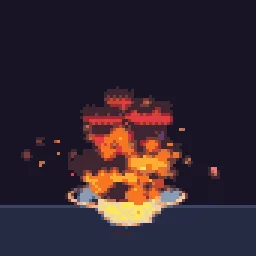
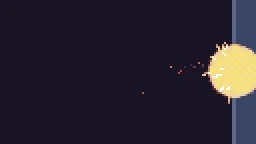
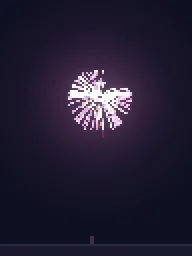
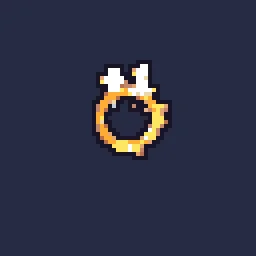
Effects are hard to convert: glows and smoke turn muddy. The pixel art VFX are built as pixel art from the start, free as sprite sheets and GIFs, and the AI can make new pixel art effects on any of these palettes.
Put effects on your sprite
Fire, sparks, auras, hit flashes and dissolves on your own character: describe it to the AI agent (20 builds to start, free) or pick from 1200+ free effects.
Questions
Can I convert an animated GIF to pixel art?
Yes. Every frame is converted with the same pixel size and palette, and you can download it as a GIF or a sprite sheet.
Which palette should I use?
PICO-8 and Sweetie 16 give a bright 16-colour console look, Endesga 32 and DawnBringer 32 are wider all-rounders, Game Boy is four greens. Its own colours keeps the original look with fewer colours.
Why does my pixel art look blurry in the game engine?
The engine smooths the texture when it scales it. Use point or nearest filtering (Point in Unity, Nearest in Godot, interpolation off in GameMaker) and scale by whole numbers.
Is my picture uploaded?
No. The conversion runs in your browser and the file stays on your device.