AI pixel art effects for games
Make pixel art effects with AI: describe a fireball, a level up or a hit, pick a palette such as PICO-8 or Endesga 32, and the agent builds real, editable pixel art that exports as a sprite sheet or GIF.
An image model asked for pixel art paints something that looks like it, often with pixels of different sizes, colours outside the palette and frames that do not line up. The ParticleFX agent works the other way round: it builds the effect as particles and renders it in pixel mode, so every frame uses the same pixel grid, every colour comes from the palette you pick, and a loop closes exactly.
Make one
- Open the agent, choose Describe it, and write what the effect is and where it goes: "a level up for a top-down RPG".
- Under Look, choose Pixel art and a palette: Own colours, Endesga 32, PICO-8, Sweetie 16, DawnBringer 16 or 32, NES, Game Boy, CGA or greyscale.
- Under Plays, choose Loop for auras, fire and idle effects, or Once for hits, pickups and explosions. Pick a Size if your game needs a fixed canvas.
- The agent builds it, looks at a contact sheet of the result and fixes what does not read. Ask for changes in plain words: "chunkier pixels", "fewer sparks", "slower".
- Export a sprite sheet or a GIF. Set Frame rate to 12 in the export for a hand-animated feel; pixel art always exports sharp, with no motion blur.
Prompts that work for pixel art
- Say the pixel size: "chunky 3 px pixels" for a bold retro look, "fine 2 px pixels" for detail.
- Name the palette or the console: "PICO-8 palette", "Game Boy greens", "NES colours".
- Keep it readable: "8 to 12 art pixels across" for a projectile, "a one-frame white flash" for an impact.
- Bring a picture: Match a reference works from an image of an effect you like, and Effects on my sprite puts the effect on your own character.
- Build a pixel art level up (1 build)
- Build a pixel art lightning strike (1 build)
- Build a pixel art poison aura (1 build)
Or start from one that is nearly right
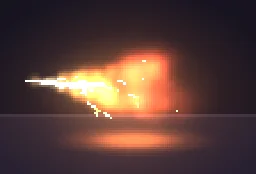
The library has pixel effects for the common moments, free to download. Open one in the studio and change it, or ask the agent to: "this fireball, but green and smaller". The Pixel Art VFX category alone has 50.
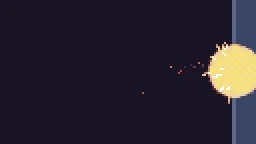
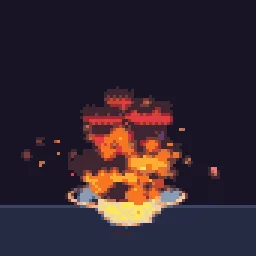
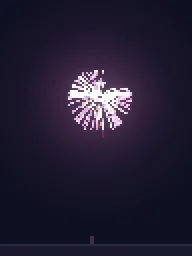

More pixel art VFX
Browse every pixel art effect in the library, or describe the one you need and the agent builds it as real, editable pixel art.
Questions
Can AI make pixel art effects?
Yes. The ParticleFX agent builds pixel art effects from a description in pixel mode, on a palette you choose, and exports them as sprite sheets or GIFs. Because it renders a real effect, the pixel grid and the palette stay the same in every frame.
Which palettes can it use?
Own colours, Endesga 32, PICO-8, Sweetie 16, DawnBringer 16 and 32, NES, Game Boy, CGA and greyscale, chosen on the agent's start screen. In the studio you can change the palette of any effect afterwards, under Effect settings > Pixel art and palette.
Why does my pixel art effect look blurry in the engine?
The engine is smoothing the texture when it scales it. Set the texture filter to nearest neighbour (Point in Unity, Nearest in Godot, turn off texture interpolation in GameMaker) and scale the sprite by whole numbers, such as 2x or 3x, so every pixel stays square.
Can I use these pixel art effects in a commercial game?
Yes. Exported effects, including ones started from the library, can be used in any project, including paid games sold on Steam or console stores, with no per-project licence and no credit needed. The few effects that contain CC BY sprites by CodeManu say so on their page and ask you to credit CodeManu.