Timing for 2D VFX: anticipation, impact and dissipation
How to time 2D game VFX: anticipation, impact and dissipation, holds and hit-stop, frame counts at 12, 24 and 30 fps, and when an effect should loop or play once.
Most effects that feel weak are not badly drawn, they are badly timed. A player reads an effect in a fraction of a second, often from the corner of their eye, so the order and length of its moments matter more than its detail. Nearly every effect a game needs, a hit, a pickup, a spell or an explosion, is built from the same three beats: anticipation, impact and dissipation. Getting their lengths right, and knowing where to hold still, is most of the work.
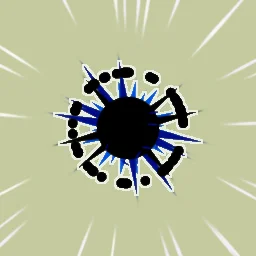 Anime hit flash
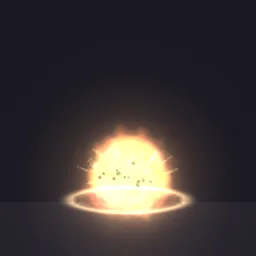 Sticky Bomb
 Railgun
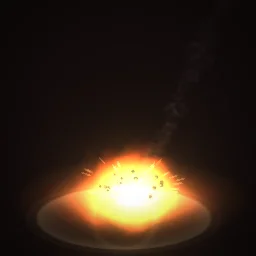 Meteor Strike
 Smoke poof
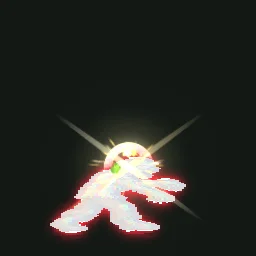 Critical Hit Freeze Frame
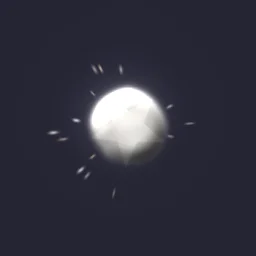 Hit Smoke Puff
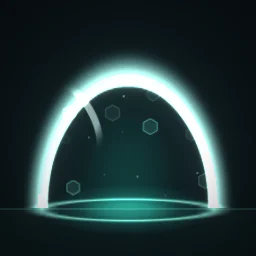 Shielded
The three beats
- Anticipation tells the player something is about to happen and gives the impact something to release: energy drawn inward, a glint, a fuse burning down, a shape shrinking to a point. Sticky Bomb beeps faster and brighter before it blows; Railgun charges before an instant shot. Cut this beat when an action must feel instant, and stretch it when the player needs time to react, as with the falling rock in Meteor Strike.
- Impact is the moment of contact or release. It is the brightest, largest and fastest part of the effect, and the shortest: a flash of a frame or two, a shape that appears already at full size, particles leaving at top speed.
- Dissipation is everything after: smoke drifting, sparks slowing and falling, rings thinning, shapes shrinking away. It is the longest beat and the calmest. It tells the player the event is over and lets their eye move on.
A good rule of proportion is that anticipation and impact together take a third of the effect or less, and dissipation takes the rest. A punch spark might be two frames of wind-up, one frame of flash and six frames of fade. When every beat gets the same share the effect feels mechanical, because nothing that hits hard moves at an even pace.
Frame counts at 12, 24 and 30 fps
Effects for 2D games are usually exported at 12, 24 or 30 frames per second. Lower rates look snappier and more hand-drawn, and give smaller spritesheets; higher rates look smoother. Think in seconds first and count frames second, because the same timing needs a different number of frames at each rate. One frame lasts about 83 ms at 12 fps, 42 ms at 24 fps and 33 ms at 30 fps.
| Beat | Typical length | At 12 fps | At 24 fps | At 30 fps |
|---|---|---|---|---|
| Anticipation (a quick hit) | 0.1 to 0.25 s | 1 to 3 frames | 2 to 6 frames | 3 to 8 frames |
| Impact flash | 0.03 to 0.1 s | 1 frame | 1 to 2 frames | 1 to 3 frames |
| Hold or hit-stop | 0.05 to 0.15 s | 1 to 2 frames | 1 to 4 frames | 2 to 5 frames |
| Burst expanding | 0.1 to 0.3 s | 1 to 4 frames | 2 to 7 frames | 3 to 9 frames |
| Dissipation | 0.3 to 1 s | 4 to 12 frames | 7 to 24 frames | 9 to 30 frames |
Whole effects fall into a few lengths. A small hit or pickup spark lasts 0.2 to 0.5 seconds; a heavy hit or spell impact 0.5 to 1 second; an explosion with its smoke 0.8 to 2 seconds; an ambient loop 1 to 4 seconds. Check the length against the game: if a hit effect lasts longer than the gap between two hits, the next one lands on top of it and both turn to noise.
Holds: where stillness does the work
A hold is a stretch of time where something stops changing. Holds are what make an impact land: without one, the eye has no moment to register the peak before it is gone; with one, even a short effect feels heavy. Three kinds matter for effects.
- Hit-stop. The action freezes for a few frames on contact while the flash and shake carry on. Critical Hit Freeze Frame holds the character on the hit, then lets it catch up.
- Shape holds. A shape pops to full size, stays there, then shrinks away instead of fading. Cartoon effects depend on this: the lobes of Smoke Poof overshoot, hold, and shrink out with no alpha fade at all.
- Ease out. Particles leave fast and then nearly stop, which reads as a hold in motion. Most of the distance is covered in the first few frames, and the eye gets a still moment at the end.
One-shot or loop
Decide this before you build, because it changes how the effect is put together. A one-shot starts from nothing and ends in nothing: hits, explosions, pickups, deaths, a hit smoke puff. A loop has no start or end: auras, fires, portals, idle glows and status effects such as Shielded. Some moments need both, for example a charge that loops while a button is held and a one-shot release when it is let go.
- A one-shot needs a clear first frame, usually the anticipation or the flash, and must end completely empty, or its last frame will blink off in the game.
- A loop must not contain a beat that happens only once. Bursts in a loop should repeat on an interval that divides the loop length, or the seam will pop. The looping guide goes through it.
- Event effects in the library loop in the preview so you can watch them repeat. Switch them to One-shot before you export one as a single event.
Time an effect in the studio
- Open an effect, for example Anime Hit Flash, and press Space to play it. Press , and . to step back and forward 1/60 of a second at a time (two steps are one frame at 30 fps, five steps one frame at 12 fps) and count how long each beat lasts.
- Select Effect settings. Under Timeline and loop, set Duration to the length of the whole effect and Loop to Perfect loop or One-shot. Lower Time scale to watch it in slow motion while you work.
- Give each beat its own layer and place it in time. Switch the Inspector to All settings; under Emission, Start delay holds a layer back until its beat, and Bursts fire a set number of particles at a set time. A flash is a burst at the impact time with a Lifetime of one or two frames.
- Shape the timing inside each particle's life with Add module under Behaviour: Size over Life for pop, hold and shrink; Speed over Life for a fast start and a slow finish; Opacity over Life to choose between a fade and a hard cut.
- For a value that changes across the whole effect rather than one particle's life, such as a glow that builds during the anticipation and drops at the impact, use the keyframe button beside it (Animate this value over time).
- Press Export and set Frame rate to 12, 24 or 30. The preview shows how many frames you will get and how long they last, so you can check the beats survive the frame rate before you save.
At 12 fps a one-frame flash still lasts 83 ms and reads well. At 30 fps the same flash is only 33 ms, so give it two or three frames there.
Study the timing of a finished effect
Open one in the studio and step through it, or describe the timing you want: the agent builds the effect on a live canvas. A free account gets 20 builds to start.
Questions
What frame rate should 2D VFX use?
Match the rest of the game. Hand-drawn and pixel art games often animate at 12 fps, smoother games at 24 or 30. Effects drawn at 12 fps look snappier and make smaller spritesheets; the studio can export the same effect at any rate.
How long should a hit effect be?
About 0.2 to 0.5 seconds for a normal hit and up to a second for a heavy one, with the flash in the first frame or two and most of the time spent fading out.
What is hit-stop?
A short freeze, usually a few frames, at the moment of contact. The pause lets the player register the hit, which makes it feel heavier even though the effect gets no longer.