Colour for VFX: value, temperature and blending
VFX colour theory for games: why value matters more than hue, hot cores and cool edges, limited palettes, additive versus normal blending, and contrast against your backgrounds.
Colour in effects is less about picking pretty hues and more about light: how bright each part is, how it cools as it travels, and how it sits on top of the scene behind it. An effect with the right brightness structure reads even in black and white. One with the wrong structure stays muddy whatever hues you try. Here are the principles that matter most, and how to apply them to particles in the studio.
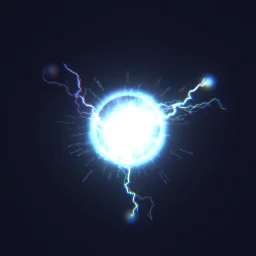 Plasma Detonation
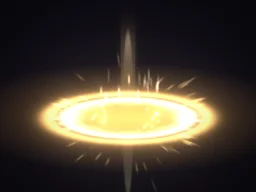 Holy Nova
 Cel explosion
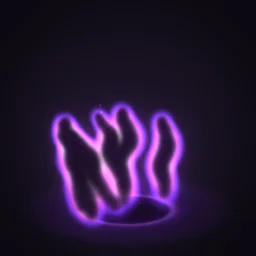 Shadow Tendrils
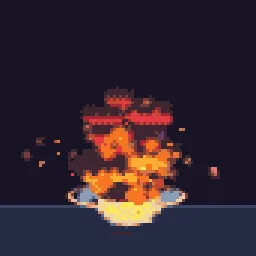 Big Explosion
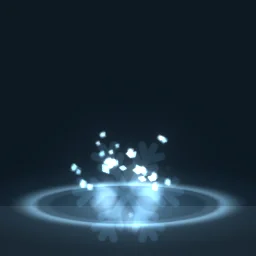 Cryo Grenade
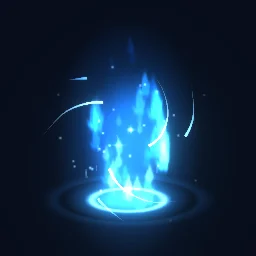 Chakra Energy Charge
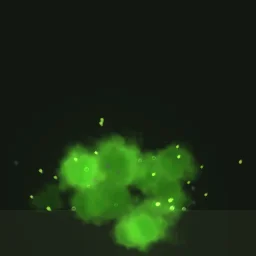 Toxic Gas Explosion
Value before hue
Value is how light or dark a colour is, ignoring its hue. The eye finds shapes by value contrast first, so the brightest part of an effect is where the player looks. Plan the values, then pick hues that fit them.
- Put the highest value at the point of energy: the core of a blast, the head of a projectile, the edge of a slash. Everything else should be darker than that.
- Use a small number of value steps. Three or four clear levels (core, body, edge, shadow) read better than a smooth gradient through twenty.
- Test it: select Effect settings, add a Grayscale filter under Post filters, and play the effect. If the important part is not the brightest thing on screen, fix the values before you touch the hues. Remove the filter afterwards.
Hot core, cool edge
Hot things glow white at the centre and shift towards warmer, darker colours as they cool and spread. Effects borrow that even when nothing is burning: energy reads as most intense where it is whitest. Plasma Detonation runs from white at the core through cyan and blue to violet at the edges, and its sparks follow the same ramp over their life.
- In time: a particle is born near white and cools as it ages. Colour over Life does this, for example white, then yellow, then orange, then a dark red that fades out for fire.
- In space: the core layer is the palest, outer layers are more saturated and darker. Use separate layers for core, body and edge so each has its own ramp.
- Temperature contrast: a warm effect gains depth from a touch of cool colour and the other way round. Holy Nova chases its gold ring with a cool blue one, which makes the gold look warmer than it would on its own.
- Keep saturation off the brightest values. Pure white or a pale tint at the core, full saturation in the mid values, and darker, less saturated colour as the effect fades.
Limited palettes
Effects built from a handful of colours look designed and match the game; effects with every hue look noisy. Pick one main hue family per effect, add one accent, and get the rest from value. A fire might use only white, yellow, orange, red and a smoke purple.
- Colour A and Colour B set the range each particle picks from. Keep them close for a controlled look, and use Hue variation sparingly.
- Turn on Stepped in Colour over Life for hard bands instead of blends. Cel Explosion steps from white-hot to orange to a plum smoke, which is the cartoon look in one switch.
- For pixel art, select Effect settings and under Pixel art and palette turn on pixel mode and pick a palette such as PICO-8 or Endesga 32, or import your game's own. Every frame then renders in those colours, as in Big Explosion.
Additive or normal blending
How a layer combines with what is behind it decides what kind of thing it looks like. Set it per layer with Blend, in the Basics of a layer or its Appearance section.
| Blend | What it does | Use it for | Watch out for |
|---|---|---|---|
| Add | Adds its light to the pixels behind it. Overlaps get brighter, black adds nothing. | Fire, magic, energy, sparks, lasers, glows: anything that emits light | It cannot darken, and on a light background it washes out to white |
| Normal | Paints over what is behind it, like paint or paper. | Smoke, dust, debris, liquids, ink, cartoon shapes: anything that is matter | It does not glow; dense overlaps just stack up |
Most effects mix both. Smoke and debris are normal layers, fire and sparks above them are additive. Dark magic is the clearest case: you cannot add darkness, so the black body of Shadow Tendrils is drawn with normal blending and its violet rim light is added on top. Cartoon effects such as Cel Explosion are drawn almost entirely with normal blending, so their flat colours stay flat on any background.
Blending also decides how you export. Additive effects should be drawn additively in the engine too, which is covered in glow effects without a black box.
Contrast against your backgrounds
An effect is never seen alone. A blue frost blast that looks great on a dark canvas can disappear on a snowy level, and an additive yellow spark vanishes against a bright sky. Test the effect on the backgrounds it will really appear on.
- Under Canvas, change Background to the main colours of your levels, both the darkest and the lightest.
- Load a screenshot of your game as the Backdrop. It shows behind the effect while you work, and stays out of the export unless you turn it on.
- If an effect gets lost, change its value rather than its hue: a dark ink outline, a darker normal-blended under-layer, or a brighter core all restore contrast.
- Keep the most saturated colours for the effects that matter most in play, such as danger, damage and rare rewards, so they stand out from ambient effects.
Colour an effect in the studio, step by step
- Open an effect, for example Plasma Detonation, select Effect settings and add a Grayscale filter to see its values. Remove it once the core is the brightest part.
- Select each layer and set its Blend: Add for light, Normal for matter.
- Set Colour A and Colour B under Colour, close together, from your chosen hue family.
- Add Colour over Life (Add module under Behaviour) running from a pale core colour to a darker, cooler edge colour. Turn on Stepped for hard cartoon or pixel bands.
- Under Canvas, try the effect on your darkest and lightest Background colours, or load a game screenshot as the Backdrop.
- Export it. For additive effects, read the blending guide to choose between a transparent export and one on black.
Recolour a finished effect
Every library effect is free to open and recolour to your palette, and many effect pages offer ready colour variants.
Questions
Why does my effect look washed out?
It is probably additive on a light background, or every part has the same brightness. Additive layers can only brighten, so on light scenes add a normal-blended darker layer or an outline, and make sure only the core is near white.
Should VFX use additive blending?
Use additive blending for things that emit light, such as fire, energy, sparks and magic, and normal blending for matter, such as smoke, dust, debris, liquid and cartoon shapes. Most effects combine the two.
How many colours should an effect have?
One hue family plus one accent is usually enough, with the variety coming from value. Pixel art effects are often limited to the game palette, which the studio can enforce.