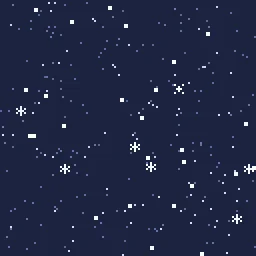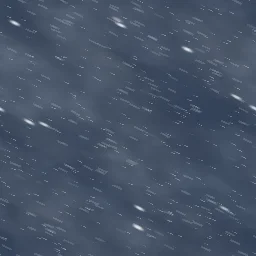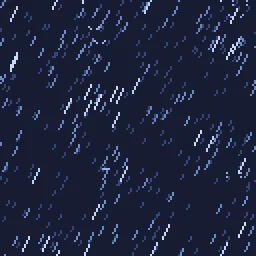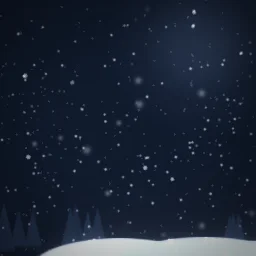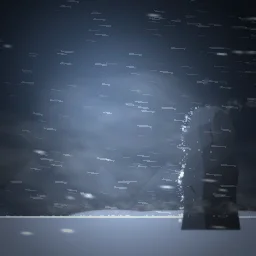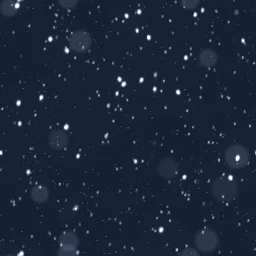
Seamless Snowfall Loop: Seamless snowfall loop for winter levels and menus: far specks, soft swaying flakes, bright flakes up close and big out-of-focus flakes drifting past the camera.

Seamless Snowfall Loop

Seamless snowfall loop for winter levels and menus: far specks, soft swaying flakes, bright flakes up close and big out-of-focus flakes drifting past the camera. Tiles in every direction with no seam and loops perfectly, ready as a transparent overlay or parallax layer.

Seamless Snowfall Loop is an HD effect that loops seamlessly every 6 seconds, drawn on a 512 by 512 canvas. It is built from 4 particle emitters. Most layers blend additively, so it glows on dark backgrounds.

Free download with a transparent background, cropped to the effect, 180 frames at 30 fps. Use it in commercial games, no credit needed.

Licence: use it in any project, including paid commercial games such as a game sold on Steam. There is no per-project licence to buy and no credit needed. Terms.

Roblox: the download is a flipbook for a ParticleEmitter. Set FlipbookLayout to Grid8x8, FlipbookMode to OneShot and Lifetime to 6, then emit one particle per cycle. Roblox setup.

REMIX WITH AI

Try:

Left empty, it just opens in the agent, free. Each change is one AI build, and you start with free builds.

Engine data for Unity, Godot, GameMaker and Aseprite comes with a plan: open it in the studio.

OPEN IN THE STUDIO

Change the colours, timing or size, or export for Unity, Godot 4, GameMaker, Phaser, PixiJS and Aseprite.

Try variations: new colours, motion and shapes of this effect, free in the studio.

FRAME BY FRAME

8 evenly spaced moments across the 6 s loop.

Seamless Snowfall Loop at 8 moments, from 0 s to 5.25 s

HOW IT'S MADE

Seamless Snowfall Loop is a compact effect made from 4 particle emitters. Techniques worth a look: particles stretched along their motion and post filters (bloom).

Every layer emits continuously and the 6 s loop closes seamlessly, so it can run for as long as you need. To change its colour, select "Out of Focus" in the studio and edit Colour A and Colour B. Size on the same layer sets how big its particles are.

Layers, in draw order

  1. Far SpecksparticlesA steady stream of dots across a box. They sway from side to side. Colours range between blue and pale blue.
  2. Mid Flakes, Out of Focusparticles / additiveA steady stream of image sprites across a box. They sway from side to side. Colours range between pale blue and white.
  3. Near Flakesparticles / additiveA steady stream of image sprites across a box. They sway from side to side. Colour: white.

DETAILS

Length
6 seconds, seamless loop
Canvas
512 x 512, HD
Layers
4 emitters
Blend
Mostly additive (glows)
Colours
whitepale blueblue
Sprites
Built-in shapes only
Tags
snow, snowfall, winter, weather, overlay, seamless, tileable, loop, background, christmas

USING IT IN YOUR GAME

Phaser, PixiJS
The PNG sheet is a plain grid of frames that both can slice. A TexturePacker JSON atlas comes with a plan, from the studio.
Unity
Import the PNG sheet as a Sprite with Mode set to Multiple and slice it, or open the effect in the studio for a ready-made grid.
Godot 4, GameMaker, Aseprite
Open it in the studio and pick your engine in Export: with a plan, it writes the files that engine imports.
Web and chat
The GIF plays anywhere; the APNG keeps soft edges on any background.
Blend mode
This effect is made of light. For the same glow in your game, draw the sprite with additive blending, or export it on black from the studio for additive shaders.

Step by step: Unity, Godot 4, Roblox, GameMaker, Phaser and PixiJS, Aseprite, Web games (live runtime). Drawn with additive blending: see glow effects without a black box.

MORE Tileable Backgrounds

YOU MIGHT ALSO LIKE

All Tileable Backgrounds effects or the full library.