Motion blur in sprite sheets: when to use it
When baked motion blur helps game sprite sheets and when it hurts: fast sparks at 12 to 30 fps, shutter and samples, and why GIFs, pixel art and sprites the engine moves are better left sharp.
Games usually play effect sprites at 12 to 30 frames per second, but fast particles move a long way between two frames. A spark at 980 px/s, the fastest in Sword Clash Sparks, travels about 80 px between frames at 12 fps, so it shows up as a row of separate dots instead of one streak. Motion blur fixes that the way a film camera does: each exported frame averages the moments across its shutter, so fast motion smears in the direction it moves. It is not always the right call, and the cases where it hurts matter as much as the ones where it helps.
 Sword Clash Sparks
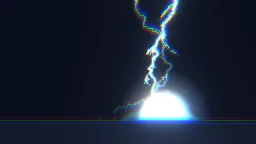 Thunder Javelin
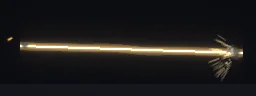 Sniper Tracer
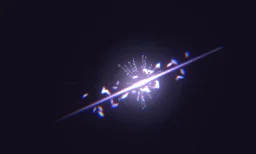 Dash Strike
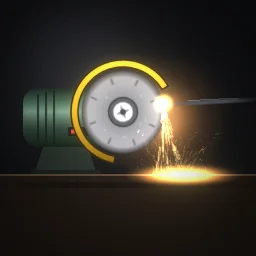 Bench grinder sparks
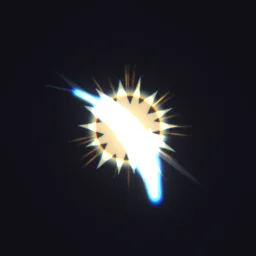 Slash Attack Hit
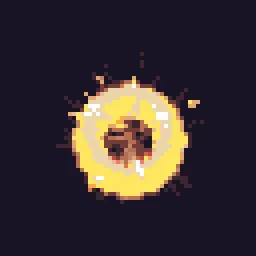 Crit Hit
The quick way: compare both
Open Sword Clash Sparks, press Export, set Frame rate to 12 and switch Motion blur between On and Off to compare the two previews.
Learn it hands-on: the motion blur lesson has you watch an effect at 12 fps, turn on onion skin to see the gaps, then switch on motion blur in the Export dialog.
When blur helps, and when it hurts
| Situation | Blur | Why |
|---|---|---|
| Fast sparks, slashes, tracers and projectiles at 12 to 24 fps | On | Streaks read as one motion instead of strobing dots, and a flash shorter than one frame is still caught instead of falling between two frames. |
| MP4 or WebM for trailers, store pages and cutscenes | On (the Auto default) | Video is watched as footage, where blur at 24 to 30 fps looks natural. |
| GIF | Off (the Auto default) | GIF has 256 colours and 1-bit transparency: a soft smear bands and is cut off at half opacity. |
| Pixel art, such as Crit Hit | Never | Blur invents in-between colours, which breaks the palette and the pixel grid. The studio keeps it off. |
| Crisp engine sprites, slow effects, UI | Off (the Auto default for sheets) | Slow motion gains nothing from blur, and many art styles want hard edges. |
| Sprites the engine moves, rotates or scales | Usually off | The blur covers motion inside the frame only. A projectile the engine flies across the level is not blurred along that path, and a sprite the engine spins or scales carries streaks that no longer match its motion. |
Export at the frame rate the engine will play the sheet at. The length of the blur is set from that frame interval.
Export with motion blur
- Open the effect and press Export. Choose the format, then under Size and timing set Frame rate to the rate your game plays effects at.
- Set Motion blur. Auto is on for MP4 and WebM and off for GIF, spritesheets and PNG frames; On and Off override it. For pixel art the row reads Off for pixel art.
- Set Shutter: how much of each frame interval the blur spans. 180 degrees is the film look, 360 smears across the whole interval, and lower is crisper.
- Leave Samples on Auto unless very fast sparks still show separate copies, then pick 16 or 32. With a 180 degree shutter, Auto averages 10 moments per frame at 12 fps, 5 at 24 fps and 4 at 30 fps.
- Check the preview: it shows the blurred frames, and the line under it names the shutter and the samples. A blurred export takes longer to capture, about 1.5 to 4 times as long in our tests, because every frame is drawn once per sample.
Preview the frames you will get
The stage plays at 60 frames a second, so a spark that looks smooth while you work can strobe once exported. Two controls on the timeline bar show the real frames before you export.
- Preview at export fps, the film strip button labelled with the rate (for example 12 fps): the stage plays only the frames an export at that rate writes, scrubbing snaps to them, and the previous and next frame buttons step one export frame. The arrow beside it picks 12, 15, 24, 30 or 60 fps, or Smooth. If your export settings have motion blur on, the stage shows it too.
- Onion skin: while paused or scrubbing, faint ghosts of the export frames before (red) and after (blue); 1, 2 or 3 picks how many on each side. Wide gaps between the ghosts mean the motion will strobe without blur.
Without blur
If blur is wrong for your game but fast sparks still strobe, lengthen the shapes instead. In a layer's Appearance section (All settings), set Draw as to Stretch to stretch sprites along their velocity, or to Trail for a ribbon through recent positions. Both stay crisp and work in pixel art. The timing guide has frame counts for each beat at 12, 24 and 30 fps.
Compare sharp and blurred frames
Open a fast effect, set the export frame rate and switch motion blur on and off in the preview before you save.
Questions
Should game sprite sheets have motion blur?
Only for fast motion that strobes at your frame rate, such as sparks, slashes and tracers at 12 to 24 fps, and only when the sprite plays in place. Slow effects, pixel art and sprites the engine moves or scales are better sharp.
Why is motion blur off for my GIF?
Auto turns it off for GIF because GIF has 256 colours and 1-bit transparency, so a soft smear bands and is cut at half opacity. You can set it to On, but an APNG or a spritesheet keeps the smear clean.
Why can I not turn on motion blur for pixel art?
Blur averages moments into new in-between colours, which breaks a fixed palette and the pixel grid. The studio keeps pixel mode and pixel-art sprites sharp; stretch or trail the particles instead.