How to make a glass shatter effect for a game
Make a glass shatter effect for your game: crack a window, shield, ice block or your own sprite from the point of impact, let the shards fall and bounce, and export it as a spritesheet or GIF.
A shatter that reads in a game has three beats: the object stays whole for a moment while cracks run out from the hit, it breaks into pieces that fly away from the impact, and the pieces fall, bounce and fade. Generic shard particles rarely sell it, because the pieces do not match the object. The Shatter layer in ParticleFX Studio cuts the real picture (a window, a crate, a gem, an ice block, your enemy sprite or a line of title text) into pieces that keep its pixels. Every piece is a particle, so gravity, a floor and the usual over-life curves all work on it.
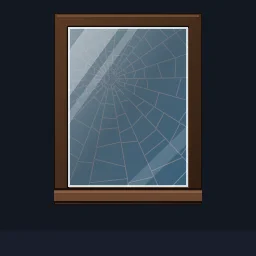 Glass Window Shatter
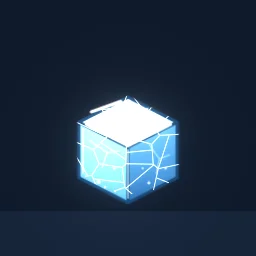 Ice Block Shatter
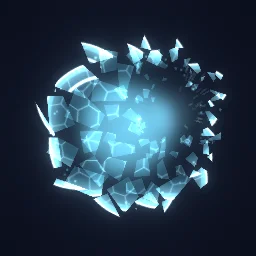 Crystal Shield Break
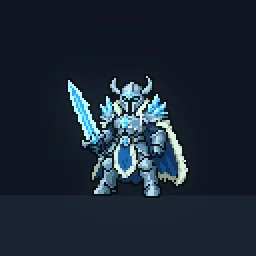 Sprite Death Shatter
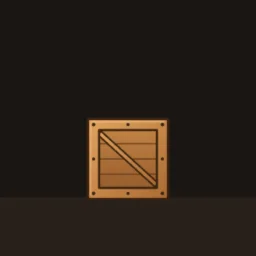 Wooden Crate Break
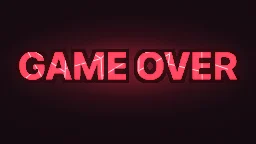 Game Over Text Shatter
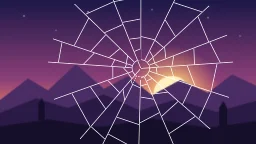 Screen Shatter Transition
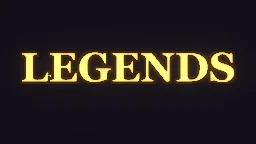 Shatter Text Reveal
The quick way: start from the library
Open Glass Window Shatter in the studio and swap the pane for your own picture, or describe the break: build "a frozen slime that cracks and shatters into icy chunks" with the agent (uses 1 build; your first one needs no account).
Learn it hands-on: the Shatter lesson has you break a window yourself: set its Pattern to Glass, add pieces, move the impact to where the pane is hit and let the shards fall with Gravity / Wind.
Build it step by step
- In the studio, press + in the Layers panel (Add layer) and choose Shatter. A gem appears on the canvas, cracks and breaks. The layer already has Gravity / Wind, Drag and Opacity over Life.
- Choose the picture in the Inspector. Picture is Image or Text. For an image, click Shape and pick a built-in sprite, a pack sprite or Upload your own transparent PNG; Size is its width in pixels. For text, type it and choose a Font.
- Set the Pattern: Glass for windows, screens and shields (small pieces at the hit, long wedges outward), Shards for ice, crystal, stone and characters, Grid for square tiles, pixel art and walls. Pieces sets about how many.
- Drag the cross on the canvas to where the object is hit, or set Impact X and Impact Y (-1 is one edge, 0 the centre, 1 the other edge). Pieces fly away from it and glass cracks radiate from it. Force is how fast they leave and Spin how fast they tumble; Lift, under All settings, kicks them up so they arc before they fall.
- Time the break. Hold is how long the picture stays whole, Cracks how long the crack lines spread before it breaks, and Shockwave how much later the far pieces go, so the break travels out from the hit (the last two are in All settings). Lifetime is how long the pieces fly.
- Make the pieces land. Under Behaviour, press Add module and choose Collision. Set Canvas edges to None, turn Floor line on and put Floor Y a little below the floor you draw, because pieces collide at their centre. A low Bounciness (0.2 to 0.3) and a high Friction (0.4 to 0.6) make glass skitter and settle instead of bouncing like rubber.
- Keep Opacity over Life flat for most of the flight and fade it at the end, so pieces disappear after they land. On the timeline bar, switch Perfect loop to One-shot for a break that plays once, then press Export and choose Spritesheet or GIF.
A Shatter layer makes one particle per piece by itself, once per loop (or every Repeat every seconds), so Rate and Bursts do nothing on it. Keep Max particles at least as high as Pieces.
Settings from the library effects
| Effect | Pattern | Pieces | Hold | Cracks | Force |
|---|---|---|---|---|---|
| Glass Window Shatter | Glass | 70 | 0.5 s | 0.32 s | 40 to 240 px/s |
| Ice Block Shatter | Shards | 34 | 0.45 s | 0.22 s | 160 to 400 px/s |
| Wooden Crate Break | Shards | 26 | 0.4 s | 0.12 s | 180 to 420 px/s |
| Stone Tablet Crumble | Shards | 40 | 0.75 s | 0.45 s | 20 to 120 px/s |
| Screen Shatter Transition | Glass | 110 | 0.42 s | 0.3 s | 40 to 220 px/s |
The crumble is the odd one out on purpose: it is hit at the top edge, with almost no force and a long Shockwave of 0.45 s, so the tablet falls apart from the top down instead of bursting.
What makes a break read
- Match the pattern to the material. Glass and energy shields crack out from the hit, so use Glass. Ice, crystal, stone and characters break into ragged chunks: Shards with an Irregularity of 0.75 to 0.9. Bricks and pixel art suit Grid.
- Fewer pieces at game size. An object 64 to 128 px tall on screen reads best in 20 to 40 pieces. Seventy or more pays off only on a pane of glass or a whole screen.
- Hit it off-centre. An impact a third of the way to an edge makes the pieces fan one way, which reads as a blow from a direction. A dead-centre hit reads as an explosion from inside.
- Glint the broken edges. Edge glint draws a bright rim on the broken edges that flashes as the pieces turn: 0.7 to 1 for glass, ice and crystal, about 0.15 for wood and stone.
- Add the small layers. A flash of a frame or two at the impact, dust or glitter that falls with the pieces, and a shock ring for energy shields, as in Crystal Shield Break.
- Play it backwards for a reveal. Set Mode to Reassemble and the pieces fly in and lock into the whole picture. Screen Shatter Transition breaks the screen on one layer and reassembles it on a second layer that starts 1.2 s later. The timing guide covers how long each beat should last.
Break something of your own
Open a shatter effect and swap in your own sprite, or describe the break and the agent builds it on a live canvas. A free account gets 20 builds to start.
Questions
How many pieces should a shatter effect have?
For an object that is small on screen, 20 to 40: the library crate breaks into 26 pieces and the ice block into 34. Panes of glass and full-screen breaks can use 70 to 110, because each piece is still large enough to see.
Can I shatter my own sprite?
Yes. In the Shatter module, click Shape and upload a transparent PNG. The pieces keep your sprite's pixels and colours unless you turn on Tint image.
Can the shatter play backwards?
Yes. Set Mode to Reassemble and the pieces fly in from where they would have gone and lock into the whole picture, then it holds for the Hold time. The over-life curves run backwards too.