A neon glowing line that draws itself
Make a glowing neon line that draws itself along a circle, a star, a path, text or a sprite outline: keyframe End to write it on and Start to write it off, then add taper, pen glow, wobble and flicker.
A line that draws itself turns up all over a game: magic circles that trace their runes, neon signs and titles that write on, energy running round a character, a button border with a light chasing round it, a slash that whips across. Video tools do it with a stroke, a trim path and a glow, as the Saber plugin does in After Effects. In ParticleFX Studio it is a Stroke layer: a white-hot core with a soft coloured glow that follows a built-in shape, a path, text or the outline of a sprite, and still loops perfectly.
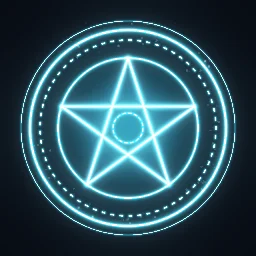 Magic Circle Draw-On
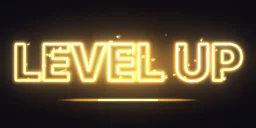 Neon Text Write-On
 Neon Sign Flicker
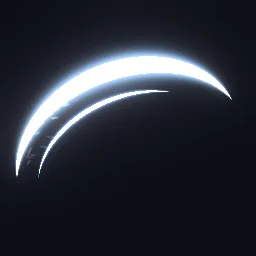 Sword Slash Arc
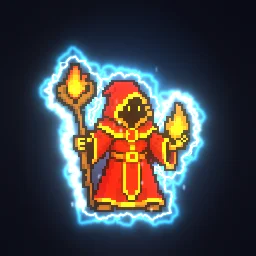 Energy Outline Aura
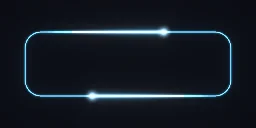 Glowing Button Border
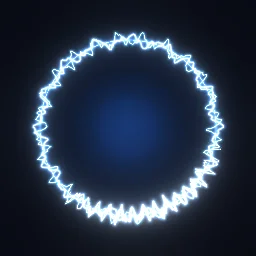 Electric Ring Barrier
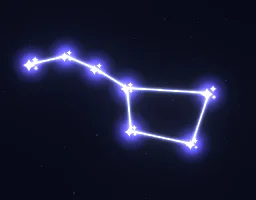 Constellation Draw-On
The quick way: start from the library
Open Magic Circle Draw-On: six strokes write on in turn, the outer ring in 0.8 s and the pentagram from 0.65 s to 1.5 s, then flash and fade. Or describe yours: build "a neon sign that writes on, then flickers" with the agent (uses 1 build; your first one needs no account).
Learn it hands-on: the Stroke lesson has you write a summoning circle's outer ring on with End keys, give it a pen tip with Pen glow and break a rune ring into ticks with Dash.
Make a line write itself on
- Press + in the Layers panel and choose Stroke. A glowing circle appears in the middle of the canvas.
- Pick a Source. Shape traces a circle, polygon or star (Points 5 makes a pentagram); drag the centre handle to move it and the square handle to set the Radius. Path traces a path layer, which you can draw with Draw a path in the same menu. Text traces the outlines of letters you type. Sprite traces the silhouette of an object layer and follows it as it moves.
- Write it on: click the diamond next to End, set 0 at the start and 1 where the line should be complete. End is where the visible part ends along the shape, from 0 to 1.
- Write it off: keyframe Start from 0 to 1 after the line is drawn, so the tail chases the head away. For a segment that runs round the shape forever, set Start 0, End 0.2 and a Travel speed in loops per second.
- Style it under Look: Core and Core width for the white-hot centre, Glow and Glow width for the coloured halo, Glow intensity and Intensity for brightness. Keyframe Intensity to fade the whole line in and out.
- Add character in All settings. Taper start and Taper end thin the ends to points, Pen glow puts a bright flare on the drawing end, Wobble adds an animated sideways distortion for electric or hand-drawn lines, Flicker drops the brightness at random like a failing neon tube, and Dash with Gap and Dash speed makes marching dashes.
- Add a Bloom filter under Effect settings > Post filters so the brightest parts bleed light. The library effects use a Strength of 0.6 to 0.8 and a Threshold of 0.2 to 0.25.
Settings from the library
| Effect | What it does | Settings that make it |
|---|---|---|
| Neon Text Write-On | LEVEL UP writes on letter by letter | Source Text with Outlines on Sequence; End 0 to 1 over 1.2 s; Pen glow 1.2; Glow intensity flashes from 1 to 2.2 as the last letter lands |
| Sword Slash Arc | A 0.6 s slash that whips across | Source Path; End 0 to 1 in 0.08 s while Start chases from 0.08 s to 0.3 s; Taper start 0.55 and Taper end 0.45; Core width keyed from 28 to 3 px |
| Glowing Button Border | Two comets chase round a button | Source Path; End 0.24 and Travel speed 0.5 on a 2 s loop, one lap per loop; Offset 0.5 on the second comet; Taper start 1 |
| Electric Ring Barrier | Crackling shield strands | Source Shape; Wobble 11 to 16 px with Wobble size 24 to 70 px at 3 to 9 Hz; Flicker 0.4 to 0.55 |
| Energy Outline Aura | An electric outline that hugs a sprite | Source Sprite; Expand 7 to 14 px with Hole outlines off; racing arcs at End 0.22 and Travel speed 1 |
| Neon Sign Flicker | OPEN hums, then stutters | Flicker keyed from 0 up to 1 between 1.12 s and 1.75 s of a 2.4 s loop |
Tips
- Loops close by themselves. Travel speed and a shape's Spin snap to whole laps per loop, so a running light never jumps at the seam. A write-on that loops needs a write-off or an Intensity fade before the loop ends: Magic Circle Draw-On fades from 2.3 s to 2.85 s of its 3 s loop.
- Letters in turn or together. For text and sprites, Outlines on Sequence runs Start and End across every outline in reading order, so letters write one after another; Together draws them all at once.
- Auras. For a sprite source, push the line out with Expand and turn Hole outlines off to keep only the outer silhouette.
- Fade with Intensity. Keyframe Intensity to fade a stroke in and out; the layer's own opacity cannot be keyframed.
- Glow in the engine. The glow is light, so export it on black for additive blending or with transparency, as the blending guide explains.
Draw your own glowing line
Open a neon effect and change its shape, text or colours, or start a Stroke layer from scratch.
Questions
How do I make a line draw itself?
Keyframe where the visible part ends along the shape: End at 0 at the start and 1 where the line should be complete. Keyframe Start the same way afterwards to erase it from the tail.
Can the line follow my character?
Yes. Set Source to Sprite and pick the object layer. The line traces its visible pixels and follows its position, size, rotation and flips, and Expand pushes it out into an aura.
Will a neon line loop without a jump?
Yes, with Perfect loop on. Travel speed and Spin snap to whole laps per loop, and a keyframed write-on loops cleanly when it is written off or faded out with Intensity before the loop restarts.