Anime impact frames and speed lines
Make an anime impact frame for a big hit: the picture snaps to black and white ink for one to three frames, with a red accent and focus lines closing in, plus speed lines for dashes and charges.
An impact frame is the anime trick of cutting the whole picture to stark ink for a frame or two at the moment of a big hit: a black silhouette on white, or white on black, sometimes with a red band, then straight back to colour. It works because it is short. The eye barely registers it, but the hit lands harder. ParticleFX Studio does it with the Impact frame post filter, a clean threshold (never dithered) that you keyframe on for one to three frames. The focus lines that close in on the hit and the speed lines that rush past are particles drawn as tapered ink strokes.
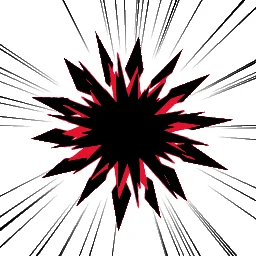 Anime Impact Frame Hit
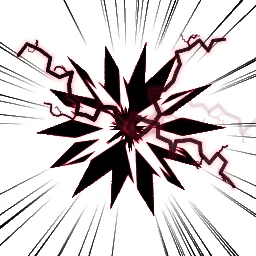 Dark Impact Frame
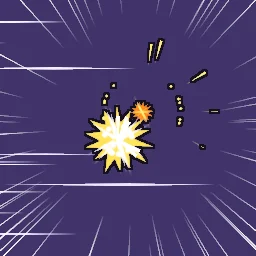 Anime Punch Barrage
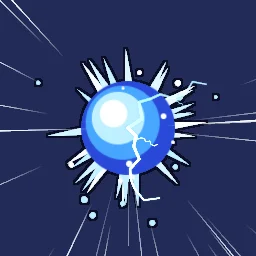 Anime Charge Up
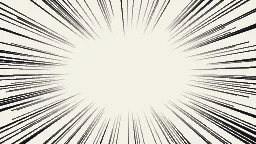 Manga Focus Lines
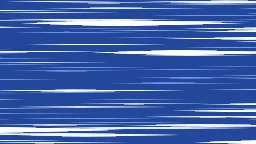 Anime Speed Lines Background
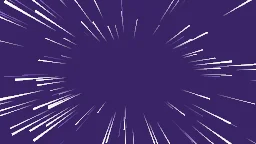 Anime Zoom Lines
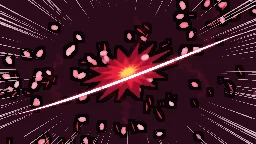 Anime One Cut Slash
The quick way: start from the library
Open Anime Impact Frame Hit: in 0.6 s it cuts to a black silhouette on white with red, flips to white on black, then bursts under focus lines. Or describe your hit: build "an anime punch with an impact frame" with the agent (uses 1 build; your first one needs no account).
Learn it hands-on: the impact frame lesson has you add an Impact frame to a toon hit, key its Amount onto the hit with a Hold key so it cuts instead of fading, and add focus lines.
Add an impact frame
- Select Effect settings at the top of the Layers panel. Under Post filters, press Add filter and choose Impact frame.
- Keyframe Amount: click its diamond, then set 0 just before the hit, 1 on the hit frame and 0 again one to three frames later. With the playhead on each key, right-click the diamond beside Amount and choose Hold, so the value jumps instead of fading (filter keys are eased from the Inspector; the timeline lanes show layers). One frame is 42 ms at 24 fps and 33 ms at 30 fps.
- Pick the tones. With Invert off, bright parts become paper: a white subject on black. With Invert on, bright parts become ink: a black subject on white. Threshold moves the split between ink and paper.
- Raise Accent band to about 0.3 for black, red and white frames; Accent sets its colour. Ink edges draws lines where the picture changes sharply, so shapes inside one tone still read.
- For a transparent export, turn on Fill background. Without it the empty background stays transparent and only the effect itself changes tone.
- For flip frames, add a second Impact frame filter, one inverted and one not, and key their Amount on alternating frames.
Focus lines and speed lines
- Press + in the Layers panel and choose Focus lines or Speed lines. Both are emitters with Draw as set to Line: crisp ink strokes that taper to a point, as wide as Size and as long as Size times Aspect. Their shape and stroke settings are in All settings.
- Focus lines: move the emitter onto the focal point. Its Circle shape sets the clear centre with Radius and Inner radius, and Squash makes it an oval for a wide screen. The template fires a new burst every 0.1 s, three frames at 30 fps, and each line lives just over that, so the lines redraw like hand-drawn lines on threes. Manga Focus Lines redraws 165 fine lines and 20 heavy wedges every two frames at 30 fps.
- Speed lines: a tall Rect emitter just past one edge of the canvas sends thin strokes across it, at 1600 to 2400 px/s on a 256 px canvas (the template scales with the canvas). Anime Speed Lines Background layers far, near and bold strokes at different speeds and keeps the middle almost clear.
- Taper picks which end thins: Front for focus lines pointing in, Both for speed streaks, Back for comets and zoom lines.
- The templates turn Post filters off on the layer, so an outline or bloom on the effect never inks or blurs the thin strokes. Turn it back on for a line layer that should go two-tone under the impact frame.
Timing that sells it
- One to three frames. Any longer and it reads as a scene change rather than a flash. The library hits hold each tone for 0.03 to 0.06 s.
- Save it for the big hit. In Anime Punch Barrage eight hits land 0.08 s apart with plain sparks, and only the finisher gets an impact frame. On every hit it stops meaning anything.
- Build up to it. Anime Charge Up rushes speed lines into a swelling ball for 1.2 s, so the inverted frame reads as the release.
- Have the result ready. When the picture returns to colour, a burst, sparks or a shock ring should already be at full size. The timing guide covers holds and hit-stop around the impact.
Land your next big hit
Open an impact frame effect, move its Amount keys onto your hit and export it as a spritesheet or GIF.
Questions
What is an impact frame in anime?
A frame or two at the moment of a big hit where the picture cuts to stark black and white, often inverted and sometimes with a red tone, before it returns to colour. It makes the hit feel heavier without making it longer.
How long should an impact frame last?
One to three frames, about 40 to 125 ms at 24 fps. Flip frames alternate an inverted and a normal frame for two to four frames in total.
Does an impact frame work on a transparent sprite sheet?
Yes. Without Fill background only the effect itself changes tone and the background stays transparent. With Fill background on, the empty area takes the dark tone too, so the frame covers everything.