How to make a plexus effect: lines between particles
Make a plexus effect for game menus and backgrounds: particles linked by lines to their nearest neighbours, with distance fades, glow and low poly triangle fills, looping and exported as a sheet or video.
A plexus effect draws lines between particles that are near each other, the look After Effects users know from the Plexus plugin: constellations, network and hologram backgrounds, neural nets, electric meshes and low poly facets. In ParticleFX Studio it is a module, Connect Lines, that you add to any emitter. Each particle links to its nearest neighbours within a distance, lines fade and thin as they stretch, and a line that loses its place to a closer particle crossfades away instead of popping, so a moving web stays calm.
 Plexus Network Background
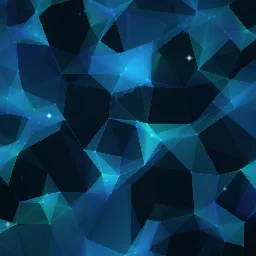 Low Poly Triangle Background
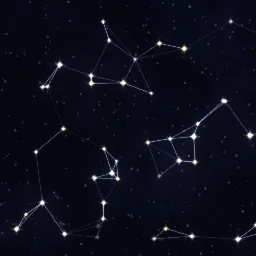 Constellation Star Map
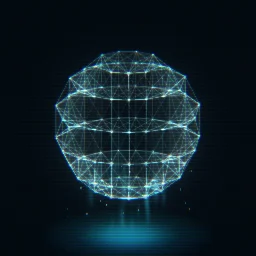 Hologram Data Globe
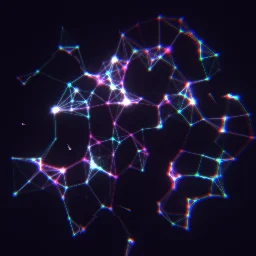 Cyber Neural Network
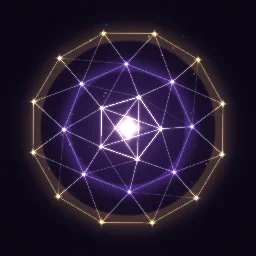 Magic Sigil Web
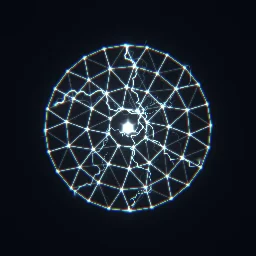 Electric Net Trap
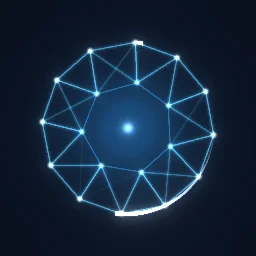 Network Loading Spinner
The quick way: start from the library
Open Plexus Network Background for a menu or title screen, or describe yours: build "a slow cyan plexus web for a title screen" with the agent (uses 1 build; your first one needs no account).
Learn it hands-on: the Connect Lines lesson has you link drifting menu nodes yourself: add Connect Lines, widen Max distance, add a faint Triangle fill and wire in a second layer of hubs.
Build a plexus web
- Select an emitter layer, or press A on the stage to add one. Under Behaviour, press Add module and choose Connect Lines (in the Look group).
- Set Max distance to about the spacing of your particles: 60 to 140 px on a 512 px canvas. Particles closer than this link up.
- Set Max links: 1 or 2 for constellations, 3 to 5 for webs. It caps how many lines each particle draws to its nearest neighbours, which keeps the clutter and the cost down. Turn on Mutual only for a sparser, cleaner web.
- Slow the particles down. A plexus reads as a slowly changing structure, so keep Speed low (Plexus Network Background uses 3 to 16 px/s and a 6 to 8 s Lifetime) and add Wiggle or a gentle Turbulence for drift.
- Add Opacity over Life that fades in and out. Lines take the opacity of their particles, so they appear and leave smoothly instead of snapping on.
- Style the lines. Distance fade fades longer lines (at 0 they pop at the max distance), Thin with distance narrows them, Line colour set to Custom draws one colour instead of blending the two particle colours, and Glow adds a soft halo. Turn Draw particles off for lines only.
Settings that change the look
- Depth. Two webs at different scales read as near and far. Plexus Network Background has a far web with a 72 px Max distance and 3 links, and a near web at 120 px and 4 links with a little glow and a Triangle fill of 0.07.
- Triangle fill fills each triangle of three linked particles. Keep it at 0.05 to 0.15 for faint facets on a glowing web. For a solid low poly mesh, Low Poly Triangle Background fills at 0.5 with Line blend set to Normal: the fill covers every linked triangle, so overlaps would stack brighter with Add.
- Also link to joins this layer's particles to another emitter layer: hubs to nodes, or one ring of a globe to the next. Only to that layer drops the lines inside the layer itself. The hub nodes in Plexus Network Background link only to the near web, 170 px out and 5 links each.
- Ordered shapes. Particles that ride a path link into rings and globes instead of random webs. Hologram Data Globe wires six latitude rings with Follow Path, each linked to the next with Also link to.
- Ink instead of light. Set Line blend to Normal and a dark Line colour for thread, string or ink webs on a light background.
Cost and tiling
In a spritesheet, GIF or video the lines are baked into the frames and cost nothing at run time. In the live web runtime they are drawn every frame: about 2 ms at 1000 particles and 5 to 7 ms at 3000 in a very dense web, measured on an M1 Pro. The library webs use 60 to 290 particles and stay well under 1 ms, and Max links is the main control on cost. A web can also tile: with Tile on, lines link across the canvas edges, as in Seamless Plexus Background; see tileable overlays.
Start from a web that already works
Open a plexus effect, change its colours, distances and density, and export a looping background for your menu.
Questions
What is a plexus effect?
Particles connected by lines to their nearest neighbours, so the lines appear, stretch and vanish as the particles move. It is named after the Plexus plugin for After Effects and is used for tech, network, constellation and low poly backgrounds.
How many particles can a plexus effect have?
In an exported sheet or video, as many as you like, since the lines are baked in. Drawn live in the web runtime, a few hundred are cheap and about 1000 cost around 2 ms a frame. Fewer, slower particles also read better.
Why do my plexus lines pop in and out?
Lines snap on and off at Max distance when Distance fade is 0, and particles that spawn or die at full opacity take their lines with them. Raise Distance fade to 1 or more and give the particles an Opacity over Life that fades in and out.