Pixel art palettes for game effects
The pixel art palettes game artists use most, PICO-8, Sweetie 16, Endesga 32, DawnBringer, NES, Game Boy and CGA, what each suits, and how to put an effect or a picture on one.
A palette is the short list of colours every pixel in a game is allowed to use. Keeping effects on the same palette as the characters and tiles is most of what makes them look like they belong: a fireball with a hundred shades of orange looks pasted in next to a sprite drawn in sixteen colours.
The common palettes
| Palette | Colours | Good for |
|---|---|---|
| PICO-8 | 16 | Bright, friendly arcade games. Strong reds, a clear yellow and a dark blue that works as a shadow. |
| Sweetie 16 | 16 | Soft fantasy and cozy games, with warm skin tones and calm blues. |
| Endesga 32 | 32 | Detailed RPGs and platformers: enough steps for fire, magic and lighting to fade smoothly. |
| DawnBringer 16 | 16 | Muted, earthy games and darker fantasy. |
| DawnBringer 32 | 32 | The richer version of DawnBringer 16, a common default for indie games. |
| NES | 55 | Games that look like the 8-bit console, with its saturated blues and greens. |
| Game Boy | 4 | Four greens, for handheld-style games where light is only light and dark. |
| CGA | 4 | Black, cyan, magenta and white: harsh, early-PC retro. |
Choosing one for effects
- Use your game's palette. Effects should come from the same colours as the art around them. If your game has its own palette, snap effects to the nearest of its colours.
- Check the steps for glow. Fire, magic and lightning need a run of 3 to 5 colours from white to their darkest shade. Endesga 32 and DawnBringer 32 have those runs for most hues; 16-colour palettes have them for a few, which gives a stronger, more retro look.
- Keep a white. The one-frame flash on an impact needs the palette's lightest colour. Every palette above has one except the Game Boy greens, where the lightest green is the flash.
- No dithering for effects. Checkerboard dither between two colours flickers when a particle moves. Stepped colour bands read better and stay clean in motion.
Put an effect on a palette
- Open any pixel effect in the studio, such as Pixel Art Fireball Spell.
- Select Effect settings. Under Pixel art and palette, turn on Pixel mode if it is off, and pick a Palette.
- Every frame snaps to the nearest palette colour. Use Quick tweaks > Colour before snapping if the effect lands on the wrong hue.
- Export a Spritesheet or GIF. The file keeps exactly the palette's colours.
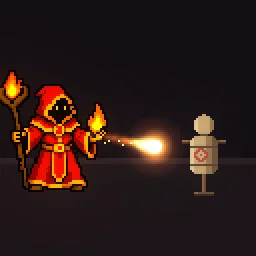 Pixel Art Fireball Spell
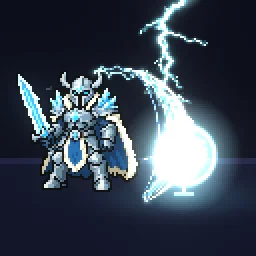 Pixel Art Lightning Slash
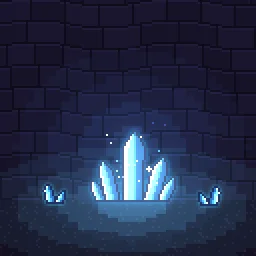 Pixel Art Glowing Crystals
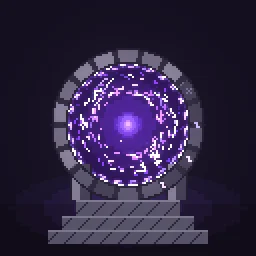 Pixel Art Portal Door
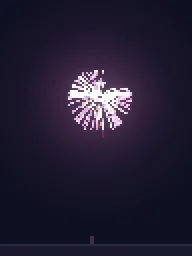 Pixel Art Firework Burst
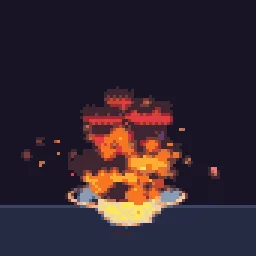 Big Explosion
Put a picture or a GIF on a palette
The free image to pixel art tool turns any picture or GIF into pixel art on one of these palettes, in your browser. It matches colours by how they look to the eye (OKLab), not by raw numbers, so skin tones and dark shades land on the colour you would pick by hand. Choose Its own colours to keep the picture's look with only the number of colours you set.
Or describe it
- Build a PICO-8 explosion (1 build)
- Build a Game Boy magic spell%3A%20a%20rune%20circle%20that%20charges%20and%20bursts%20upward%2C%20plays%20once) (1 build)
More pixel art palettes
Browse every pixel art effect in the library, or describe the one you need and the agent builds it as real, editable pixel art.
Questions
Which pixel art palette is best for beginners?
PICO-8 or Endesga 32. PICO-8 has 16 bright colours that are hard to misuse; Endesga 32 has enough shades for smooth lighting and is a common choice for full games.
How many colours should a pixel art game use?
Most use 16 to 32. Fewer colours look more retro and keep everything consistent; more give softer lighting and gradients.
Can I keep an effect's own colours instead?
Yes. Leave the palette off in the studio, or choose Own colours on the agent's start screen, and the pixels keep the effect's colours. In the image to pixel art tool, Its own colours cuts a picture down to the number of colours you set.
Why does my pixel art effect look blurry in the engine?
The engine is smoothing the texture when it scales it. Set the texture filter to nearest neighbour (Point in Unity, Nearest in Godot, turn off texture interpolation in GameMaker) and scale the sprite by whole numbers, such as 2x or 3x, so every pixel stays square.