Pixel art sword slashes
Free pixel art slashes for games: a sword swing, claw rakes, a spin attack, a dash strike, wind and lightning slashes, as sprite sheets and GIFs.
A slash is a smear: the shape a blade leaves in the one or two frames it takes to swing, drawn as a crescent that is thick in the middle and thin at both ends. In pixel art it lasts only three to five frames, so everything about it has to read at once: the bright leading edge, the direction, and the flash where it lands.
Every effect here is free. Its page has DOWNLOAD GIF and PNG SHEET buttons that need no account: the files have a transparent background, are cropped to the effect and run at 30 frames a second. To change an effect first, press OPEN IN THE STUDIO; a free account exports 3 effects a day.
Slashes and melee
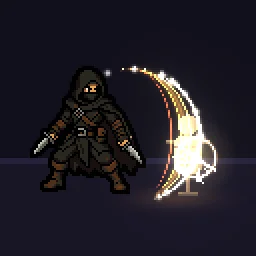 Pixel Art Slash Effect
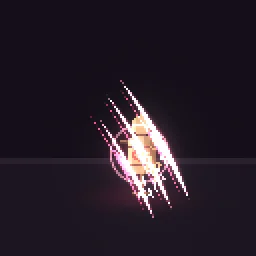 Pixel Art Claw Slash
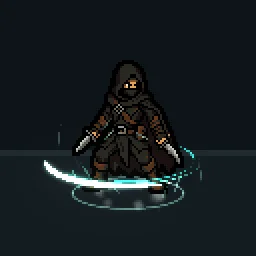 Pixel Art Spin Slash
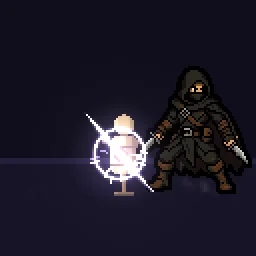 Pixel Art Dash Strike
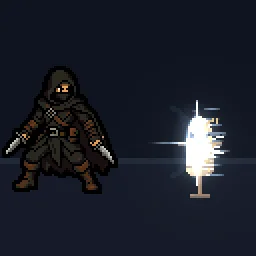 Pixel Art Wind Slash
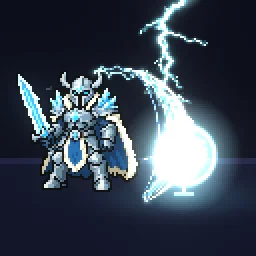 Pixel Art Lightning Slash
Heavy weapons and clashes
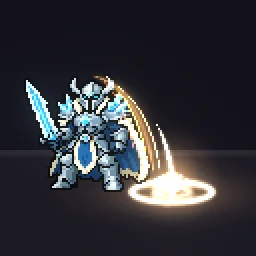 Pixel Art Hammer Smash
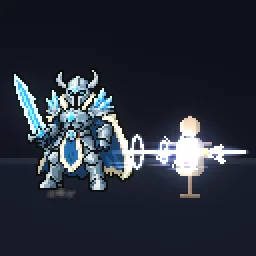 Pixel Art Spear Thrust
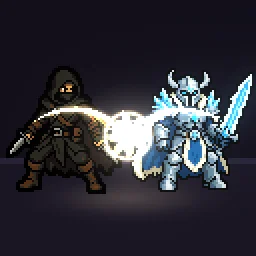 Pixel Art Sword Clash
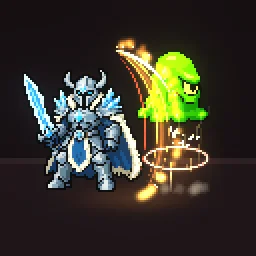 Pixel Art Uppercut
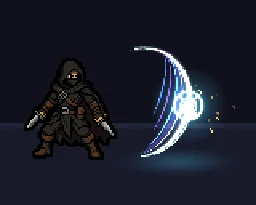 Pixel Art Sword Slash Combo
 Sword Arc
Make a slash feel sharp
- White leading edge. The edge the blade travels along is white or the palest colour; the body behind it carries the weapon's colour and the tail fades to nothing.
- Fast in, slow out. The crescent appears almost whole on its first frame and then thins away over the next few. A slash that grows slowly reads as a wave, not a cut.
- A hit on contact. If the slash connects, play a hit effect at the contact point, and freeze both characters for two or three frames (hit-stop).
- In front and behind. For a spin, the half of the arc behind the character goes on a layer under the sprite and the half in front over it. Pixel Art Spin Slash is split this way.
Line it up with your character
Most of these were made with a stand-in hero, which is scenery and is never in the downloads. Place the slash so its widest point sits a little in front of the character, at the height of the weapon, and flip it horizontally for attacks facing the other way. Every slash here is cropped to the effect, so its pivot is the centre of the arc.
Change it in the studio
- Open Pixel Art Slash Effect in the studio.
- Under Quick tweaks, press a Colour swatch for a fire or ice blade, and Faster or Slower to change the swing speed.
- To match a combo, export the slash once, then rotate the emitter and export a second one for the next swing.
- Press Export and choose Spritesheet. Pixel art always exports sharp, with no motion blur.
Or describe it
- Build a pixel art three-hit sword combo (1 build)
- Build a pixel art katana slash (1 build)
More pixel slashes
Browse every pixel art effect in the library, or describe the one you need and the agent builds it as real, editable pixel art.
Questions
How many frames should a pixel slash be?
Three to six frames at 12 fps is typical: one or two frames of full crescent, then a few frames where it thins and fades. Longer slashes feel floaty in fast combat.
Can I change the slash colour?
Yes. Open the slash in the studio and press a Colour swatch under Quick tweaks, or set a palette under Pixel art and palette to match the rest of your game.
Why does my pixel art effect look blurry in the engine?
The engine is smoothing the texture when it scales it. Set the texture filter to nearest neighbour (Point in Unity, Nearest in Godot, turn off texture interpolation in GameMaker) and scale the sprite by whole numbers, such as 2x or 3x, so every pixel stays square.
Can I use these pixel art effects in a commercial game?
Yes. Exported effects, including ones started from the library, can be used in any project, including paid games sold on Steam or console stores, with no per-project licence and no credit needed. The few effects that contain CC BY sprites by CodeManu say so on their page and ask you to credit CodeManu.