Fire VFX for Roblox
Free fire effects for Roblox: campfires, torches, burning characters, fire hazards, fire tornadoes and flamethrowers as flipbooks, with a flickering PointLight and Luau for a burn that deals damage.
Roblox has a built-in Fire object, and its own reference recommends a ParticleEmitter for anything more detailed. Fire is where the difference shows most: the built-in flames all look alike, while a flipbook carries shaped flames, embers and smoke in one particle. Put a PointLight next to it and the fire lights the scene around it too.
Fire effects to start from
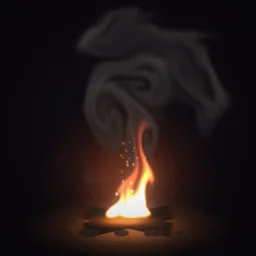 Campfire with Rolling Smoke
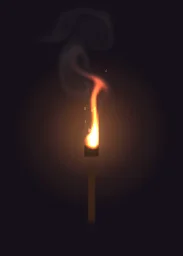 Smoking Torch
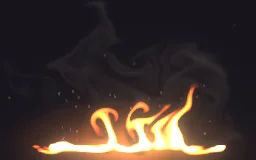 Ground Fire Hazard
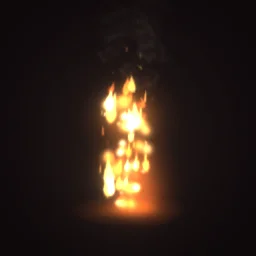 Burning
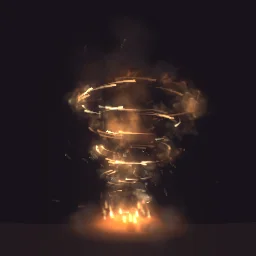 Fire Tornado
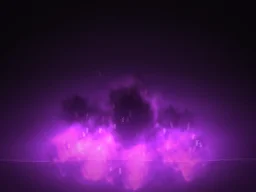 Black Flame Inferno
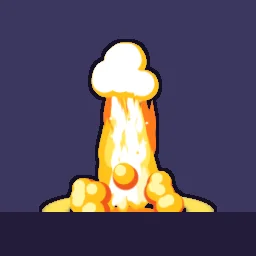 Anime Fire Burst
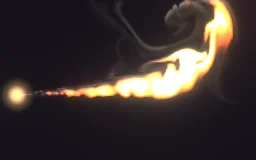 Flamethrower Stream
- Map fires: Campfire with Rolling Smoke and Smoking Torch loop forever, for camps, dungeons and lobbies.
- Hazards: Ground Fire Hazard for a burning floor or the edge of a lava pit. Put the damage on an invisible part over it.
- On a character: Burning loops on a player or an NPC for as long as they burn (below).
- Attacks: Fire Tornado for a fire ability, Black Flame Inferno for an ultimate, Anime Fire Burst for an anime or cartoon game.
- Streams: Flamethrower Stream is drawn shooting to the right. A flipbook always faces the camera, so it suits a side view, such as a 2.5D or side-scrolling game.
Light the scene with the fire
A ParticleEmitter lights nothing around it. A PointLight in the same part does: an orange Color, a Range of 12 to 16 studs, and a little change to its Brightness every frame so the light flickers with the flames.
-- A Script inside the fire's part. In Properties, set its RunContext to Client.
local RunService = game:GetService("RunService")

local light = Instance.new("PointLight")
light.Color = Color3.fromRGB(255, 150, 70)
light.Range = 14
light.Shadows = true
light.Parent = script.Parent

RunService.RenderStepped:Connect(function()
	local t = os.clock()
	-- Two quick waves and some noise read as a living flame.
	local flicker = math.sin(t * 7) * 0.25 + math.sin(t * 13.3) * 0.15
	light.Brightness = 2 + flicker + math.noise(t * 4) * 0.4
end)
The part stays invisible (Transparency 1), so the light seems to come from the flames. Keep the flicker on the client: it changes every frame, and the server has no reason to send that to every player.
A burn that deals damage
Burning is a status: it starts, hurts the character a little every half second, and ends. Run it on the server, which owns health, and weld the effect to the character so every player sees them burn.
local Debris = game:GetService("Debris")
local template = game.ReplicatedStorage.Effects:WaitForChild("Burning")

local function ignite(character: Model, seconds: number, damagePerTick: number)
	local humanoid = character:FindFirstChildOfClass("Humanoid")
	local root = character:FindFirstChild("HumanoidRootPart")
	if not humanoid or not root or character:FindFirstChild("Burning") then return end

	local fx = template:Clone()
	fx.Anchored = false
	fx.CFrame = root.CFrame
	local weld = Instance.new("WeldConstraint")
	weld.Part0 = root
	weld.Part1 = fx
	weld.Parent = fx
	fx.Parent = character
	Debris:AddItem(fx, seconds)

	for _ = 1, math.floor(seconds / 0.5) do
		task.wait(0.5)
		if humanoid.Health <= 0 or not fx.Parent then break end
		humanoid:TakeDamage(damagePerTick)
	end
end

-- From your hit code: burn for 3 seconds, 5 damage every half second.
-- task.spawn(ignite, character, 3, 5)
Call it with task.spawn, so the loop does not hold up the code that called it. The check for an existing part named Burning stops two burns from stacking, and TakeDamage does nothing while the character has a ForceField, so spawn protection still works.
Settings for fire
- Glow: most fire in the library carries smoke or dark embers, so it exports with Glow off (LightEmission 0) and the smoke stays visible. For a brighter, purely glowing flame, hide the smoke layers in the studio before you export; if every layer left adds light, the export turns Glow on by itself.
- Night maps: the emitter is unlit (LightInfluence 0), so flames stay bright in the dark, which is right for fire. It is the smoke that can look too bright at night; see smoke VFX.
- Size: a torch flame 2 to 3 studs, a campfire 6 to 8, a burning character about 6, a fire tornado 15 and up.
- Upright flames: fire rises, so set Orientation to FacingCameraWorldUp. With the default FacingCamera, flames lean back when the camera looks down at them.
- Many torches: each one is a single particle, but a dungeon with fifty torches still draws fifty flipbooks. Use a 512 px texture for wall torches and keep 1024 for the fires players stand next to.
The flipbook PNG is free: the ROBLOX button on every effect page needs no account, and a free account can also export it from the studio (3 effects a day) with the grid and texture size of your choice. The ready model, a .rbxmx with the emitter set up and a script that plays it, plus UIFlipbook.luau for UI, comes with any plan, from $7.99 a month.
Get it into your game
Every setting and both ways in, free PNG or ready model, are on the Roblox setup page. More picks by genre are on Free Roblox VFX, and any effect can be changed in the studio before you export it: make the flames blue, green or a cursed purple.
Questions
Should I use the Roblox Fire object or a ParticleEmitter?
The built-in Fire object is quick, with a few settings and one look. Roblox's own reference recommends a ParticleEmitter for more detailed work, and a flipbook on one gives you shaped flames, embers and smoke that play exactly as designed.
How do I make a fire light up the area around it?
Particles cast no light. Put a PointLight in the same part with an orange Color and a Range of 12 to 16 studs, and change its Brightness a little every frame from a client script so it flickers.
How do I make a player burn and take damage?
On the server, weld a looping fire effect to the HumanoidRootPart, call Humanoid:TakeDamage every half second while the burn lasts, and remove the effect when it ends.
Can I use these effects in a game that earns Robux?
Yes. Exported effects, including ones started from the library, may be used in any project, commercial games included, with no credit required. Reselling the library itself as an effect pack is not allowed.