Magic VFX for Roblox
Free magic effects for Roblox: summoning circles, shields, black holes, teleports, healing rain, binding runes and arcane missiles as flipbooks, with Luau for a spell cast with a wind-up, a range check and a cooldown.
Magic in a Roblox game is usually a short sequence: a wind-up on the caster, the spell itself, and a mark where it lands. Each step is one flipbook, so a whole spell is two or three particles and a few lines of Luau. Most magic is pure light: six of the eight effects below export with LightEmission 1, which adds them to whatever is behind.
Spells to start from
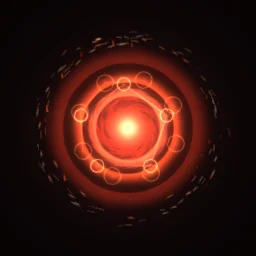
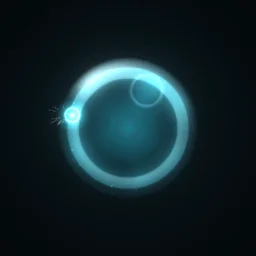
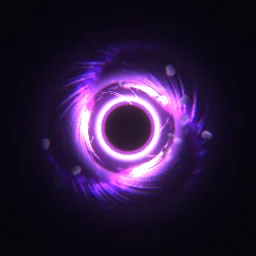
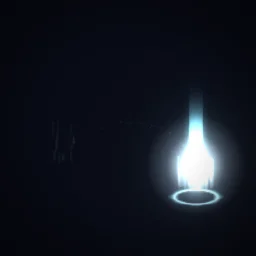
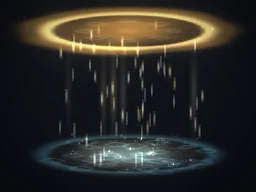
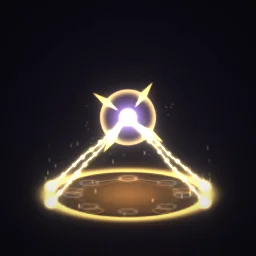
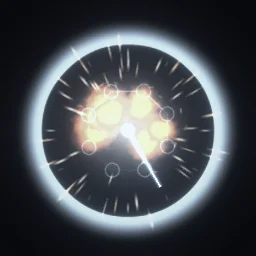
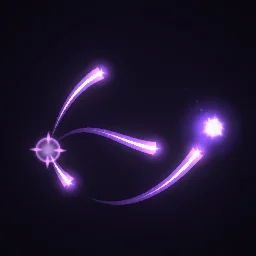
- Circles and zones: Summoning Circle for a ritual or a spawn point, Healing Rain for an area that heals.
- Defence: Aegis Shield is a bubble that loops while a shield lasts; weld it to the character like an aura.
- Movement: Blink for a teleport. Play it where the player leaves and again where they arrive.
- Control: Rune Bind for a root or a stun, Time Stop for a freeze, Black Hole Vortex for a pull.
- Missiles: Arcane Missiles curves its bolts from left to right, so it reads best from the side. For a homing missile in 3D, move a small glowing part with a Trail and play a hit effect where it lands.
Cast a spell on the server
A cast has three parts: a short wind-up (so other players can react), the spell, and a cooldown. The server owns all three, so nobody casts faster by changing their own client. This example is a teleport: Blink plays where the caster leaves and where they arrive.
local Players = game:GetService("Players")
local ReplicatedStorage = game:GetService("ReplicatedStorage")
local Debris = game:GetService("Debris")
local castBlink = ReplicatedStorage:WaitForChild("CastBlink") -- a RemoteEvent the client fires
local blink = ReplicatedStorage.Effects:WaitForChild("Blink")

local COOLDOWN, RANGE = 4, 30
local lastCast = {}

local function playAt(template: BasePart, cf: CFrame)
	local fx = template:Clone()
	fx:PivotTo(cf)
	fx.Parent = workspace
	Debris:AddItem(fx, 3)
end

castBlink.OnServerEvent:Connect(function(player, target)
	local character = player.Character
	local root = character and character:FindFirstChild("HumanoidRootPart")
	if not root or typeof(target) ~= "Vector3" then return end
	if os.clock() - (lastCast[player] or 0) < COOLDOWN then return end
	lastCast[player] = os.clock()

	-- Never trust the client's target: keep it within range.
	local offset = target - root.Position
	if offset.Magnitude ~= offset.Magnitude then return end -- a NaN from a tampered client
	if offset.Magnitude > RANGE then target = root.Position + offset.Unit * RANGE end

	playAt(blink, root.CFrame)
	task.wait(0.25) -- the wind-up
	character:PivotTo(CFrame.new(target + Vector3.new(0, 3, 0)) * root.CFrame.Rotation)
	playAt(blink, CFrame.new(target))
end)

Players.PlayerRemoving:Connect(function(player)
	lastCast[player] = nil
end)
On the client, fire CastBlink with the point the player aimed at, for example player:GetMouse().Hit.Position. A spell that hits other players follows the same pattern as the lightning strike: the server checks who is inside the radius.
Settings for magic
- Circles on the ground: a ParticleEmitter faces the camera, so a circle drawn from straight above stands up like a sign. To lay one flat, play it on an ImageLabel in a SurfaceGui on the top face of a thin, invisible part, stepped with the script on UI effects. Healing Rain and Rune Bind draw their rings at an angle already, so they work standing up.
- Glow: light-based spells look best on darker maps. Black Hole Vortex and Time Stop have dark parts, so they export with LightEmission 0.
- A colour per school: recolour one spell in the studio for each element or class, or tint it in Roblox with the emitter's Color, which multiplies the texture (white and pale effects tint best).
- Size: effects on the caster 5 to 7 studs, zones the width of the area they affect.
The flipbook PNG is free: the ROBLOX button on every effect page needs no account, and a free account can also export it from the studio (3 effects a day) with the grid and texture size of your choice. The ready model, a .rbxmx with the emitter set up and a script that plays it, plus UIFlipbook.luau for UI, comes with any plan, from $7.99 a month.
Get it into your game
Every setting and both ways in, free PNG or ready model, are on the Roblox setup page. More picks by genre are on Free Roblox VFX, and any effect can be changed in the studio before you export it: give each school of magic its own colour.
Questions
How do I put a spell circle flat on the ground in Roblox?
A ParticleEmitter faces the camera, so a flat circle stands up. Show the flipbook on an ImageLabel in a SurfaceGui on the top face of a thin, invisible part, and step through the frames with ImageRectOffset.
Should spells run on the server or the client?
Let the server decide the cast: the cooldown, the range and who is hit. It can place the effect itself or tell every client to play it. Never let the client decide damage or cooldowns.
Can I change the colour of a spell for each element?
Yes. Recolour the effect in the studio before you export it, or tint it in Roblox with the emitter's Color property, which multiplies the texture.
Can I use these effects in a game that earns Robux?
Yes. Exported effects, including ones started from the library, may be used in any project, commercial games included, with no credit required. Reselling the library itself as an effect pack is not allowed.