Lightning VFX for Roblox
Free lightning effects for Roblox: strikes, chain lightning, thunder domes, storm clouds and electrified status as flipbooks, when a Beam is better for a bolt between two points, and Luau for a damaging strike.
Lightning is two different effects in a Roblox game. A strike or a burst happens in one place: a flipbook draws it best, with the branching bolt, the flash and the sparks in one particle. A bolt that links two things that move, such as a tower and its target, has to stretch between them: that is a Beam with a lightning beam texture.
Lightning effects to start from
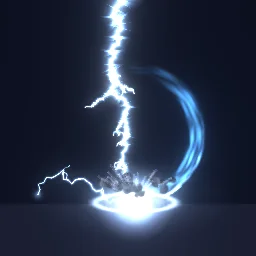 Thunder Hammer
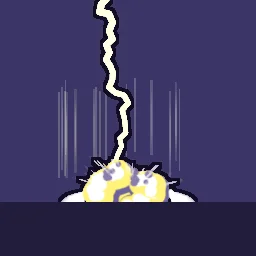 Anime Lightning Strike
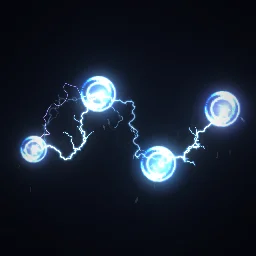 Chain Lightning
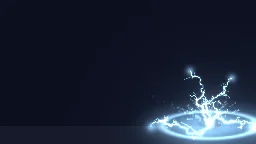 Lightning Spear
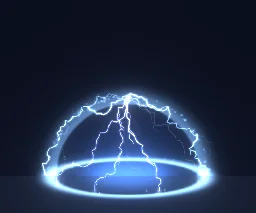 Thunder Dome
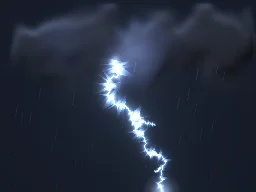 Thunderstorm Cloud
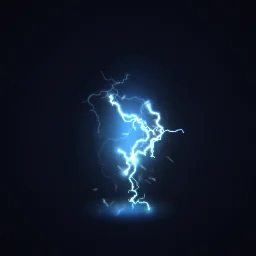 Electrified
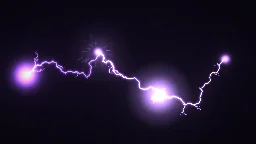 Tesla Chain Gun
- Strikes from above: Thunder Hammer and Anime Lightning Strike come down in one place and fade. For an ultimate, see Thunder God Strike on anime VFX.
- Spells: Chain Lightning arcs between four orbs, Lightning Spear is thrown and bursts where it lands, Thunder Dome raises a dome of lightning.
- Weather: Thunderstorm Cloud is a dark cloud with a bolt every cycle, for a storm area or a weather event.
- Status: Electrified loops on a stunned or shocked character.
- Weapons: Tesla Chain Gun draws its arcs from left to right, so like any flipbook it suits a view from the side.
A strike that deals damage
For a strike on a point, lift the effect part by half its Size so the bottom of the frame touches the ground and the bolt comes down from above. Size sets how tall the bolt is: the effect fills at most 7/8 of the square frame.
local Players = game:GetService("Players")
local Debris = game:GetService("Debris")
local template = game.ReplicatedStorage.Effects:WaitForChild("Thunder Hammer")

local function strike(position: Vector3, damage: number, radius: number)
	local size = template.Attachment.Flipbook.Size.Keypoints[1].Value
	local fx = template:Clone()
	fx:PivotTo(CFrame.new(position + Vector3.new(0, size / 2, 0)))
	fx.Parent = workspace
	Debris:AddItem(fx, 3) -- Lifetime 1.4 s + 1, rounded up

	-- Damage every player standing in the circle where it lands.
	for _, player in Players:GetPlayers() do
		local character = player.Character
		local root = character and character:FindFirstChild("HumanoidRootPart")
		local humanoid = character and character:FindFirstChildOfClass("Humanoid")
		if root and humanoid and (root.Position - position).Magnitude <= radius then
			humanoid:TakeDamage(damage)
		end
	end
end
Run on the server, this shows the strike to everyone. For many strikes at once, fire a RemoteEvent and clone the effect on each client instead, as on anime VFX. A big strike looks bigger with a flash of light: a PointLight in the effect part, its Brightness raised for a moment.
A bolt between two points
A flipbook bolt has a fixed length and always faces the camera, so it cannot reach from a tower to an enemy that keeps moving. Use a Beam between two Attachments instead: it stretches a lightning texture to any length and stays joined at both ends. The Roblox beam textures page has free seamless lightning, electric arc and energy textures, the Beam settings, and a link function that draws a beam from one part to another for a moment. Play Electrified at the far end, so the bolt lands on something.
Settings for lightning
- Glow: pure energy (Chain Lightning, Thunder Dome, Electrified, Tesla Chain Gun) exports with Glow on. Strikes that throw up dust or rocks, and the storm cloud, export with it off, because those parts are matter.
- Size: strikes look best tall, 15 to 25 studs, so the bolt starts well above the characters. A status effect such as Electrified wants about 6.
- Upright: set Orientation to FacingCameraWorldUp for strikes and storm clouds, so the bolt stays vertical when the camera looks down.
- Dark maps: the emitter is unlit, so lightning stays bright at night, which is when it looks best.
The flipbook PNG is free: the ROBLOX button on every effect page needs no account, and a free account can also export it from the studio (3 effects a day) with the grid and texture size of your choice. The ready model, a .rbxmx with the emitter set up and a script that plays it, plus UIFlipbook.luau for UI, comes with any plan, from $7.99 a month.
Get it into your game
Every setting and both ways in, free PNG or ready model, are on the Roblox setup page. More picks by genre are on Free Roblox VFX, and any effect can be changed in the studio before you export it: turn a blue bolt red, gold or black.
Questions
Should lightning in Roblox be a Beam or a ParticleEmitter?
Both, for different jobs. A Beam between two Attachments stretches a lightning texture between two points that can move. A flipbook on a ParticleEmitter draws a whole strike or burst in one place, with its flash and sparks.
How do I make a lightning strike hit a spot?
Place the effect part half its Size above the ground so the bolt meets the ground, then on the server damage everyone within a radius of that point.
How do I make lightning flicker?
A flipbook flickers by itself, because each frame of the bolt is drawn differently. For a Beam, swap between two or three textures every few frames, or change its Transparency from a script.
Can I use these effects in a game that earns Robux?
Yes. Exported effects, including ones started from the library, may be used in any project, commercial games included, with no credit required. Reselling the library itself as an effect pack is not allowed.