Free Roblox anime VFX pack
Free Roblox anime VFX pack for battlegrounds games: 24 flipbook effects (hits, slashes, dashes, auras, beam clashes and ultimates) in one ZIP with each effect's ParticleEmitter settings. Make as many more as you want.
Twenty-four effects for an anime fighting or battlegrounds game, none of them in the free Roblox VFX pack, so the two together give you 48. One button below builds the ZIP right here in your browser: a flipbook PNG for each effect, a README with each one's FlipbookLayout, Lifetime and LightEmission, and the script that plays them.
Built in your browser in about a minute, free, no account.
What is in the pack
- Hits: Rapid Punch Barrage, Black Lightning Impact, Anime Hit Sparks, Guard Break Shatter, Critical Hit and Perfect Parry.
- Slashes: Crescent X slash, Anime Triple Slash, Spinning Slash, Rising Uppercut and Shadow Flurry.
- Movement: Dash Wind Burst, Teleport Strike and Anime Dash Afterimage.
- Auras and charge-ups: Anime Power-Up Aura, Chakra Energy Charge, Dark Anime Aura and Awakening Burst.
- Specials: Beam Clash, Anime Energy Blast, Anime Lightning Strike and Anime Transformation Burst.
- Ultimates: Thunder God Strike and Spirit Bomb.
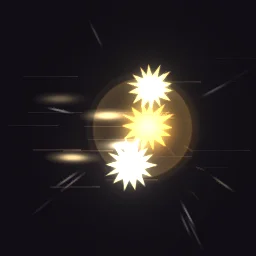 Rapid Punch Barrage
 Crescent X slash
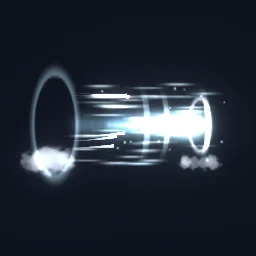 Dash Wind Burst
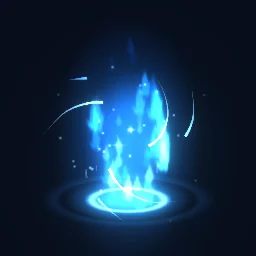 Chakra Energy Charge
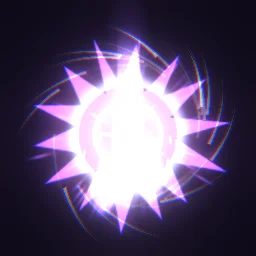 Awakening Burst
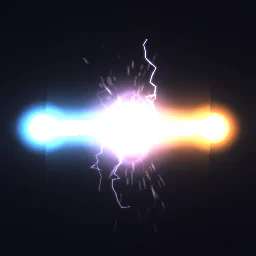 Beam Clash
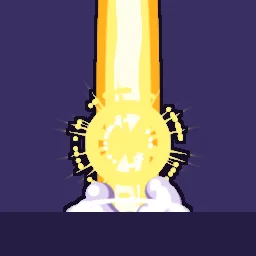 Anime Transformation Burst
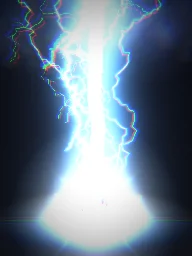 Thunder God Strike
Set one up in Roblox
- Unzip the pack. In Studio, open View > Asset Manager, click Import and choose a PNG. When it has uploaded, right-click it and choose Copy Asset ID.
- Insert a Part (Anchored on, CanCollide off, Transparency 1), add an Attachment to it and a ParticleEmitter to the Attachment, and name the emitter
Flipbook. - Set FlipbookLayout, FlipbookMode OneShot, Lifetime and LightEmission as the README lists for that effect, with Texture set to
rbxassetid://and your id. Every other property is on the Roblox setup page. - Add a Script to the part, set its RunContext to Client, and paste
PlayLoop.luaufrom the ZIP. For hits and slashes that should play once per move, use the RemoteEvent pattern on anime VFX instead.
-- A Script inside the part. In Properties, set its RunContext to Client.
local emitter = script.Parent:WaitForChild("Attachment"):WaitForChild("Flipbook")
local cycle = emitter.Lifetime.Max

-- A looping effect: one particle per cycle, each playing the whole flipbook.
while true do
	emitter:Clear()
	emitter:Emit(1)
	task.wait(cycle)
end

-- A one-shot instead: call emitter:Clear() and emitter:Emit(1) once, when it should play.
Fit them to a fighting game
- Hits and slashes play once per move: clone the part on every client when the server confirms the hit, as on anime VFX, and place it as on hit effects.
- Auras loop while a move charges or a form lasts: weld the part to the HumanoidRootPart as on aura VFX.
- Ultimates are big: give Thunder God Strike and Spirit Bomb a Size of 15 to 25 studs and lift the part by half its Size so the bottom of the frame meets the ground.
- A colour per fighting style: recolour any of them in the studio, so every character's moves look like their own.
Make as many more as you want
Every effect in the library downloads free as a Roblox flipbook from its own page with the ROBLOX button, and Free Roblox VFX picks them by genre. For a move nobody else has, describe it to the agent, for example build a black and gold signature ultimate (1 build), and export it as a Roblox flipbook in the same way; see make Roblox VFX with AI.
Get it into your game
Every setting and both ways in, free PNG or ready model, are on the Roblox setup page. More picks by genre are on Free Roblox VFX, and any effect can be changed in the studio before you export it: recolour any effect in the pack for each fighting style.
Questions
Is the anime VFX pack free?
Yes. It downloads free with no account. It is built in your browser from the same flipbooks as the ROBLOX button on each effect page, which are free too.
Does it overlap with the free Roblox VFX pack?
No. None of its 24 effects are in the free Roblox VFX pack, so the two packs together give you 48 different effects.
Will these effects work in a battlegrounds game with many players?
Each effect is a single particle playing a flipbook, so even a crowded server stays light. Play them on each client from a RemoteEvent rather than on the server, and clean each one up with Debris.
Can I use these effects in a game that earns Robux?
Yes. Exported effects, including ones started from the library, may be used in any project, commercial games included, with no credit required. Reselling the library itself as an effect pack is not allowed.