Smoke VFX for Roblox
Free smoke effects for Roblox: smoke grenades, landing dust, dust shockwaves, ground fog, teleport puffs, drift smoke and cartoon poofs as flipbooks, with the lighting settings that stop smoke glowing at night.
Smoke is matter, not light, and that changes how it is set up in Roblox. It needs normal blending (LightEmission 0), or its grey and dark parts vanish, and unlike fire it should usually darken with the scene. Roblox has a built-in Smoke object, but its reference recommends a ParticleEmitter for detailed work, and a flipbook gives you rolling, shaped smoke in one particle.
Smoke, dust and fog
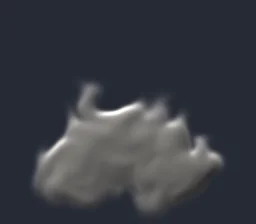 Smoke Screen Grenade
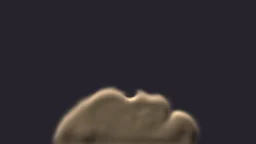 Landing Dust Cloud
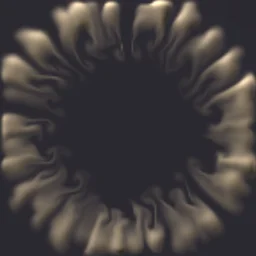 Dust Shockwave (Top-Down)
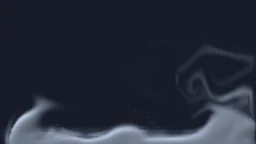 Creeping Ground Fog
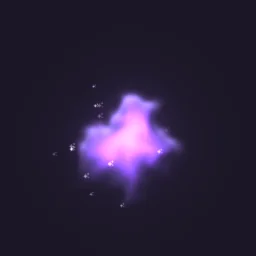 Teleport Smoke Puff
 Smoke poof
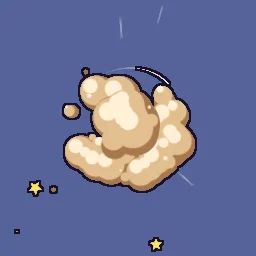 Cartoon Fight Dust Cloud
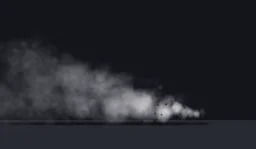 Tyre Drift Smoke
- Cover: Smoke Screen Grenade billows out, hangs and clears.
- Dust: Landing Dust Cloud when a player lands from a height (below), Dust Shockwave (Top-Down) for a slam seen from above.
- Atmosphere: Creeping Ground Fog loops along the ground for swamps, graveyards and horror maps.
- Poofs: Teleport Smoke Puff for a vanish, Smoke poof and Cartoon Fight Dust Cloud for cartoon games.
- Vehicles: Tyre Drift Smoke behind the wheels of a drifting car.
Dust when a player lands
A puff of dust on landing is one of the cheapest ways to make movement feel solid. This LocalScript watches the character's Humanoid and, when it lands after a fall of more than 0.4 s, plays Landing Dust Cloud at the feet. The dust sits on the bottom of its frame, so the part goes half its Size above the floor.
-- LocalScript in StarterCharacterScripts
local Debris = game:GetService("Debris")
local template = game.ReplicatedStorage.Effects:WaitForChild("Landing Dust Cloud")

local character = script.Parent
local humanoid = character:WaitForChild("Humanoid") :: Humanoid
local root = character:WaitForChild("HumanoidRootPart") :: BasePart
local fallStart = 0

humanoid.StateChanged:Connect(function(_, new)
	if new == Enum.HumanoidStateType.Freefall then
		fallStart = os.clock()
	elseif new == Enum.HumanoidStateType.Landed and os.clock() - fallStart > 0.4 then
		local size = template.Attachment.Flipbook.Size.Keypoints[1].Value
		-- The floor under an R15 character (for R6, use 3 studs below the root).
		local floor = root.Position - Vector3.new(0, humanoid.HipHeight + root.Size.Y / 2, 0)
		local fx = template:Clone()
		fx:PivotTo(CFrame.new(floor + Vector3.new(0, size / 2, 0)))
		fx.Parent = workspace
		Debris:AddItem(fx, 3)
	end
end)
This plays for the player who landed. For everyone to see each other's dust, fire a RemoteEvent from the server to all clients as on anime VFX, or skip it: most games show landing dust only to the player it belongs to.
Smoke that darkens at night
Every flipbook from the export is unlit (LightInfluence 0), so it looks exactly as designed in any light. That suits fire and magic. For smoke in a map with day and night, or in dark rooms, raise LightInfluence toward 1 so the smoke takes on the scene's lighting: grey by day, dark at night. 0.5 is a good place to start.
Settings for smoke
- Glow off: smoke always needs LightEmission 0. The export sets it for you; every effect on this page exports with Glow off.
- Big and slow: smoke reads as smoke when it is large and slow: Size 10 to 20 for a grenade cloud, 4 to 6 for a landing puff. Long smoke loops play smoothly because FlipbookBlendFrames crossfades between their frames.
- On the ground: fog and landing dust sit on the bottom of their frame. Place the part half its Size above the ground so the bottom of the frame touches it.
- Upright: set Orientation to FacingCameraWorldUp for fog and plumes, so they stay level when the camera tilts down.
- Fog players walk through: a flipbook is flat, so a camera passing through it shows its edge. For fog around the player, use a few emitters at different distances, or Roblox's Atmosphere for the whole map.
The flipbook PNG is free: the ROBLOX button on every effect page needs no account, and a free account can also export it from the studio (3 effects a day) with the grid and texture size of your choice. The ready model, a .rbxmx with the emitter set up and a script that plays it, plus UIFlipbook.luau for UI, comes with any plan, from $7.99 a month.
Get it into your game
Every setting and both ways in, free PNG or ready model, are on the Roblox setup page. More picks by genre are on Free Roblox VFX, and any effect can be changed in the studio before you export it: make the smoke darker, greener or thicker.
Questions
Why does my smoke look like it is glowing?
Either LightEmission is above 0, which adds the smoke as light, or LightInfluence is 0, which keeps it bright in a dark scene. Use LightEmission 0, and raise LightInfluence toward 1 so the smoke darkens with the lighting.
Should I use the Roblox Smoke object or a ParticleEmitter?
The built-in Smoke object is quick, with few settings and one look. Roblox recommends a ParticleEmitter for detailed work, and a flipbook on one gives you shaped smoke, dust or fog that plays exactly as designed.
How do I make dust when a player lands?
In a LocalScript, watch the Humanoid's StateChanged event. When it enters the Landed state after a fall, place a landing dust effect at the character's feet and clean it up with Debris.
Can I use these effects in a game that earns Robux?
Yes. Exported effects, including ones started from the library, may be used in any project, commercial games included, with no credit required. Reselling the library itself as an effect pack is not allowed.