How to make custom particle effects for GTA 5 and FiveM
Make your own GTA 5 particle effects instead of recolouring the game's: design rules that hold up in GTA V, glow versus smoke, sizes, loops, playing them for every player, and what they cost.
There are two ways to get a custom particle effect into GTA 5. You can edit one of the game's own effects in a dictionary such as core.ypt: new colours, timing or sizes, or a new texture saved under the old texture's name. Or you can make a new particle dictionary from your own frames, which is what the FiveM export of ParticleFX Studio does. This guide covers when each one fits, how to design an effect that reads well in the game, and how to play it on a server.
Editing a game effect or making a new one
- Editing a game effect keeps everything the game's particle system does: real 3D motion, wind, collisions, lights. It is the right choice for a tweak, like a bluer flame on an existing fire. The limits are the effect's own design, and that any change to a shared file such as core.ypt changes the effect everywhere it is used.
- A new dictionary from your own frames can be anything you can draw: anime impacts, stylised magic, pixel art, logos in smoke. It plays from its own .ypt with its own names, so it never changes the game's effects. It is a recording, so it does not react to wind or the world, and it faces the camera.
Make the effect
- Start from a library effect close to what you want, such as Ground Fire or Nitro Boost, or describe it to the agent.
- Build it anywhere on the canvas. The export centres it on the coordinate you pass to the natives, or stands it on that point with Origin set to Ground.
- Keep one cycle between 1 and 1.5 s. The export plays 36 frames a cycle, so a short cycle gets more frames per second and moves more smoothly.
- Decide what kind of effect it is. Fire, sparks, magic and energy give light and should keep some at night; smoke, dust and debris do not. The export picks Glow from the effect's layers, and you can set it yourself.
- Press Export, choose FiveM under Export for, turn on GTA file (.ypt) and set the size in metres. The FiveM guide has every step from there to the server.
Design rules that hold up in GTA V
- Side views read best. The sprite always faces the camera, which suits fire, smoke columns, auras, impacts and pickups seen from a third-person camera. Ground rings drawn in perspective look wrong when the camera looks down on them.
- Glow for light, none for matter. The sprite is lit by the scene, so smoke darkens at night as real smoke does, while glowing effects keep their own light. Smoke covers what is behind it, so it needs some transparency at its edges.
- Leave room at the edges. Bloom and soft glows that run to the edge of the frame end in a straight line. The export trims the faintest haze, but an effect that fades out inside its frame always looks better.
- Size it to the world. A ped is about 1.8 m tall and a car about 4.5 m long. Set the effect's size in metres in the export, and use the scale argument of the natives for variations.
- Fewer, bigger moments. The game shows the effect at a distance and in motion. A clear shape and one strong flash read better than fine detail.
Play it for every player
An effect started with the plain natives shows only for the player whose script started it. For an effect everyone should see, either use StartNetworkedParticleFxNonLoopedAtCoord or send a client event to every player and play it on each client, which keeps the timing on every machine.
-- server.lua: tell every client to play the effect at a position.
RegisterCommand("boost", function(source)
  local coords = GetEntityCoords(GetPlayerPed(source))
  TriggerClientEvent("pfx:boost", -1, coords)
end, false)

-- client.lua (in your own resource):
RegisterNetEvent("pfx:boost", function(coords)
  exports.pfx_nitro_boost:playOnce(coords, 1.0)
end)
What it costs
- Memory: one texture per effect, about 4 MB at 2048 px in DXT5. Every player downloads the resource once when they join.
- Drawing: one camera-facing sprite per effect, so a few at once is cheap; dozens of big ones on screen at once still cost fill rate.
- One asset per effect: each export is its own dictionary with its own name (pfx_ and the effect name), so effects never clash with each other or with the game's.
Effects to start from
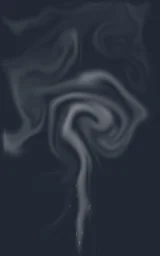
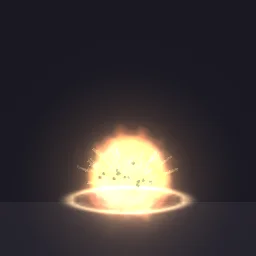
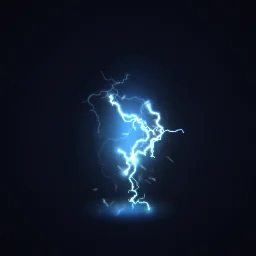
Browse them by type on the FiveM effects page: fire and smoke, explosions, vehicle effects and electric effects.
 Ground Fire Hazard
 Steam Vent
 Smoke Screen Grenade
 Sticky Bomb
 Electrified
 Energy Aura
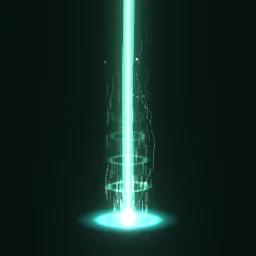 Teleporter Beam
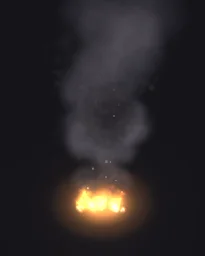 Engine Overheat
Make your first custom PTFX
Open any library effect in the studio, change it, and export it for FiveM.
A free account gets 3 exports a day, and the ready .ypt counts as one, alone or in a resource with fxmanifest.lua and a test command. The frames as one 6 x 6 or 7 x 7 sheet PNG are free the same way. Any plan, from $7.99 a month, has no daily limit, for a whole server's set of effects at once.
Grand Theft Auto and GTA V are trademarks of Take-Two Interactive Software. FiveM is a Cfx.re project. ParticleFX Studio is not affiliated with either.
Questions
Can I add a custom particle effect without replacing a game file?
Yes. A new particle dictionary with its own name streams from a FiveM resource next to the game's own effects and changes none of them. You load it with RequestNamedPtfxAsset using its name.
Do custom particle effects work in single player GTA 5?
The .ypt is a normal GTA V particle dictionary, but the steps and Lua here are for FiveM, which streams it and runs the script. In single player the .ypt has to be added to the game files with a mod tool and played by a script mod that requests the asset the same way. We have only written the FiveM steps.
Why does my effect look flat from above?
The effect is a camera-facing sprite, a recording of a 2D effect. It suits side and third-person views. For ground effects seen from above, keep them low and wide, or use the game's own decal effects.
How many frames can a custom effect have?
The .ypt plays 36 frames a cycle from one 6 x 6 texture. Keep the cycle short so the frames come quickly.