Horror effects for Roblox: glowing eyes, ghosts, jumpscares and flickering lights
Free effects for Roblox horror games: glowing eyes in the dark, ghosts, a ghost in the mirror, a figure that appears, a flickering bulb and a haunted candle as flipbooks, with Luau for a jumpscare trigger.
Horror runs on what the player is not sure they saw: eyes that open in a dark corner and close again, a figure at the end of the corridor, a light that dies at the wrong moment. Flipbooks suit this, because a ParticleEmitter is unlit by default (LightInfluence 0), so glowing eyes and ghosts stay bright in a pitch-dark map while everything around them is black.
Effects for a horror map
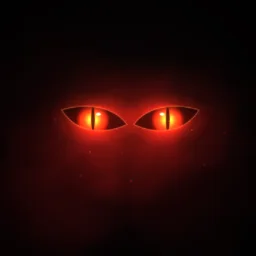 Red Eyes in the Dark
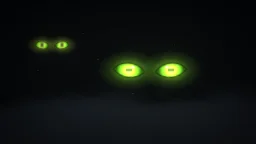 Cat Eyes Blinking in the Dark
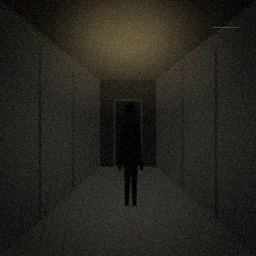 Shadow Figure Appearing
 Phantom Passing Through
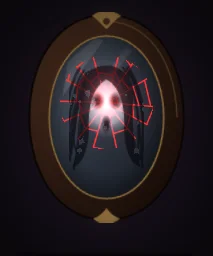 Ghost in the Mirror
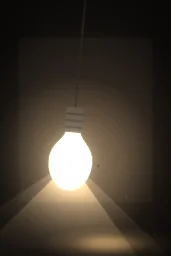 Flickering Light Bulb
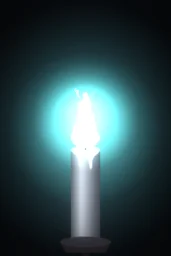 Haunted Candle Blue Flame
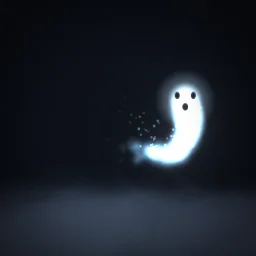 Floating Ghost
- Something watching: Red Eyes in the Dark and Cat Eyes Blinking loop in a dark doorway or under a bed; Glowing Eyes in the Dark and Many Eyes Opening are in the Horror & Spooky category too.
- Presences: Shadow Figure Appearing for a figure that steps closer each time the lights go, Phantom Passing Through for a wraith rushing past, Floating Ghost for a ghost that idles in a room.
- Scares: Ghost in the Mirror for a figure that appears behind the reflection, and Shadow Hands Reaching for hands that claw in from the edges of the screen. A full-screen jumpscare plays on the screen instead (below).
- Light: Flickering Light Bulb and Haunted Candle Blue Flame, paired with a real PointLight so the room flickers with them.
A jumpscare when a player walks in
A jumpscare belongs on the screen, not in the world, so it plays on an ImageLabel that covers the screen, stepped frame by frame the same way as on UI effects. Use a scare drawn for your game, turned into a flipbook with the free flipbook maker, or Phantom Passing Through for a wraith that rushes the camera. Put a ScreenGui named Jumpscare in StarterGui with an ImageLabel named Face (Size 1,0,1,0, BackgroundTransparency 1, Visible off, your jumpscare flipbook as its Image), and an invisible, non-colliding trigger part named JumpscareTrigger in the corridor.
-- LocalScript in StarterPlayerScripts
local Players = game:GetService("Players")
local RunService = game:GetService("RunService")

local player = Players.LocalPlayer
local face = player:WaitForChild("PlayerGui"):WaitForChild("Jumpscare"):WaitForChild("Face") :: ImageLabel
local trigger = workspace:WaitForChild("JumpscareTrigger") :: BasePart
local GRID, SIZE, SECONDS = 8, 1024, 1.6 -- from the file name and the effect page
local cell = SIZE / GRID
local used = false

trigger.Touched:Connect(function(hit)
	if used or hit.Parent ~= player.Character then return end
	used = true
	face.ImageRectSize = Vector2.new(cell, cell)
	face.Visible = true
	local start = os.clock()
	local conn
	conn = RunService.RenderStepped:Connect(function()
		local i = math.floor((os.clock() - start) / SECONDS * GRID * GRID)
		if i >= GRID * GRID then
			face.Visible = false
			conn:Disconnect()
			return
		end
		face.ImageRectOffset = Vector2.new((i % GRID) * cell, (i // GRID) * cell)
	end)
end)
Set GRID, SIZE and SECONDS to the flipbook's grid, texture size and Lifetime. Add a UIAspectRatioConstraint if the face should stay square, and a Sound in the ScreenGui played on the same frame: most of a jumpscare is the sound.
Settings for horror
- Keep it unlit: leave LightInfluence at 0 for eyes, ghosts and candles, so they glow in the dark. Raise it toward 1 only for fog and smoke, so they darken with the scene.
- Glow on dark parts: ghosts and eyes look right with LightEmission 1. Effects with black smoke or shadows, such as Shadow Figure Appearing, keep 0 or the dark parts vanish.
- Flicker the room too: a flipbook lights nothing. Put a PointLight next to Flickering Light Bulb and vary its Brightness from a client script, as on fire VFX.
- Out of sight: loop eyes in places the player only sees from a distance. Up close, a flat flipbook reads as flat.
The flipbook PNG is free: the ROBLOX button on every effect page needs no account, and a free account can also export it from the studio (3 effects a day) with the grid and texture size of your choice. The ready model, a .rbxmx with the emitter set up and a script that plays it, plus UIFlipbook.luau for UI, comes with any plan, from $7.99 a month.
Get it into your game
Every setting and both ways in, free PNG or ready model, are on the Roblox setup page. More picks by genre are on Free Roblox VFX, and any effect can be changed in the studio before you export it: turn red eyes green or a ghost a sickly blue.
Questions
How do I make glowing eyes in the dark in Roblox?
Place an eyes effect on an invisible part in a dark spot and keep the emitter's LightInfluence at 0, so the eyes stay bright however dark the map is. A looping eyes flipbook opens, blinks and closes by itself.
How do I make a jumpscare in Roblox?
Play the jumpscare flipbook on a full-screen ImageLabel from a LocalScript when the player touches a trigger part, stepping the frames with ImageRectOffset, and play a loud Sound on the same frame.
Will these effects work in a dark map?
Yes. The exported emitter is unlit, so glows stay bright in the dark. For smoke and fog that should sink into the darkness, raise LightInfluence toward 1.
Can I use these effects in a game that earns Robux?
Yes. Exported effects, including ones started from the library, may be used in any project, commercial games included, with no credit required. Reselling the library itself as an effect pack is not allowed.