How to put a GIF in Roblox: as particles, on a part or in UI
Roblox cannot play GIF files, but it can play their frames: turn a GIF into a flipbook for a ParticleEmitter, or a sprite sheet for an ImageLabel on a part or the screen, with Luau that plays it.
Roblox imports images as PNG, JPG or BMP and shows only the first frame of a GIF, so an animated GIF uploaded as a Decal stands still. The way round it is to put every frame of the GIF into one image and play the frames yourself: a ParticleEmitter does it by itself with a flipbook, and an ImageLabel does it with a few lines of Luau.
Which way to play it
- In the world (fire, a portal, a coin, a hit): a flipbook on a ParticleEmitter. It faces the camera, glows, and costs one particle.
- Flat on a part (a TV, a poster, a sign): a sprite sheet on an ImageLabel inside a SurfaceGui, stepped by a script.
- On the screen (a reward pop, a jumpscare, a loading spinner): the same ImageLabel inside a ScreenGui.
Ready-made animations that already work in Roblox
Every effect in the library downloads as a Roblox flipbook with its ROBLOX button, no GIF needed. A few that people often look for as GIFs:
 Pixel Art Spinning Coin
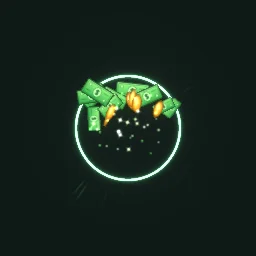 Cash Pop
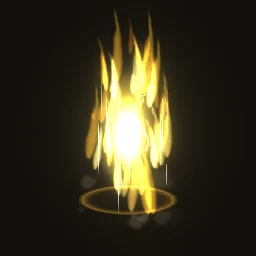 Anime Golden Aura
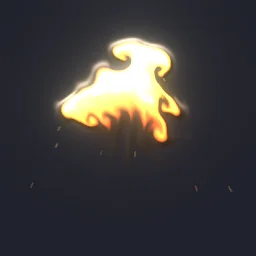 Rolling Fireball Explosion
 Cartoon Water Splash
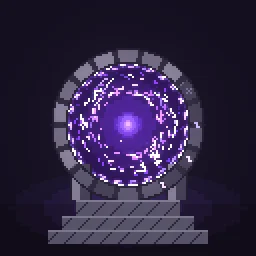 Pixel Art Portal Door
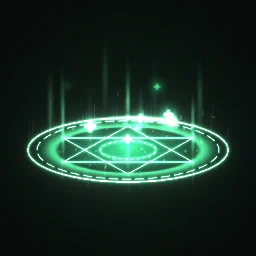 Healing Circle
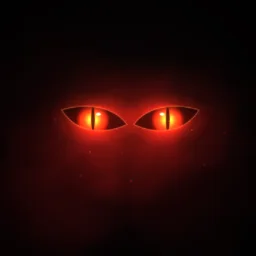 Red Eyes in the Dark
Your own GIF as a flipbook particle
- Open the free Roblox flipbook maker and drop the GIF on it. It runs in your browser and uploads nothing.
- Leave Grid on Auto: up to 4 frames go in a 2x2 grid, up to 16 in 4x4 and up to 64 in 8x8. Longer GIFs keep 64 frames picked evenly, so the timing stays right.
- If the GIF has a black background, set Background to Black so it becomes transparent.
- Download the flipbook PNG and upload it in Studio's Asset Manager. Copy its asset id.
- Put a Part in the workspace with an Attachment, and a ParticleEmitter named
Flipbookin the Attachment. Set Texture to the id, FlipbookLayout to the grid, FlipbookMode to OneShot, Lifetime to the seconds the maker shows, and Speed to 0. - Add this script to the Part. It plays the GIF on a loop, one particle at a time:
-- Script inside the Part. The ParticleEmitter is Part > Attachment > Flipbook.
local emitter = script.Parent:WaitForChild("Attachment"):WaitForChild("Flipbook") :: ParticleEmitter
local LIFETIME = 1.2 -- the Lifetime the flipbook maker shows

emitter.Rate = 0
emitter.Lifetime = NumberRange.new(LIFETIME)
while true do
	emitter:Emit(1)
	task.wait(LIFETIME)
end
Set Size to the size you want in studs, and LightEmission to 1 for glowing effects. Every other property is on the Roblox setup page.
Your own GIF on a part or the screen
For a flat animation, make a sprite sheet instead with GIF to sprite sheet, keeping the sheet 1024 px or smaller (Roblox shrinks larger images). Put an ImageLabel in a SurfaceGui on the part, or in a ScreenGui, with the sheet as its Image, and step it through the frames:
-- LocalScript inside the ImageLabel
local RunService = game:GetService("RunService")
local label = script.Parent :: ImageLabel

local COLUMNS, ROWS = 4, 4 -- the sheet's grid
local FRAMES = 16 -- frames in the sheet (the last row can be part-empty)
local FPS = 12
local SHEET = Vector2.new(1024, 1024) -- the sheet's size in px

local cell = Vector2.new(SHEET.X / COLUMNS, SHEET.Y / ROWS)
label.ImageRectSize = cell
local start = os.clock()
RunService.RenderStepped:Connect(function()
	local i = math.floor((os.clock() - start) * FPS) % FRAMES
	label.ImageRectOffset = Vector2.new((i % COLUMNS) * cell.X, (i // COLUMNS) * cell.Y)
end)
A LocalScript runs in a ScreenGui, and in a SurfaceGui placed under StarterGui with its Adornee set to the part. In a SurfaceGui parented straight to a part, use a Script with RunService.Heartbeat instead.
Limits to know
- 1024 px: Roblox shrinks any image larger than 1024 x 1024, so a long GIF loses detail. Fewer frames or a smaller GIF keeps it sharp.
- 64 frames per flipbook: the 8x8 grid is the largest Roblox reads. Longer animations play their frames evenly picked, or split into two flipbooks.
- Moderation: every uploaded image is reviewed, like any Decal. Animations you made, or library effects, pass without trouble.
The flipbook PNG is free: the ROBLOX button on every effect page needs no account, and a free account can also export it from the studio (3 effects a day) with the grid and texture size of your choice. The ready model, a .rbxmx with the emitter set up and a script that plays it, plus UIFlipbook.luau for UI, comes with any plan, from $7.99 a month.
Get it into your game
Every setting and both ways in, free PNG or ready model, are on the Roblox setup page. More picks by genre are on Free Roblox VFX, and any effect can be changed in the studio before you export it: turn a GIF into a glowing particle effect.
Questions
Can Roblox play GIFs?
No. Roblox shows only the first frame of a GIF. Put the frames into one image instead, a flipbook or a sprite sheet, and play them with a ParticleEmitter or an ImageLabel script.
How do I make a GIF into a Roblox particle?
Drop the GIF into the free Roblox flipbook maker, download the square flipbook PNG, upload it, and set it as a ParticleEmitter Texture with FlipbookLayout set to its grid, FlipbookMode OneShot and the Lifetime the maker shows.
Why does my animated decal not move?
Decals and ImageLabels show a single still image. To animate one, use a sprite sheet and change ImageRectOffset from a script every frame, as in the LocalScript above.
Can I use these effects in a game that earns Robux?
Yes. Exported effects, including ones started from the library, may be used in any project, commercial games included, with no credit required. Reselling the library itself as an effect pack is not allowed.