Tycoon effects for Roblox: buy pads, cash pops, upgraders and loot
Free effects for Roblox tycoons: glowing buy pads, cash pops, money rain, upgrader lasers, buildings appearing, chest and pet reveals as flipbooks, with Luau that plays one when a player buys a button.
A tycoon is a loop of earning and buying: money comes in, the player steps on a button, and something new appears. Each step wants its own effect: a pad that glows when the player can afford it, a pop when the money lands, and dust and sparkle when the new conveyor or room appears. Most of them only matter to the player who owns the tycoon, so they can be generous without crowding the server.
Effects for the tycoon loop
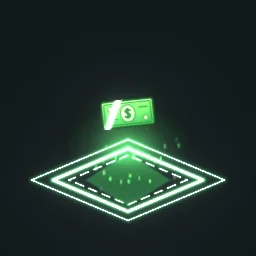 Buy Pad Glow
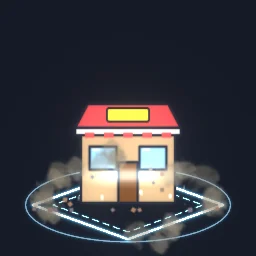 Building Construction Pop
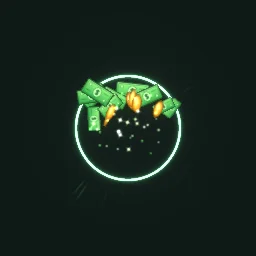 Cash Pop
 Money Rain
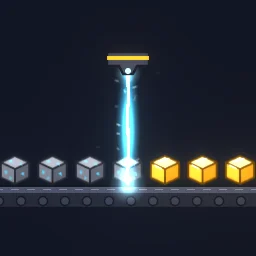 Tycoon Upgrader Laser
 Coin Stack Growing
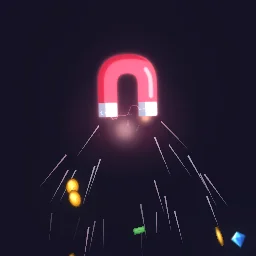 Auto Collect Magnet
 Legendary Chest Opening
- Buttons: Buy Pad Glow loops on every button, so players see where to step.
- Building: Building Construction Pop plays where a purchase appears; Tycoon Upgrader Laser sits on an upgrader that turns ore into gold.
- Income: Cash Pop when a collector pays out, Coin Stack Growing on a collector that fills up, Money Rain for a big payout or a rebirth.
- Game passes and rewards: Auto Collect Magnet for an auto-collect pass, Legendary Chest Opening for a rare reward. Common, rare and epic chests are in the Tycoon & Idle category too.
Play a pop when a player buys a button
Most tycoons keep each purchase as a hidden model and show it when its button is bought. The server checks the money and shows the model, then tells the buyer's client to play the effect, so the server does no visual work. Put the effect models in a folder named Effects in ReplicatedStorage and add a RemoteEvent named TycoonFx next to it.
-- Script inside a buy button part. "Item" is an ObjectValue pointing at the hidden model (in ServerStorage).
local Players = game:GetService("Players")
local tycoonFx = game:GetService("ReplicatedStorage"):WaitForChild("TycoonFx")

local button = script.Parent
local PRICE = 250
local item = button:WaitForChild("Item") :: ObjectValue
local bought = false

button.Touched:Connect(function(hit)
	local player = Players:GetPlayerFromCharacter(hit.Parent)
	local stats = player and player:FindFirstChild("leaderstats")
	local cash = stats and stats:FindFirstChild("Cash")
	-- A real tycoon also checks that this player owns this tycoon.
	if bought or not cash or cash.Value < PRICE then return end
	bought = true
	cash.Value -= PRICE

	local model = item.Value :: Model
	model.Parent = workspace
	tycoonFx:FireClient(player, "Building Construction Pop", model:GetPivot())
	button:Destroy()
end)-- LocalScript in StarterPlayerScripts
local ReplicatedStorage = game:GetService("ReplicatedStorage")
local Debris = game:GetService("Debris")
local effects = ReplicatedStorage:WaitForChild("Effects")
ReplicatedStorage:WaitForChild("TycoonFx").OnClientEvent:Connect(function(name: string, at: CFrame)
local template = effects:FindFirstChild(name)
if not template then return end
local fx = template:Clone()
fx:PivotTo(at)
fx.Parent = workspace
Debris:AddItem(fx, 4)
end)Buy Pad Glow needs no code with the ready model: drop it on each button and it loops for everyone. With the free PNG, build the part once (Part, Attachment, a ParticleEmitter named Flipbook) and use the loop script on the Roblox setup page.
Show the amount
Cash Income Popup has its "+$250" drawn into the frames, which suits a fixed reward. For amounts that change, put a TextLabel in a BillboardGui above the collector, set its text to the amount each payout, and play Cash Pop under it. In the studio, Cash Income Popup's number is a text layer, so you can also change it and export one popup per reward.
Settings for tycoons
- On the owner's screen: play purchase and income effects on the buyer's client only. Other players still see the new building appear, without a server full of pops.
- Size: a buy pad effect about a stud wider than the pad, payouts 6 to 8 studs, chest and pet reveals 10 to 12.
- Many buttons: a tycoon can have fifty buy pads. Use a 512 px texture for pad loops and keep 1024 for the big moments.
- Colour: recolour the cash and coins in the studio to match your currency, or tint them with the emitter's Color (pale effects tint best).
The flipbook PNG is free: the ROBLOX button on every effect page needs no account, and a free account can also export it from the studio (3 effects a day) with the grid and texture size of your choice. The ready model, a .rbxmx with the emitter set up and a script that plays it, plus UIFlipbook.luau for UI, comes with any plan, from $7.99 a month.
Get it into your game
Every setting and both ways in, free PNG or ready model, are on the Roblox setup page. More picks by genre are on Free Roblox VFX, and any effect can be changed in the studio before you export it: change the cash colour to your own currency.
Questions
How do I add an effect to a tycoon buy button?
When the server accepts the purchase and shows the new model, fire a RemoteEvent to the buyer with the effect name and the model's pivot. A LocalScript clones the effect there and cleans it up with Debris.
Should tycoon effects show for every player?
Usually only for the owner. Purchases and payouts happen constantly in a full server, so playing them on the owner's client keeps every other player's screen calm.
Can I change the amount in the cash popup?
Yes. In the studio the number is a text layer, so you can type a new amount and export it again. For amounts that change every time, show the number in a BillboardGui and play a plain Cash Pop under it.
Can I use these effects in a game that earns Robux?
Yes. Exported effects, including ones started from the library, may be used in any project, commercial games included, with no credit required. Reselling the library itself as an effect pack is not allowed.