Shadow and dark magic VFX for Roblox
Free shadow effects for Roblox: shadow tendrils, void collapse, void rift, a dark aura, cursed mist, black fire and a hex orb as flipbooks, with the blending that keeps black visible and Luau that dims the screen.
Black is the one colour a glowing particle cannot make. With LightEmission at 1, Roblox adds a particle's colour to the scene as light, and adding black adds nothing, so shadow magic set up like fire simply disappears. Dark effects need normal blending, and the export sets it for you.
Shadow, void and curses
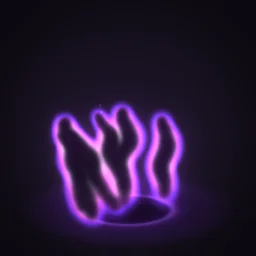
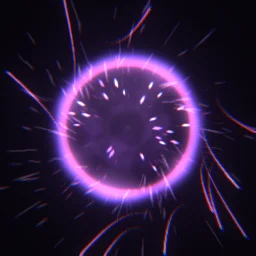
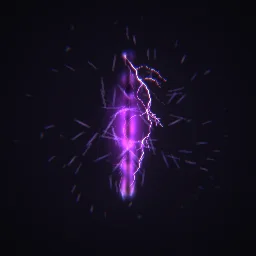
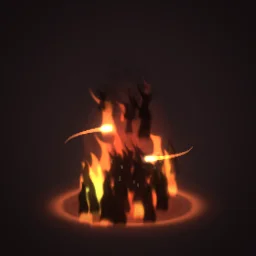
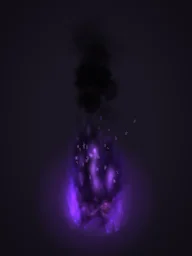
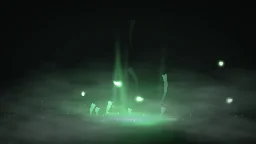
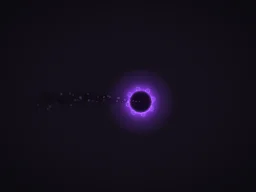
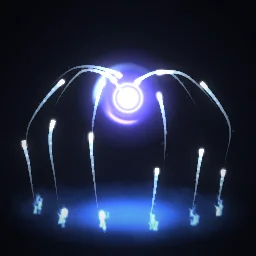
- Void: Void Collapse swells, pulls light in and detonates. Void Rift tears the air open and seals with a snap.
- Shadow: Shadow Tendrils whip up out of a pool, and Umbral Flame is black fire with a violet rim for cursed torches.
- On a character: Dark Pact Aura wraps the caster in tall black flames with ember rims.
- Curses: Hex Orb is a projectile that bursts into a sigil, Cursed Mist creeps along the ground, and Soul Harvest pulls souls into a hovering orb.
Dim the screen for a dark ultimate
Black needs something lighter behind it, and the violet and magenta rims are what the eye follows. Dimming and draining the scene for the length of the cast makes those rims the brightest thing on screen. The server plays the effect and tells every client to dim; each client tweens a ColorCorrectionEffect and back.
local Debris = game:GetService("Debris")
local ReplicatedStorage = game:GetService("ReplicatedStorage")
local darkUlt = ReplicatedStorage:WaitForChild("DarkUlt") -- a RemoteEvent
local template = ReplicatedStorage.Effects:WaitForChild("Void Collapse")

local function castVoid(position: Vector3)
	local fx = template:Clone()
	fx:PivotTo(CFrame.new(position))
	fx.Parent = workspace
	Debris:AddItem(fx, 3) -- Lifetime + 1, rounded up
	darkUlt:FireAllClients(2) -- dim every screen for the 2 s it plays
end-- LocalScript in StarterPlayerScripts
local Lighting = game:GetService("Lighting")
local TweenService = game:GetService("TweenService")
local darkUlt = game:GetService("ReplicatedStorage"):WaitForChild("DarkUlt")
local grade = Instance.new("ColorCorrectionEffect")
grade.Parent = Lighting
local dim = TweenService:Create(grade, TweenInfo.new(0.3), {
Brightness = -0.15,
Saturation = -0.6,
TintColor = Color3.fromRGB(200, 180, 255),
})
local restore = TweenService:Create(grade, TweenInfo.new(0.8), {
Brightness = 0,
Saturation = 0,
TintColor = Color3.new(1, 1, 1),
})
darkUlt.OnClientEvent:Connect(function(seconds: number)
dim:Play()
task.wait(seconds)
restore:Play()
end)Keep the dim short and mild. It changes the whole screen for every player, so it belongs on an ultimate with a long cooldown, not on a basic attack.
Settings for dark effects
- Glow off: seven of the eight effects here have black or smoke in them and export with Glow off. Soul Harvest is spectral light only and exports with Glow on.
- Leave it off: turning Glow on for a dark effect drops the black and leaves only the coloured rims floating on their own.
- Dark maps: black on a night map has nothing to stand against. Place dark effects in front of lit surfaces, or add a PointLight in the rim colour to the effect's part so the ground around it lights up violet.
- Aura: weld Dark Pact Aura to the character as on aura VFX, with a negative ZOffset so the flames rise behind the body.
- Mist: Cursed Mist is a 4 s loop along the ground. Set Orientation to FacingCameraWorldUp and lift the part by half its Size so the bottom of the frame meets the floor.
The flipbook PNG is free: the ROBLOX button on every effect page needs no account, and a free account can also export it from the studio (3 effects a day) with the grid and texture size of your choice. The ready model, a .rbxmx with the emitter set up and a script that plays it, plus UIFlipbook.luau for UI, comes with any plan, from $7.99 a month.
Get it into your game
Every setting and both ways in, free PNG or ready model, are on the Roblox setup page. More picks by genre are on Free Roblox VFX, and any effect can be changed in the studio before you export it: swap the violet rim for red or green.
Questions
Why is my shadow effect invisible in Roblox?
Its LightEmission is 1. That adds the particle to the scene as light, and black adds nothing. Set LightEmission to 0 so the flipbook's own colours are drawn, black included. The export does this for any effect with a normal-blend layer.
How do I make the screen go dark during an ultimate?
Put a ColorCorrectionEffect in Lighting from a LocalScript and tween its Brightness and Saturation down when the server signals the cast, then tween them back. It only changes that player's screen, so fire the signal to every client.
Can a particle be pure black?
Yes, with LightEmission 0. The texture is then drawn with its own colours and transparency, so black smoke, black fire and dark tendrils show as they were designed.
Can I use these effects in a game that earns Robux?
Yes. Exported effects, including ones started from the library, may be used in any project, commercial games included, with no credit required. Reselling the library itself as an effect pack is not allowed.