Water VFX for Roblox
Free water effects for Roblox: small and big splashes, a water bullet, tornado, whirlpool, geyser and nova as flipbooks, with Luau that plays a splash when a character drops into Terrain water.
Terrain water in Roblox gives you waves, colour and a splash sound. The spray is yours to add: the crown that jumps up when a character lands in a lake, the droplets off a water spell, the foam around a drain. A flipbook holds a whole splash, crown, drops and rings, in one particle.
Splashes and water magic
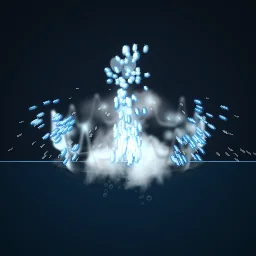 Big Water Splash
 Small Water Splash
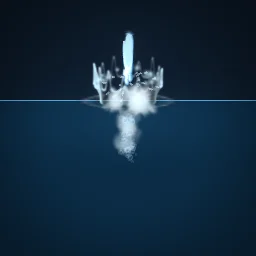 Diving Splash
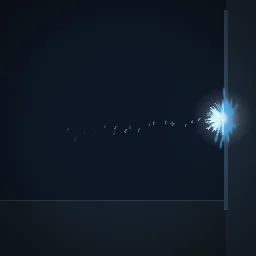 Water Bullet
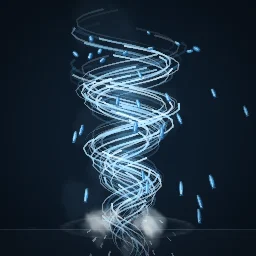 Water Tornado
 Whirlpool
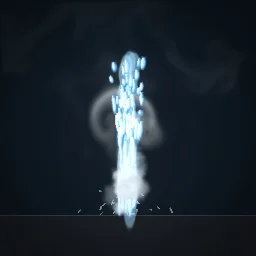 Geyser Eruption
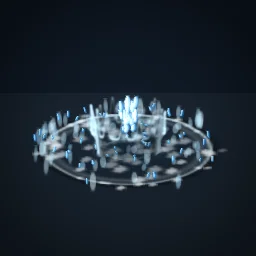 Water Nova
- Splashes: Small Water Splash for drips, footsteps and dropped items, Big Water Splash for heavy landings, Diving Splash for a clean dive seen from the side.
- Spells: Water Bullet for water mages and water guns, Water Nova for a ring wave around the caster, Water Tornado as a looping funnel.
- Hazards: Whirlpool turns in place, seen from above, and Geyser Eruption rumbles, bursts and rains back down.
A splash when a character lands in water
A Humanoid enters the Swimming state when its character drops into Terrain water. This LocalScript watches for that and plays Big Water Splash where the character went in. Bobbing at the surface can flip the state back and forth, so one splash a second is the limit.
-- LocalScript in StarterCharacterScripts
local Debris = game:GetService("Debris")
local template = game.ReplicatedStorage.Effects:WaitForChild("Big Water Splash")

local character = script.Parent
local humanoid = character:WaitForChild("Humanoid") :: Humanoid
local root = character:WaitForChild("HumanoidRootPart") :: BasePart
local lastSplash = 0

humanoid.StateChanged:Connect(function(_, new)
	if new ~= Enum.HumanoidStateType.Swimming then return end
	if os.clock() - lastSplash < 1 then return end
	lastSplash = os.clock()

	local size = template.Attachment.Flipbook.Size.Keypoints[1].Value
	local fx = template:Clone()
	-- The root is close to the surface when swimming starts.
	fx:PivotTo(CFrame.new(root.Position + Vector3.new(0, size / 4, 0)))
	fx.Parent = workspace
	Debris:AddItem(fx, 4) -- Lifetime + 1, rounded up
end)
The frame is fitted around the whole splash, drops below the water line included, so the lift is a starting point: move the part up or down in Studio until the base of the crown meets your water. This plays for the player who jumped in. To show it to everyone, fire a RemoteEvent to all clients as on anime VFX.
Settings for water
- Glow off: water is drawn with normal blending, because its dark blues and white foam are colour, not light. Every effect on this page exports with Glow off.
- Size: 3 to 4 studs for a footstep or a dropped coin, 8 to 10 for a character, 15 and up for a boat or a boulder.
- Night maps: the emitter is unlit (LightInfluence 0), so a splash stays bright in the dark. Raise LightInfluence toward 1 for water that darkens with the scene.
- From above: Whirlpool is drawn from straight above. A ParticleEmitter faces the camera, so a picture drawn from straight above stands up like a sign. To lay one flat, play it on an ImageLabel in a SurfaceGui on the top face of a thin, invisible part, stepped with the script on UI effects.
- From the side: Diving Splash is a cutaway that shows the bubbles under the surface. It suits side-on cameras and menus more than an open lake seen from any angle.
- Upright: set Orientation to FacingCameraWorldUp for the tornado and the geyser, so they stay vertical when the camera tilts down.
The flipbook PNG is free: the ROBLOX button on every effect page needs no account, and a free account can also export it from the studio (3 effects a day) with the grid and texture size of your choice. The ready model, a .rbxmx with the emitter set up and a script that plays it, plus UIFlipbook.luau for UI, comes with any plan, from $7.99 a month.
Get it into your game
Every setting and both ways in, free PNG or ready model, are on the Roblox setup page. More picks by genre are on Free Roblox VFX, and any effect can be changed in the studio before you export it: tint the water to match the colour of your Terrain water.
Questions
How do I make a splash when a player jumps into water in Roblox?
In a LocalScript, watch the Humanoid's StateChanged event. When the new state is Swimming, clone a splash effect at the HumanoidRootPart and clean it up with Debris. Limit it to one splash a second, because the state can flicker at the surface.
Does this work with water made from parts?
The Swimming state is only for Terrain water. For a pool made from a part, connect to that part's Touched event, check that the thing touching it belongs to a character, and play the splash once per entry with a short cooldown.
How do I lay a whirlpool flat on the water?
A particle always faces the camera, so a top-down whirlpool on a ParticleEmitter stands upright. Put the flipbook on an ImageLabel in a SurfaceGui on the top face of a thin, invisible part at the water line, and step its frames with a script.
Can I use these effects in a game that earns Robux?
Yes. Exported effects, including ones started from the library, may be used in any project, commercial games included, with no credit required. Reselling the library itself as an effect pack is not allowed.