Portal and teleport VFX for Roblox
Free portal effects for Roblox: a warp portal, water portal, void rift, wormhole, teleport and summoning circles, a blink and a smoke puff as flipbooks, with Luau for two portals that send players to each other.
A portal in Roblox is two things that are easy to mix up: a part that moves the player, and a picture that makes it look like a doorway. The part needs a few lines of Luau. The picture is where a flipbook helps: a standing oval of energy or water that loops in one particle, with no mesh to model and no texture to scroll.
Portals, rifts and teleports
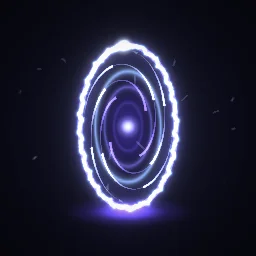 Magic Warp Portal
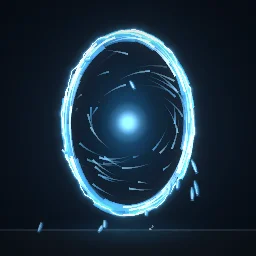 Water Portal
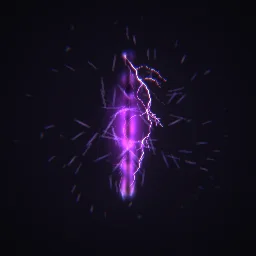 Void Rift
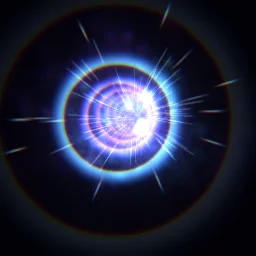 Wormhole
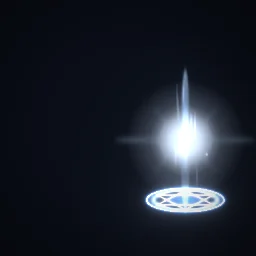 Teleport Circle
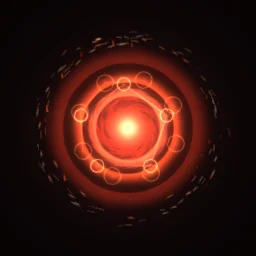 Summoning Circle
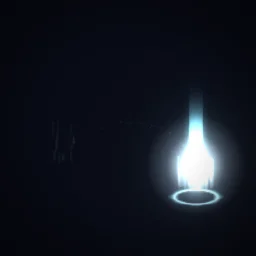 Blink
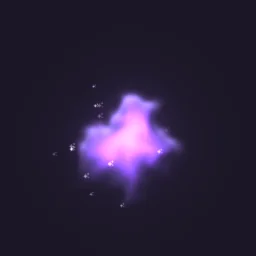 Teleport Smoke Puff
- Standing portals: Magic Warp Portal in cyan and violet and Water Portal with a dripping rim both loop. Void Rift tears open, drags debris in and seals again.
- Tunnels: Wormhole is a tunnel of rings and stars rushing past, for a loading screen or the inside of a jump.
- Circles: Teleport Circle sends a traveller from one rune circle to another, and Summoning Circle is a rune ring seen from above.
- The moment of travel: Blink and Teleport Smoke Puff play where a character leaves and where it arrives.
Two portals linked to each other
Each portal here is an anchored part with CanCollide off, and the effect is placed on it. Touching one moves the character to a spot in front of the other. The cooldown is per player, and it is also what stops the second portal sending them straight back.
-- Server Script. PortalA and PortalB are anchored parts with CanCollide off.
local Players = game:GetService("Players")
local template = game.ReplicatedStorage.Effects:WaitForChild("Magic Warp Portal")

local COOLDOWN = 2
local lastTrip = {}

local function link(from: BasePart, to: BasePart)
	local fx = template:Clone()
	fx:PivotTo(from.CFrame)
	fx.Parent = from

	from.Touched:Connect(function(hit)
		local player = Players:GetPlayerFromCharacter(hit.Parent)
		if not player or os.clock() - (lastTrip[player] or 0) < COOLDOWN then return end
		lastTrip[player] = os.clock()
		-- Arrive 4 studs in front of the other portal, facing away from it.
		player.Character:PivotTo(to.CFrame * CFrame.new(0, 0, -4))
	end)
end

link(workspace.PortalA, workspace.PortalB)
link(workspace.PortalB, workspace.PortalA)

Players.PlayerRemoving:Connect(function(player)
	lastTrip[player] = nil
end)
Turn each part so its front face points the way players should walk out. For a teleport a player casts, with a range limit checked on the server, see the blink on magic VFX; a Teleport Smoke Puff at both ends works the same way.
Settings for portals
- A portal faces everyone: a particle turns toward the camera, so the portal shows its full face from every side. That suits a portal standing in the open. For one fixed in a door frame or on a wall, play the flipbook on a SurfaceGui instead, with the script on UI effects.
- Glow: Teleport Circle, Summoning Circle, Blink and Wormhole are all light and export with Glow on. Magic Warp Portal, Water Portal, Void Rift and Teleport Smoke Puff have dark or solid parts, a black heart, water, smoke, and export with Glow off so those parts are kept.
- Size: 10 to 12 studs for a portal a character walks through. Make the part the size of the opening so the touch matches the picture.
- Behind the player: a negative ZOffset, such as -1, keeps the portal behind a character standing in it.
- From above: Summoning Circle is drawn from straight above. A ParticleEmitter faces the camera, so a picture drawn from straight above stands up like a sign. To lay one flat, play it on an ImageLabel in a SurfaceGui on the top face of a thin, invisible part, stepped with the script on UI effects.
The flipbook PNG is free: the ROBLOX button on every effect page needs no account, and a free account can also export it from the studio (3 effects a day) with the grid and texture size of your choice. The ready model, a .rbxmx with the emitter set up and a script that plays it, plus UIFlipbook.luau for UI, comes with any plan, from $7.99 a month.
Get it into your game
Every setting and both ways in, free PNG or ready model, are on the Roblox setup page. More picks by genre are on Free Roblox VFX, and any effect can be changed in the studio before you export it: recolour the portal for each destination.
Questions
How do I make a teleport portal in Roblox?
Use two anchored parts with CanCollide off. In a server script, connect to each part's Touched event, find the player with Players:GetPlayerFromCharacter and move the character with PivotTo to a spot in front of the other part. Put a looping portal effect on each part.
Why do players bounce back and forth between my portals?
They arrive touching the second portal, which sends them back. Move the arrival point a few studs in front of the portal and keep a cooldown per player, so a trip cannot start within a second or two of the last one.
Why does my portal turn to face me?
A ParticleEmitter draws particles facing the camera. For a portal that keeps its place in a wall or a frame, play the flipbook on an ImageLabel in a SurfaceGui on the face of a part.
Can I use these effects in a game that earns Robux?
Yes. Exported effects, including ones started from the library, may be used in any project, commercial games included, with no credit required. Reselling the library itself as an effect pack is not allowed.