Shockwave VFX for Roblox
Free shockwave effects for Roblox: energy rings, dust shockwaves, ground slams, stomps, a holy nova and a water nova as flipbooks, with Luau for area damage that falls off with distance from the slam.
One ring leaving the point of impact tells every player nearby how big a hit was and where it came from, which makes a shockwave the cheapest way to add weight to a slam. In Roblox it comes with a catch: a ring belongs on the ground, and a particle faces the camera.
Rings, slams and novas
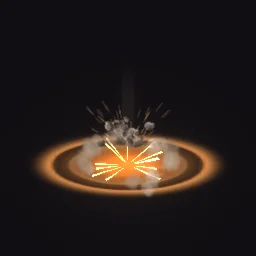 Ground Slam Crater
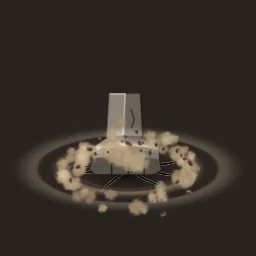 Golem Stomp
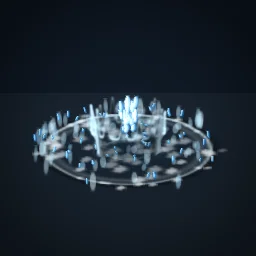 Water Nova
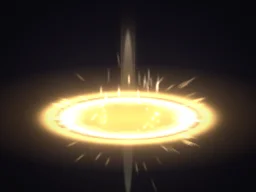 Holy Nova
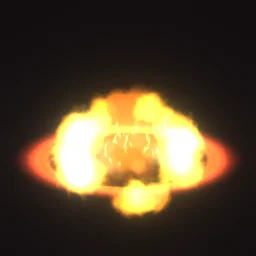 Splash Damage Ring
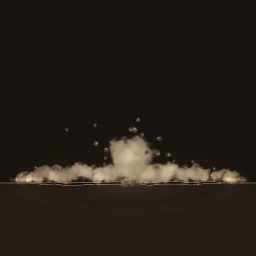 Earthquake Shockwave
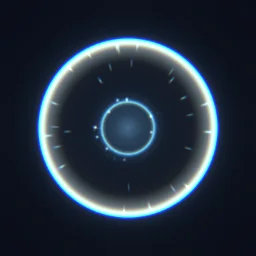 Shockwave Ring
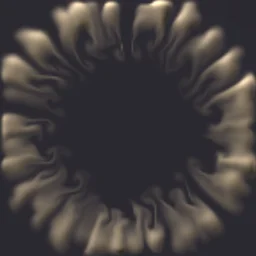 Dust Shockwave (Top-Down)
- Drawn in 3/4 view: Ground Slam Crater, Golem Stomp, Water Nova, Holy Nova and Splash Damage Ring show their rings as flattened ovals, the way a third-person camera sees the ground. On a ParticleEmitter they look right from a normal camera height.
- Drawn from the side: Earthquake Shockwave runs a wave out both ways along the floor.
- Drawn face-on: Shockwave Ring and Dust Shockwave (Top-Down) are full circles. Use them for hits in the air and on walls, or on the ground in a top-down game. A ParticleEmitter faces the camera, so a picture drawn from straight above stands up like a sign. To lay one flat, play it on an ImageLabel in a SurfaceGui on the top face of a thin, invisible part, stepped with the script on UI effects.
Damage that falls off with distance
A shockwave should hurt most at its centre. This server function plays Ground Slam Crater at a point and damages every other player inside the radius, with full damage at the centre and none at the edge.
local Players = game:GetService("Players")
local Debris = game:GetService("Debris")
local template = game.ReplicatedStorage.Effects:WaitForChild("Ground Slam Crater")

local RADIUS, MAX_DAMAGE = 20, 40

local function shockwave(position: Vector3, attacker: Player?)
	local fx = template:Clone()
	fx:PivotTo(CFrame.new(position))
	fx.Parent = workspace
	Debris:AddItem(fx, 3) -- Lifetime + 1, rounded up

	for _, player in Players:GetPlayers() do
		local character = player.Character
		local root = character and character:FindFirstChild("HumanoidRootPart")
		local humanoid = character and character:FindFirstChildOfClass("Humanoid")
		if root and humanoid and player ~= attacker then
			local distance = (root.Position - position).Magnitude
			if distance < RADIUS then
				humanoid:TakeDamage(MAX_DAMAGE * (1 - distance / RADIUS))
			end
		end
	end
end
Make the picture agree with the numbers: set the flipbook's Size so the ring reaches the damage radius at its widest. Size is the width of the whole frame, so start at twice the radius and adjust. The ring of a 3/4 effect sits near the middle of its frame, so the part goes at ground height, a little above it if the dust is cut off by the floor.
Settings for shockwaves
- Glow: Shockwave Ring and Holy Nova are pure light and export with Glow on. The other six carry dust, rock, smoke or water, and export with Glow off so those stay solid.
- Plays once: a shockwave is a one-shot. With the free PNG, emit one particle when the slam lands. With the model, set Plays to Once in the export if the effect loops by default.
- Camera height: a 3/4 ring matches a camera looking down at about 30 to 45 degrees. From straight above or from ground level the oval no longer fits the floor; use a face-on ring on a SurfaceGui there.
- On top of the ground: if the floor cuts the lower half of the ring, raise ZOffset to 1 or 2 so the particle draws in front of it.
- Many at once: for slams from several players in the same second, fire a RemoteEvent and clone on each client, as on anime VFX.
The flipbook PNG is free: the ROBLOX button on every effect page needs no account, and a free account can also export it from the studio (3 effects a day) with the grid and texture size of your choice. The ready model, a .rbxmx with the emitter set up and a script that plays it, plus UIFlipbook.luau for UI, comes with any plan, from $7.99 a month.
Get it into your game
Every setting and both ways in, free PNG or ready model, are on the Roblox setup page. More picks by genre are on Free Roblox VFX, and any effect can be changed in the studio before you export it: change the ring colour to match the attack.
Questions
How do I make a ground slam shockwave in Roblox?
Play a shockwave flipbook at the point of impact with one particle, and on the server damage each character within a radius of that point. Scale the damage by distance so the centre hurts most.
Why does my shockwave ring stand up instead of lying on the ground?
A ParticleEmitter draws its particles facing the camera. Use a ring drawn in 3/4 view, which already looks flattened, or play a face-on ring on an ImageLabel in a SurfaceGui on top of a thin part.
How big should the shockwave be?
As wide as the area it affects. Set the Size of the flipbook to about twice the damage radius, then adjust until the ring at its widest reaches the edge of that radius.
Can I use these effects in a game that earns Robux?
Yes. Exported effects, including ones started from the library, may be used in any project, commercial games included, with no credit required. Reselling the library itself as an effect pack is not allowed.