Earth and rock VFX for Roblox
Free earth effects for Roblox: rock spikes, an earth wall, boulders, ground cracks, a lava rock burst, a rockslide and a fissure as flipbooks, with Luau that finds the ground with a raycast before placing the effect.
Earth attacks come out of the ground, so the one thing they cannot do is float. A rock spike that starts a stud above a slope, or hangs off the edge of a ledge, gives the trick away at once. Finding the real ground with a raycast matters more for this element than for any other.
Spikes, walls and boulders
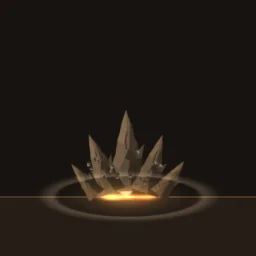
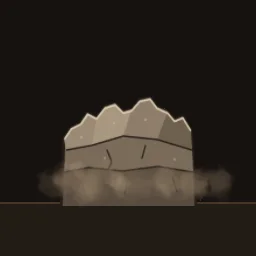
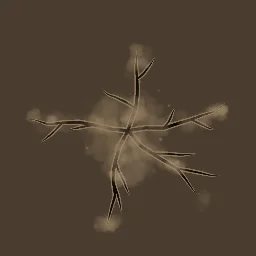
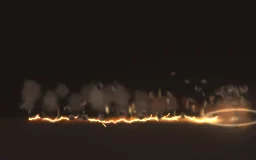
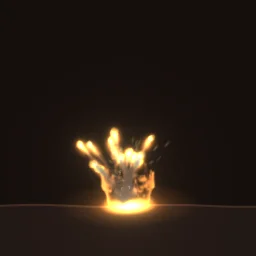
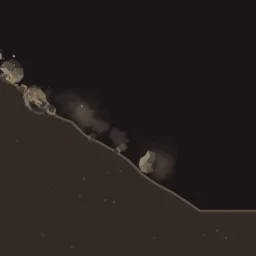
- Out of the ground: Rock Spikes punch up in a fan, hold and crumble. Earth Wall builds from the bottom up, stands, then breaks into rubble.
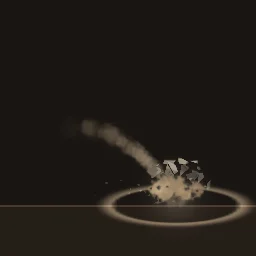
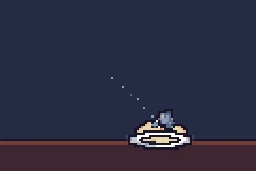
- Thrown: Boulder Throw arcs in and breaks on landing. Boulder Smash is the same idea in pixel art.
- Splitting the floor: Ground Crack is seen from above, and Seismic Fissure races forward and glows with magma.
- Hazards: Lava Rock Burst throws white-hot rocks from a vent, and Rockslide loops down a hillside.
Find the ground first
A target position from a mouse or from another character is rarely on the floor. This server function casts a ray straight down through the target, against the map only, and plays Rock Spikes where it lands. Keeping the level in one folder lets the ray skip characters standing on the spot.
local Debris = game:GetService("Debris")
local template = game.ReplicatedStorage.Effects:WaitForChild("Rock Spikes")

local params = RaycastParams.new()
params.FilterType = Enum.RaycastFilterType.Include
params.FilterDescendantsInstances = { workspace.Map, workspace.Terrain } -- your level, not characters

local function rockSpikes(target: Vector3)
	-- From 10 studs above the target to 40 below it.
	local ground = workspace:Raycast(target + Vector3.new(0, 10, 0), Vector3.new(0, -50, 0), params)
	if not ground then return end -- over a void: no ground, no spikes

	local size = template.Attachment.Flipbook.Size.Keypoints[1].Value
	local fx = template:Clone()
	fx:PivotTo(CFrame.new(ground.Position + Vector3.new(0, size / 2, 0)))
	fx.Parent = workspace
	Debris:AddItem(fx, 4) -- Lifetime + 1, rounded up
end
The part is lifted by half its Size so the bottom of the frame, where the spikes break out, meets the ground. If the dust at the base floats or sinks, change the lift a little. For the damage, a box check at the same point works as on hit effects.
Settings for earth
- Glow off: rock and dust are matter, and every effect on this page exports with Glow off, the ones with magma and embers included.
- Lit by the scene: raise LightInfluence toward 1 so rocks darken in caves and at night like the parts around them. Leave it at 0 for Lava Rock Burst and Seismic Fissure, which should stay hot.
- Size: 8 to 10 studs for spikes under one character, 12 to 16 for a wall, 20 and up for a rockslide.
- Walls block nothing: the flipbook is a picture. For an earth wall that stops players and bullets, add an invisible, anchored part for the seconds the wall stands.
- Upright: set Orientation to FacingCameraWorldUp for spikes and walls, so they stay vertical when the camera tilts down.
- From above: Ground Crack is drawn from straight above. A ParticleEmitter faces the camera, so a picture drawn from straight above stands up like a sign. To lay one flat, play it on an ImageLabel in a SurfaceGui on the top face of a thin, invisible part, stepped with the script on UI effects.
- Match the map: recolour the rock in the studio to the colour of your Terrain or your baseplate, so the spikes look like they came out of it.
The flipbook PNG is free: the ROBLOX button on every effect page needs no account, and a free account can also export it from the studio (3 effects a day) with the grid and texture size of your choice. The ready model, a .rbxmx with the emitter set up and a script that plays it, plus UIFlipbook.luau for UI, comes with any plan, from $7.99 a month.
Get it into your game
Every setting and both ways in, free PNG or ready model, are on the Roblox setup page. More picks by genre are on Free Roblox VFX, and any effect can be changed in the studio before you export it: recolour the rock to sandstone, ice or obsidian.
Questions
How do I make an effect spawn on the ground in Roblox?
Cast a ray straight down with workspace:Raycast from a little above the target. Use the Position of the result as the ground point, and lift the effect's part by half its Size so the bottom of the frame sits there.
Why do my rock spikes float on slopes?
The raycast gives one point, and a flat picture cannot tilt with the slope, so one side of a wide effect hangs in the air. Keep ground effects small on steep terrain, or lower the part slightly so the base is buried instead of floating.
Can the earth wall block players?
Not on its own. Add an invisible, anchored part with CanCollide on where the wall stands and destroy it when the effect ends. The flipbook shows the wall; the part does the blocking.
Can I use these effects in a game that earns Robux?
Yes. Exported effects, including ones started from the library, may be used in any project, commercial games included, with no credit required. Reselling the library itself as an effect pack is not allowed.