Ice VFX for Roblox
Free ice effects for Roblox: frost bolts, shard bursts, ice walls, growing crystals, a blizzard, frozen ground and a freeze that locks onto a character, with Luau for a freeze that ends in a shatter.
Ice has two jobs in a Roblox fight: the hit itself, and the seconds after it when the target cannot move. These flipbooks cover both. Bolts, shard bursts and a nova are the hit, a crust of ice that sits on a character is the freeze, and walls, crystals and frozen ground mark out an area.
Frost, freeze and ice walls
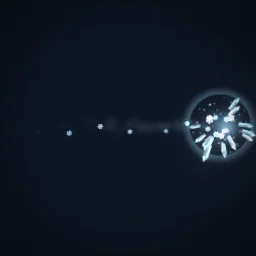 Frost Bolt
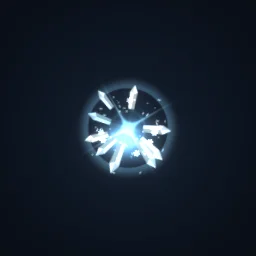 Ice Shard Burst
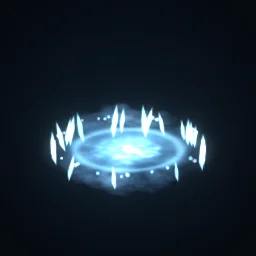 Frost Nova
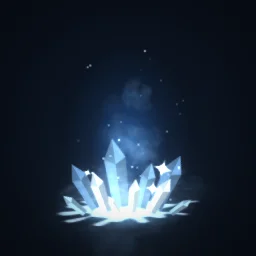 Frozen
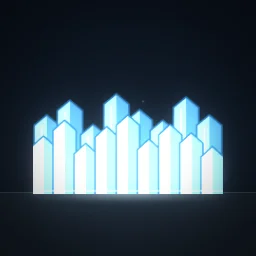 Ice Wall Rising
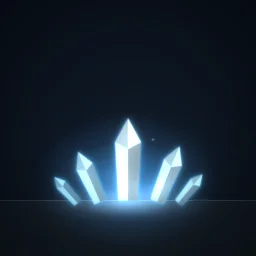 Ice Crystal Growth
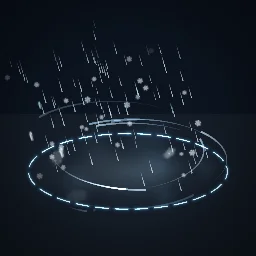 Blizzard Spell
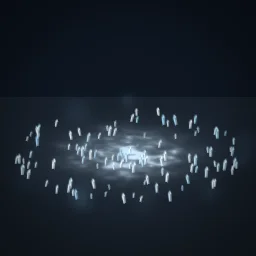 Frozen Ground Spread
- Hits: Frost Bolt for a projectile that bursts, Ice Shard Burst for the moment a freeze lands or breaks, Frost Nova for a ring of spikes around the caster.
- The freeze: Frozen is a crust of ice shards around the legs with cold mist, made to sit on a character for as long as the status lasts.
- Area: Ice Wall Rising and Ice Crystal Growth come out of the ground, Blizzard Spell snows over a zone, and Frozen Ground Spread runs a frost front outward from a point.
Freeze a character, then shatter
On the server, anchoring the HumanoidRootPart holds a character exactly where it is, whether it is a player or an NPC. This function freezes a character for a number of seconds with Frozen standing on it, then lets it go with an Ice Shard Burst. An attribute stops a second freeze stacking on the first.
local Debris = game:GetService("Debris")
local effects = game.ReplicatedStorage.Effects
local frozenFx = effects:WaitForChild("Frozen")
local shatterFx = effects:WaitForChild("Ice Shard Burst")

local function freeze(character: Model, seconds: number)
	local root = character:FindFirstChild("HumanoidRootPart") :: BasePart?
	if not root or character:GetAttribute("Frozen") then return end
	character:SetAttribute("Frozen", true)
	root.Anchored = true -- held in place, in mid-air too

	-- The root does not move while anchored, so the ice can stand at the same place.
	local ice = frozenFx:Clone()
	ice:PivotTo(root.CFrame)
	ice.Parent = character

	task.delay(seconds, function()
		ice:Destroy()
		if not root.Parent then return end -- the character left or respawned
		root.Anchored = false
		character:SetAttribute("Frozen", nil)

		local burst = shatterFx:Clone()
		burst:PivotTo(root.CFrame)
		burst.Parent = workspace
		Debris:AddItem(burst, 2) -- Lifetime + 1, rounded up
	end)
end
Frozen is a 3 s loop, so it keeps playing however long the freeze lasts. For a slow instead of a full freeze, leave the root unanchored, lower the Humanoid's WalkSpeed and weld the ice to the character as on aura VFX.
Settings for ice
- Glow: crystal and mist are solid colour, so seven of the eight effects here export with Glow off. Frost Nova is all light and exports with Glow on.
- In front of the character: set ZOffset to 1 or 2 on Frozen so the crust draws in front of the legs it locks, not behind them.
- Size: the default 6 studs suits Frozen on a character. Walls read well at 10 to 14 studs, Blizzard Spell at 20 and up.
- Walls block nothing: a flipbook is a picture. For an ice wall that stops players, add an invisible, anchored part with CanCollide on for the seconds the wall stands, and remove it when the wall shatters.
- Upright: set Orientation to FacingCameraWorldUp for walls and crystals, so they stay vertical when the camera looks down.
- Bright at night: the emitter is unlit (LightInfluence 0), which suits magic ice: it stays cold blue in a dark map.
The flipbook PNG is free: the ROBLOX button on every effect page needs no account, and a free account can also export it from the studio (3 effects a day) with the grid and texture size of your choice. The ready model, a .rbxmx with the emitter set up and a script that plays it, plus UIFlipbook.luau for UI, comes with any plan, from $7.99 a month.
Get it into your game
Every setting and both ways in, free PNG or ready model, are on the Roblox setup page. More picks by genre are on Free Roblox VFX, and any effect can be changed in the studio before you export it: turn the ice green for poison crystal or red for blood magic.
Questions
How do I freeze a player in Roblox?
On the server, set the HumanoidRootPart's Anchored property to true, and back to false when the freeze ends. Show a looping ice effect on the character in between, and play a shard burst when it breaks.
Why is the ice hidden behind my character?
The particle is drawn at the centre of the character, and the body in front of it covers it. Raise the emitter's ZOffset to 1 or 2 to draw it nearer the camera without moving it.
Can players walk through the ice wall?
Yes, unless you add a part. The flipbook is only the picture of the wall. Put an invisible, anchored part with CanCollide on where the wall stands, and destroy it when the effect ends.
Can I use these effects in a game that earns Robux?
Yes. Exported effects, including ones started from the library, may be used in any project, commercial games included, with no credit required. Reselling the library itself as an effect pack is not allowed.